I still remember the first time I saw the ad on YouTube for Artlist. I was halfway through editing a client video, staring at a folder full of audio tracks that just weren’t working, and honestly, I was too tired to dig through another messy licensing site.
Out of desperation more than curiosity, I clicked, and that was my first encounter with Artlist.
Since then, I have used Artlist on and off for different projects for its well-known features, i.e., AI images, AI videos, voice-overs, and even a few last-minute social edits where I needed music fast.
This review is exactly that experience: the good, the not-so-good, and everything I wish someone had told me before I signed up. If you want the quick version, jump to the pros and cons below, but if you really want to know how Artlist works in real projects, keep reading.
| Pros | Cons |
| Huge library of high-quality music across almost every genre | Pricing feels steep if you’re not using it regularly |
| Simple, clean interface that makes browsing fast and painless | AI features (video/image) still feel early-stage and not as strong as competitors |
| Clear licensing, no confusing restrictions or legal headaches | Voiceovers can sound robotic depending on the style and tone |
| Great sound effects library with strong categorization | Credit usage is as fast as a typhoon |
| Reliable download speeds and easy workflow integration | Some tracks feel overused because many creators rely on the same songs |
Getting to Know Artlist: What It Is and How It First Landed With Me
Artlist is essentially a creative toolkit built around licensing, music, sound effects, and now a growing suite of AI tools like video generation, image creation, and voiceovers.
If you’ve ever worked in video editing, you’ve probably heard someone say, “Just check Artlist.” That’s how common it is in the creator world.
When I first opened the platform, the interface immediately stood out. Full of creativity and very interactive. No clutter, no endless menus, no chaos.
Everything felt intentionally designed: clean categories, mega menu, and solid filtering, with a glass UI.
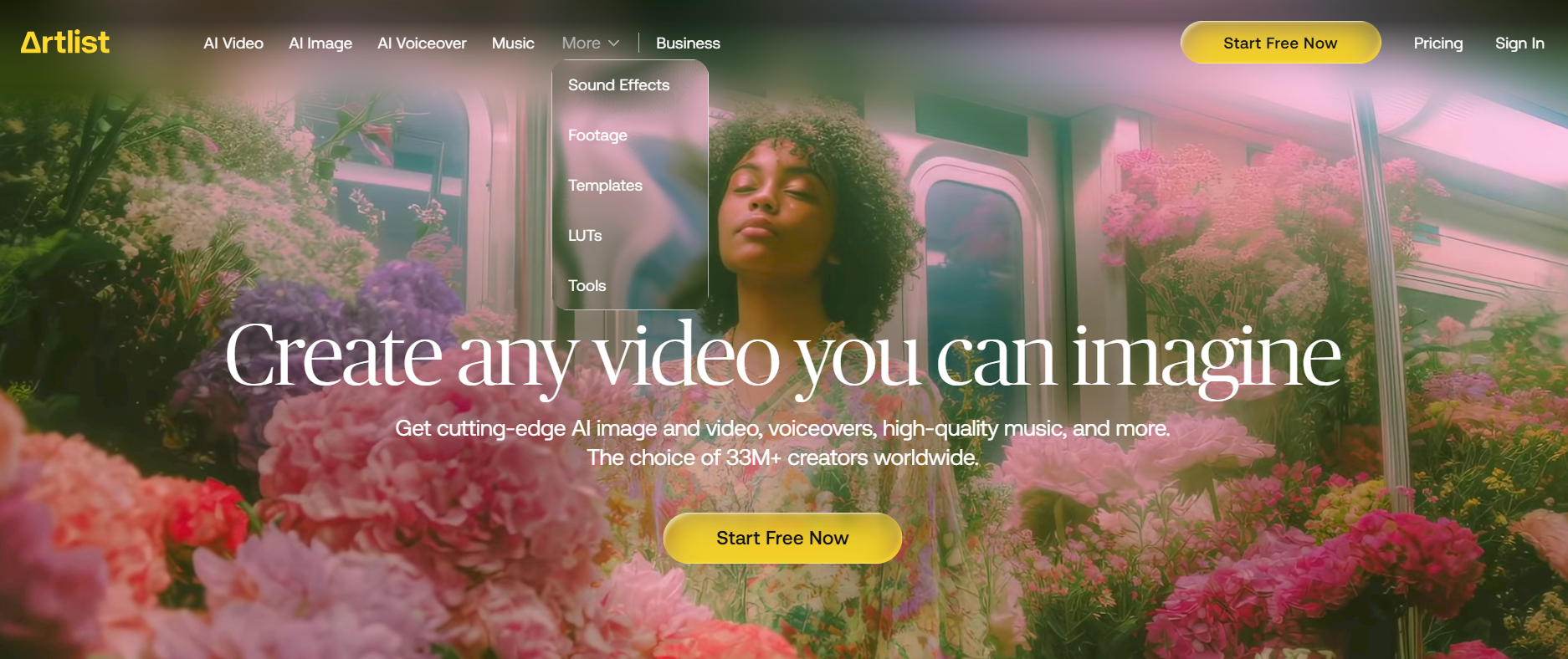
As you scroll through the website, you will find multiple features such as SFX, templates, footage, and music. But the real results come when these are tested.
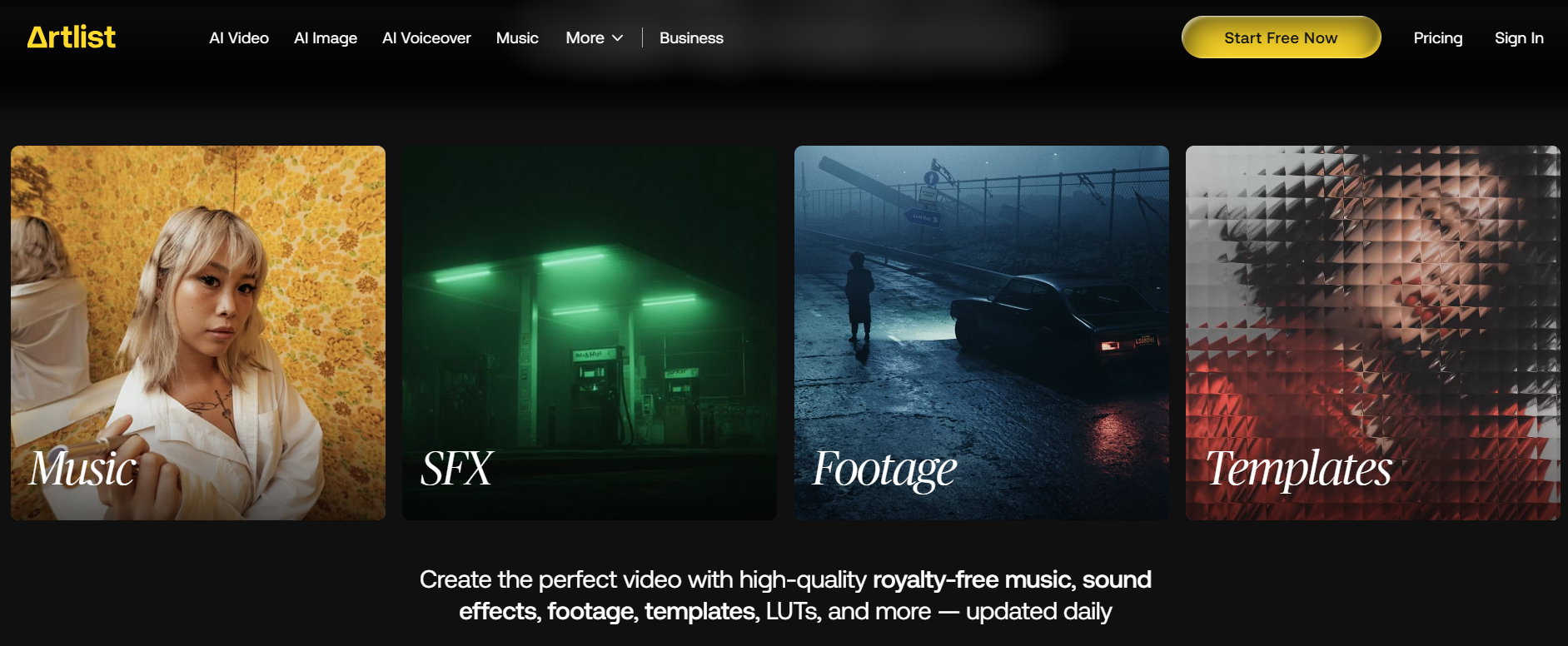
Pricing, on the other hand, made me pause. It’s not cheap, especially if you’re a freelancer or someone who uploads only occasionally. But the licensing structure is so straightforward that it almost justifies itself.
If you’re a business, it's a rip-off, and you will likely be charged for nothing.
One subscription covers everything, everywhere, forever. No hidden fine print, no restrictions depending on platform or audience size.
Workflow-wise, I settled into it quickly. Finding tracks, creating collections, and previewing music against video felt smooth on Artlist.
Their recent push into AI tools also caught my attention, mostly because I wasn’t expecting Artlist to go in that direction. I was curious (and a little skeptical), but definitely excited to try them out.
Let’s just get into the detailed review of the features, as there is a lot to unpack.
My Own Personal Experience With Artlist: It Was Okayish
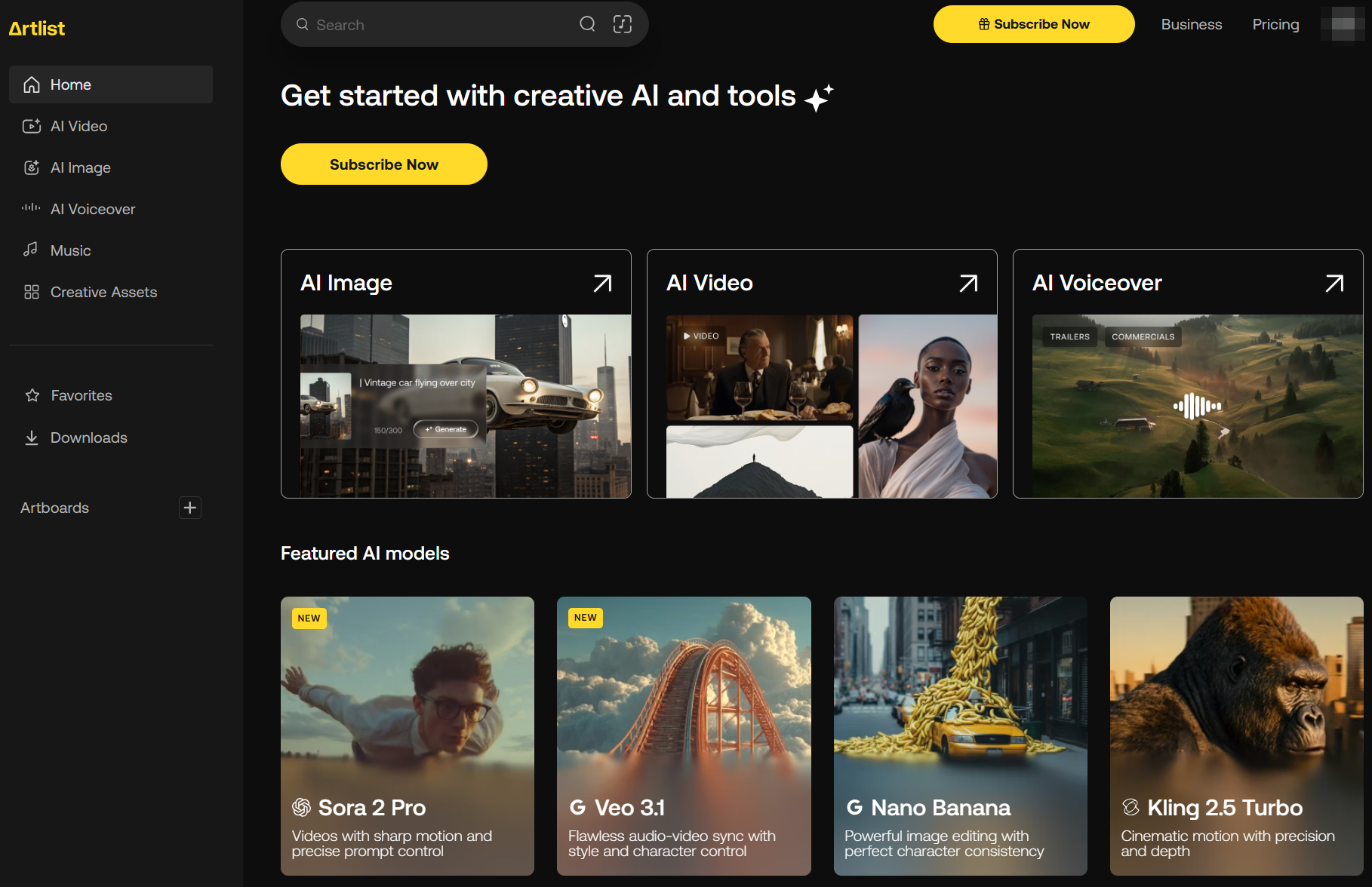
When I started using Artlist, I was impressed by its UI and how easy it is to navigate. It felt less like testing a tool and more like stepping into a workspace I already understood.
However, as I started using its features that were marketed as top-tier, my opinion changed.
Below is how its main features performed when I put them to the real test:
AI Video
When I tested Artlist’s AI Video tool, I started with very simple expectations. The good part is that it didn’t take me long to figure out how everything worked.
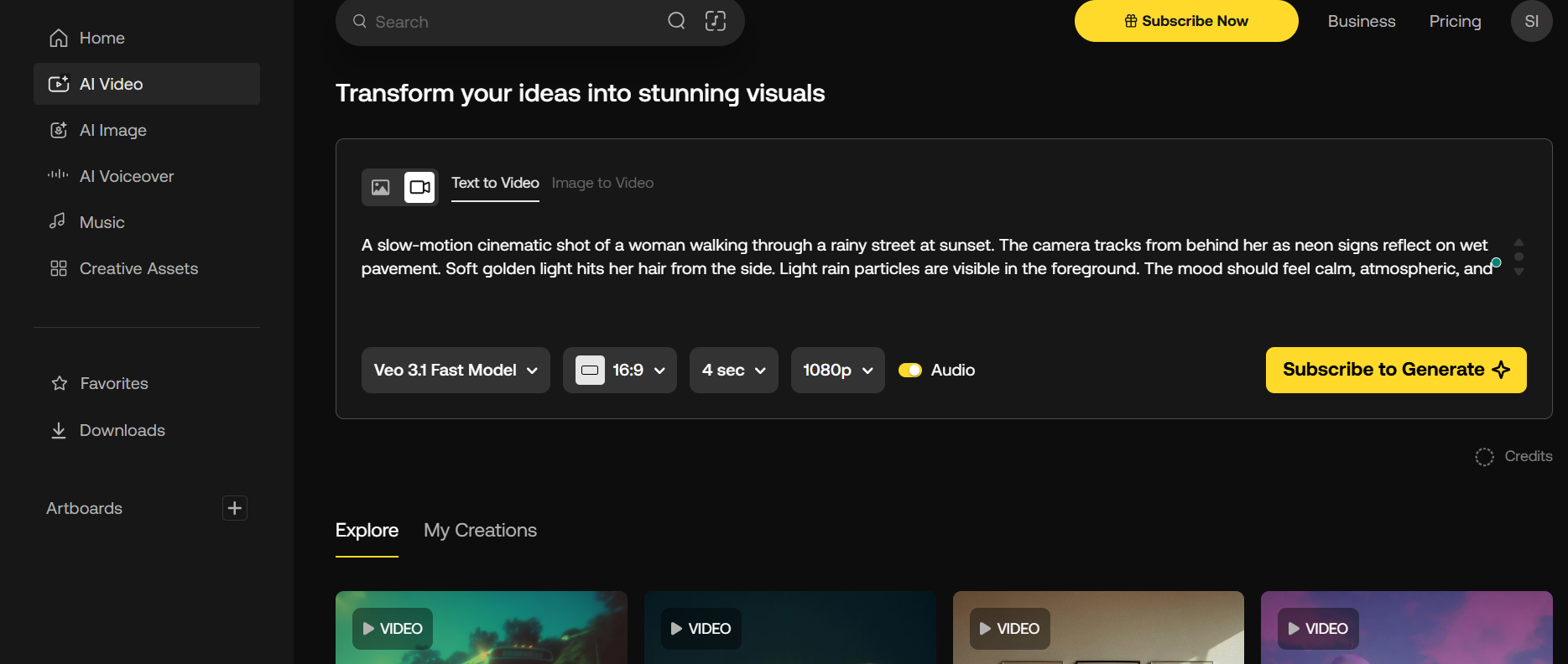
The interface of AI video generation in Artlist is very simple to understand.
To generate AI videos, it gives users nine models to choose from, such as Kling 2.5 Turbo, Sora 2, Sora 2 Pro, etc., and you can create videos based on whichever model you find perfect.
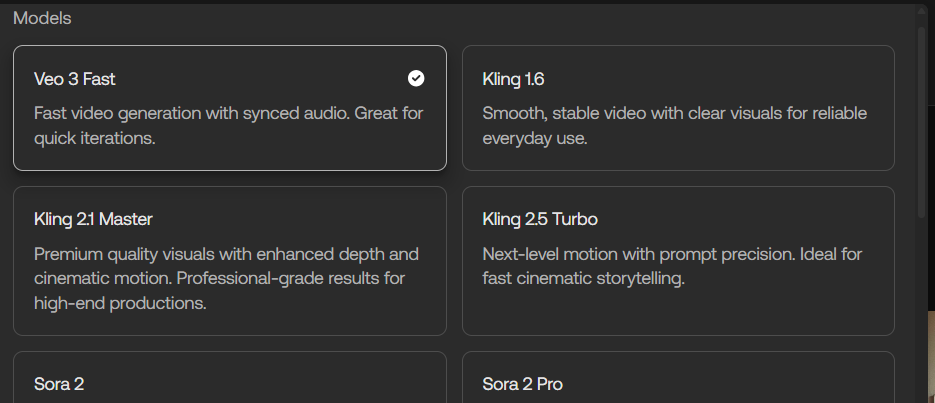
Also, you can create AI videos from 4 seconds to 8 seconds in two different resolutions (either 720p or 1080p). With that, it also allowed me to choose my frame (landscape or portrait).
In addition to that, there are multiple templates (they look really impressive).
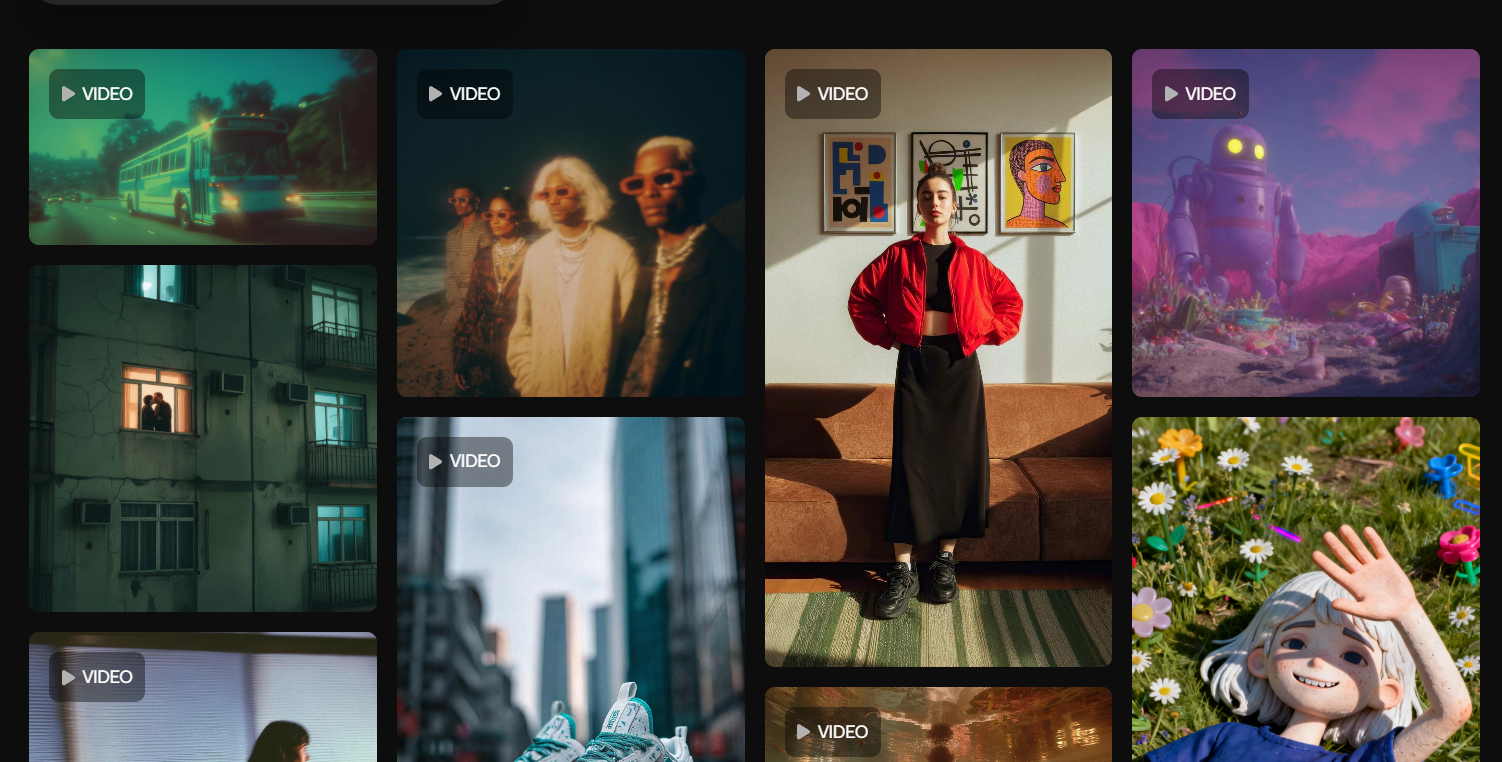
So, yes, it gives you a lot of options to get started with.
Now, the real test starts. I wrote my first prompt, clicked generate, and the video came back quickly. The quality was good enough for brainstorming, and it matched the idea I had in mind more closely than I expected.
The image-to-video prompt said, “Animate a cute toddler in a blue panda onesie standing on a light-colored couch, holding a small blue dumbbell. Show the toddler's joyful movements as they playfully lift the dumbbell up and down. The background features sunny, soft lighting with decorative frames on the wall. The toddler occasionally turns to look at the camera with a smile, showcasing an atmosphere of warmth and playfulness.”
| Input Image | Output Video |
 |
The results were apt and followed what I said. Also, the quality of the video was high, and it did not disappoint me. However, the details of the body were warped. For example, if you look at the baby’s left hand, it is deformed as if the tool failed to generate it properly.
Also, when the baby smiles, you can see a row of tiny, unusually sharp-looking teeth, almost too many for a baby, which gives the expression an oddly intense look.
Prompt 2:
I gave it another prompt to generate a video in a commercial setting. The prompt said, “Animate a scene of a focused professional woman typing on a laptop in a well-lit office. Show subtle movements such as her fingers tapping on the keyboard and her head occasionally tilting as she concentrates. Add a gentle camera zoom on her face to capture her concentration and a slight pan to the laptop screen to indicate activity. Include soft background motion of plants swaying lightly to convey a serene work environment.”
The AI-generated video by Artlist against the given prompt:
| Input Image | Output Video |
 |
I was taken aback by the video it created. It missed all my commands. You can see that the woman is typing on a table instead of a laptop, while I clearly mentioned ‘woman typing on a laptop’ in my prompt.
Also, the fingers are moving incrementally, and her head did not even tilt. Overall, the idea was not picked by the AI video tool, and I am honestly gutted.
What I did appreciate was the speed. I got them instantly, which made the whole process feel smooth instead of frustrating.
Overall, my experience with Artlist’s AI video tool was okay from afar, but when I started testing in detail, it was not up to the standard.
To put it in a nutshell, it works well for rough concepts and moodboards, but it still needs more refinement before it can compete with the stronger AI video tools I use daily.
AI Image
When I tried Artlist’s AI image tool, I was expecting much again. But still, I wanted to see if it could replace the other AI image generators that I use regularly.
Speaking of the AI image generator, its interface is very simple, just like the AI video. No complicated menus, just a simple prompt box and a few style options.
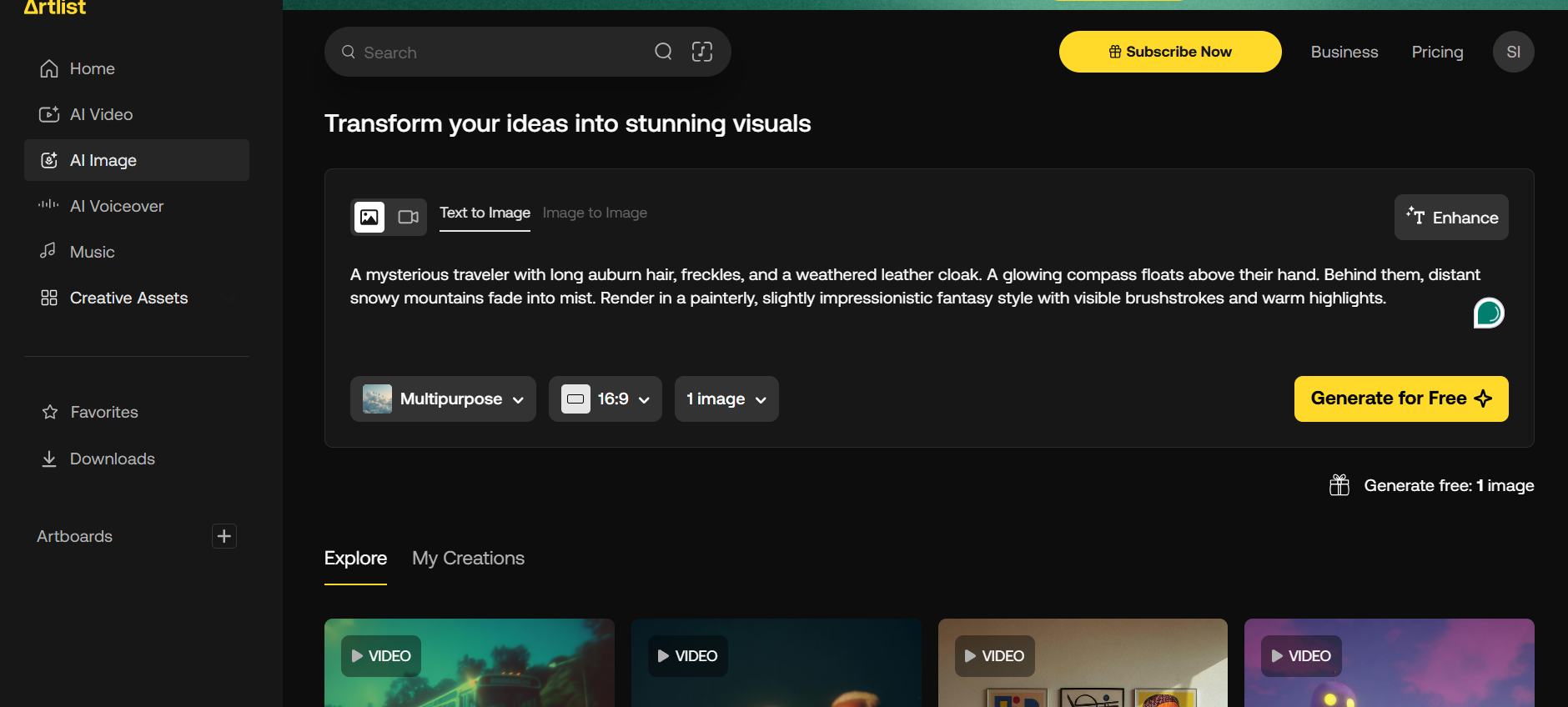
It gives me 10+ styles for creating images such as studio style, multipurpose, playful 3D, photorealistic, etc.
I entered a detailed prompt to see how well it handled realism, and the result was actually quite impressive. The colors were clean, the lighting was natural, and the overall composition felt intentional instead of chaotic.
Below is one of the images I created in response to the given prompt.
| A portrait of a young woman standing on a city street at dusk, soft neon reflections on her face from nearby signs. Slight wind in her hair, confident expression, textured denim jacket, blurred traffic lights in the background. The mood is modern, expressive, and slightly cinematic with shallow depth of field. |
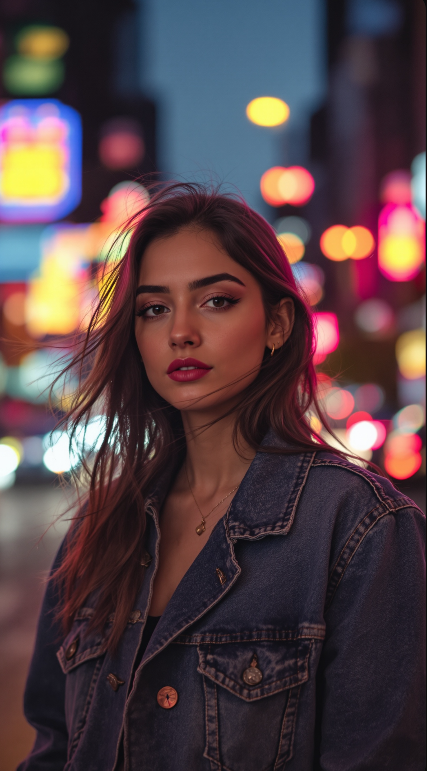 |
The image generated is impressive. I like the quality and the overall outcome, as the tool got the commands properly.
However, instead of working on the signal lights in the background, it added the bokeh effect, which was not required and not mentioned in the prompt as well.
But when I tried something a bit more specific, like a character with defined features or a particular art direction, the results became inconsistent.
Below is the prompt I provided to generate the second image.
| A mysterious traveler with long auburn hair, freckles, and a weathered leather cloak. A glowing compass floats above their hand. Behind them, distant snowy mountains fade into mist. Render in a painterly, slightly impressionistic fantasy style with visible brushstrokes and warm highlights. |
 |
From afar, the image generated by Artlist looks perfectly fine. However, as soon as I started tallying it with the prompt, the result seemed different.
First of all, I mentioned a traveler and did not mention any pronouns, but it still generated female characters.
Also, the pinky finger of the hand is relatively longer than the others (which is opposite to what real hands look like). Last but not least, I also noticed that both of the images had different prompts and characters, but the face of both looks exactly the same.
Overall, Artlist’s AI Image generator feels like a strong tool for simple, aesthetic visuals and quick creative concepts.
It’s not at the level where I’d rely on it for detailed character work or commercial-grade imagery, but it’s definitely useful for fast inspiration and mood-building.
I would give its AI image tool 5/10.
AI Voiceover
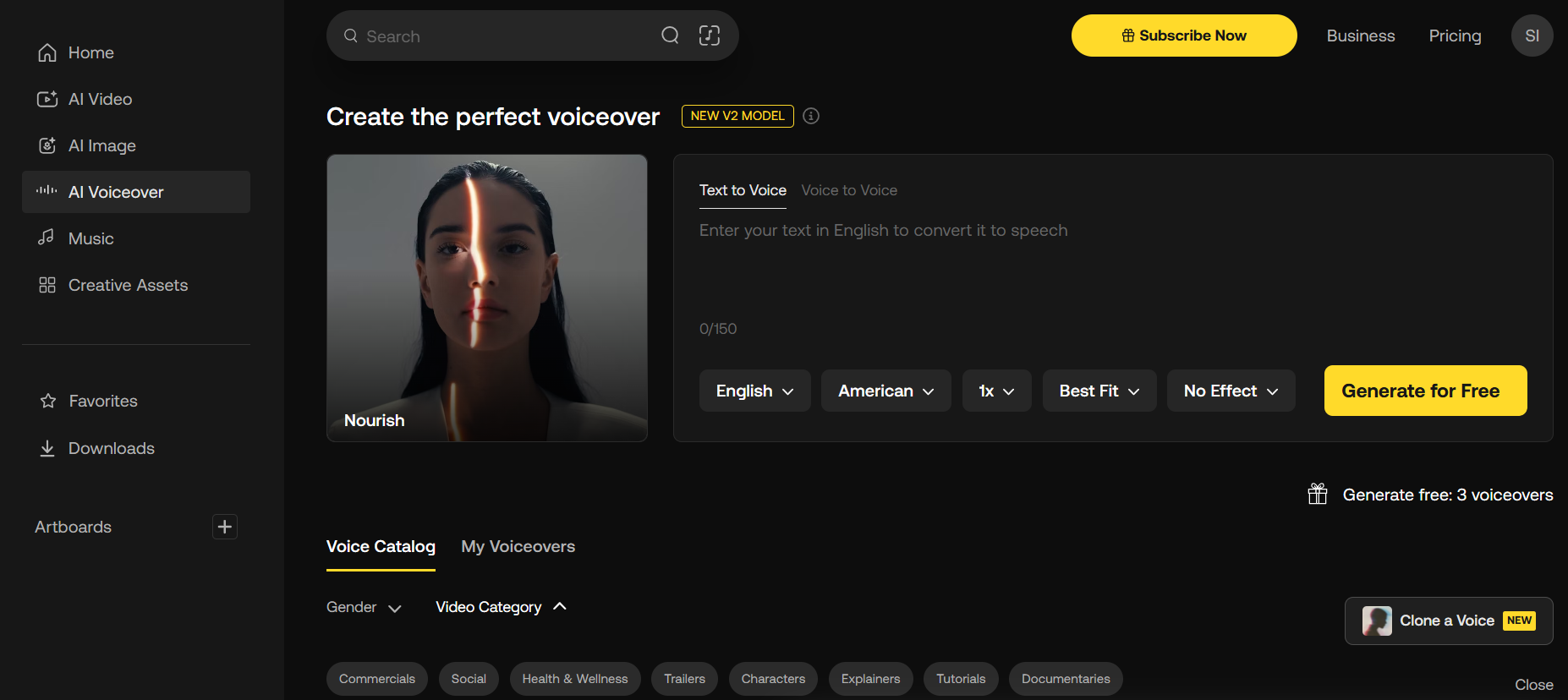
When I first tried Artlist’s AI Voiceover, I was curious if it could match the natural tone I usually need for videos.
Setting it up was simple: I typed in my script, chose a voice, and hit generate.
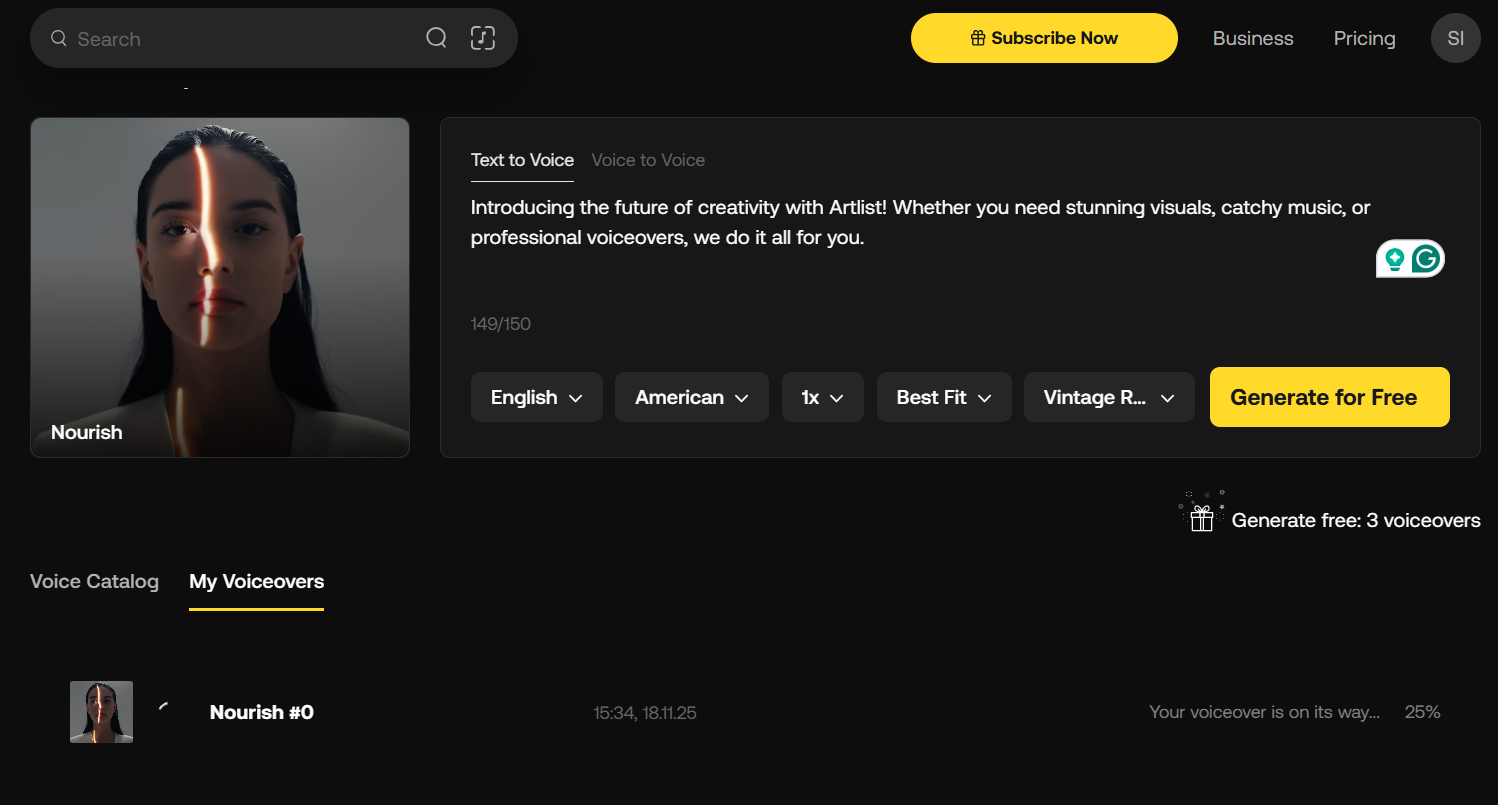
As you can see, it allows you to select language, accent, speed, best fit tone, and styles for the voiceover. However, it has a limit of 150 characters on the free plan. If you have longer texts for voiceovers, you’d need to take a paid plan.
The output was clear and mostly natural, though some pronunciations felt slightly robotic or overly uniform. But the tone was monotonous; there were no highs and lows in the voice, and it felt extremely robotic.
It works well for explainer videos or short tutorials, but for content that requires nuanced emotion or personality, I still find myself tweaking it or layering it with my own recordings.
So, I would recommend using a more polished tool that can do the voiceovers professionally.
Still, it’s convenient and can save a lot of time when you need a quick voice track.
Next, I went on to check other features such as music and sound effects. Let’s uncover those as well.
Music
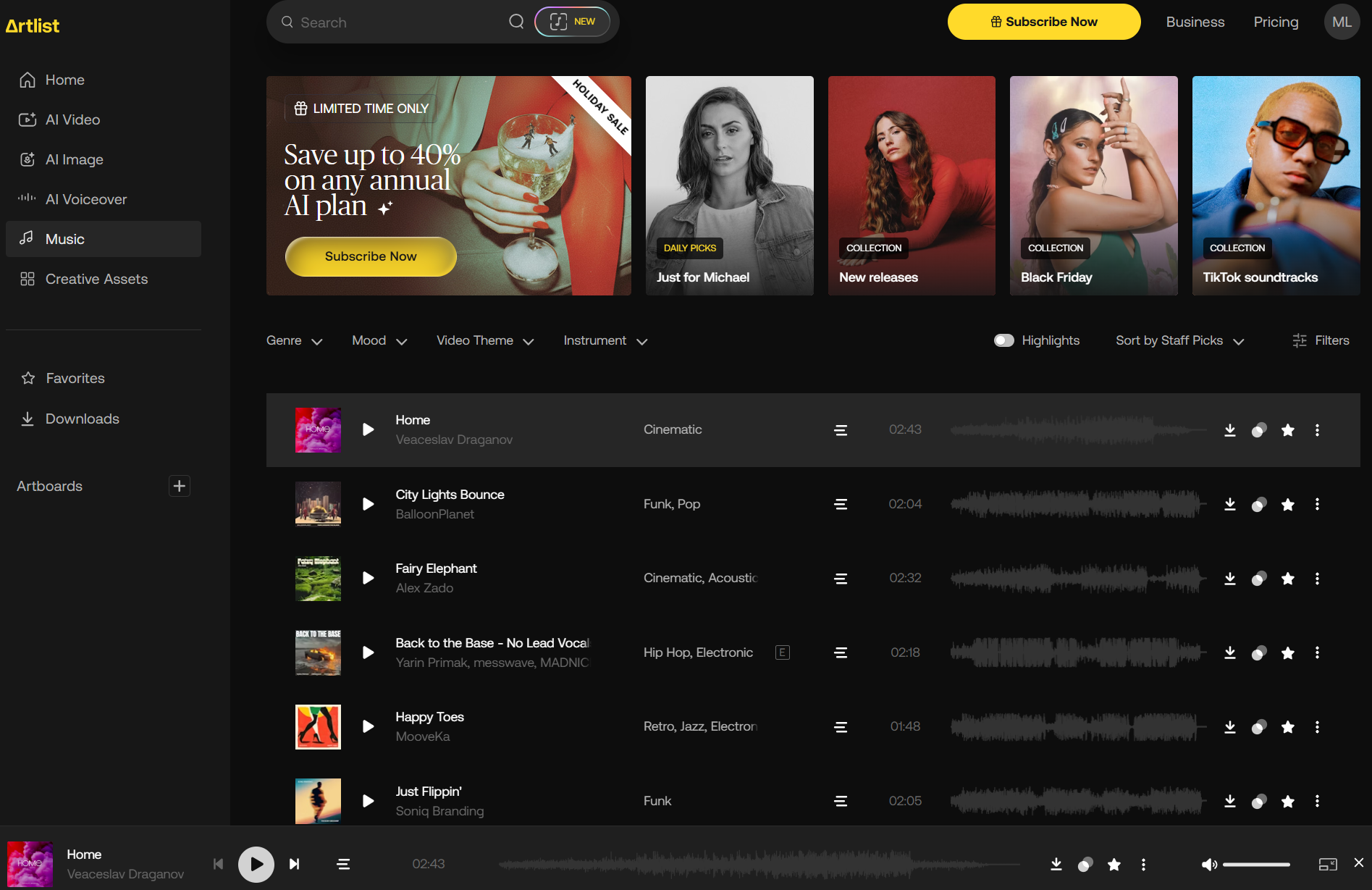
Artlist’s music library is extensive and highly organized, making it easy to find exactly what I need for any project.
It creates a personalized list ‘just for you’ that matches your taste. In addition to that, you can also browse through a wide collection of songs such as new releases, Black Friday collection, and TikTok soundtracks.
In Artlist, you can also find similar songs based on a song with just one click.
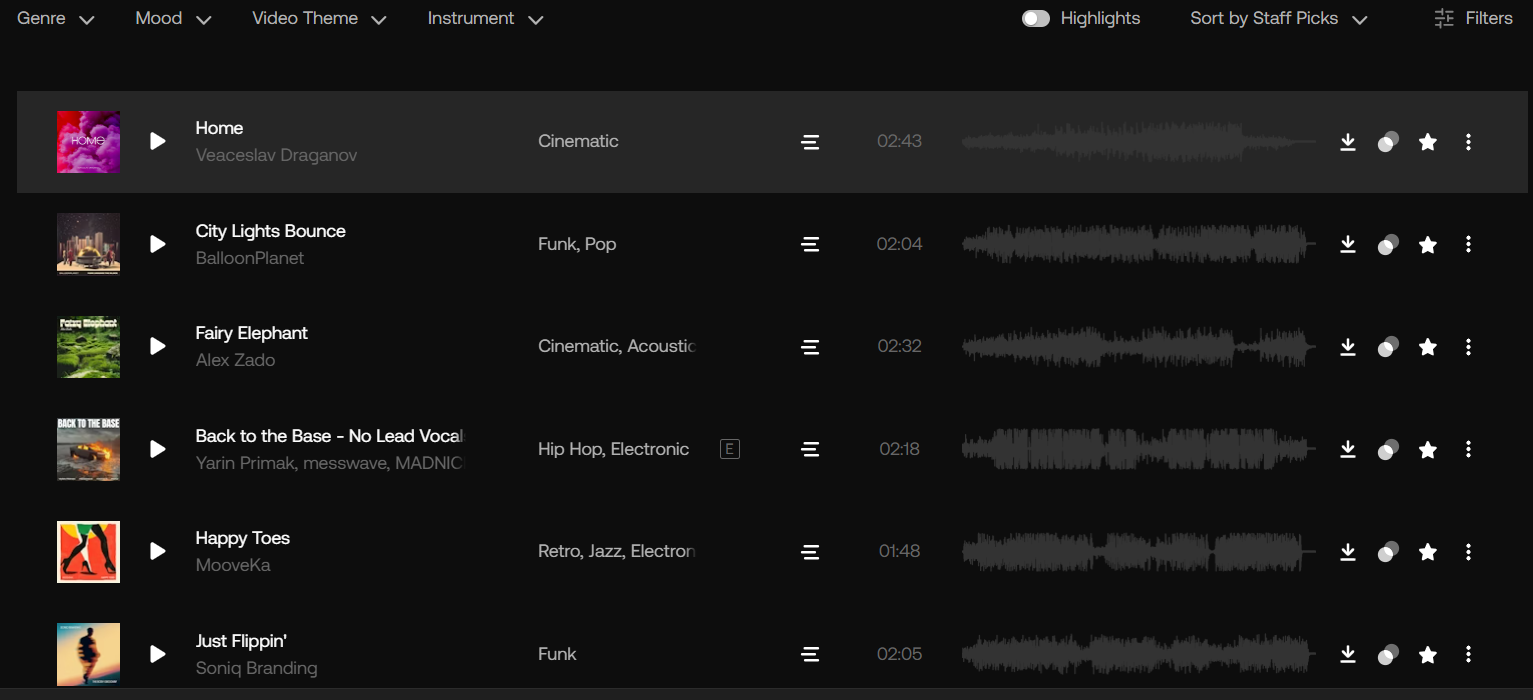
I can filter tracks by genre, mood, video theme, or even specific instruments, which saves a lot of time during editing.
Each track comes with clear licensing, so I can use it in client videos, social content, or personal projects without worrying about copyright issues.
I noticed some tracks are widely used, but the overall production quality is excellent, with well-balanced mixing and professional mastering.
For creating background music, promotional clips, or social media videos, Artlist provides reliable, ready-to-use music options that integrate seamlessly into my workflow.
Sound Effects
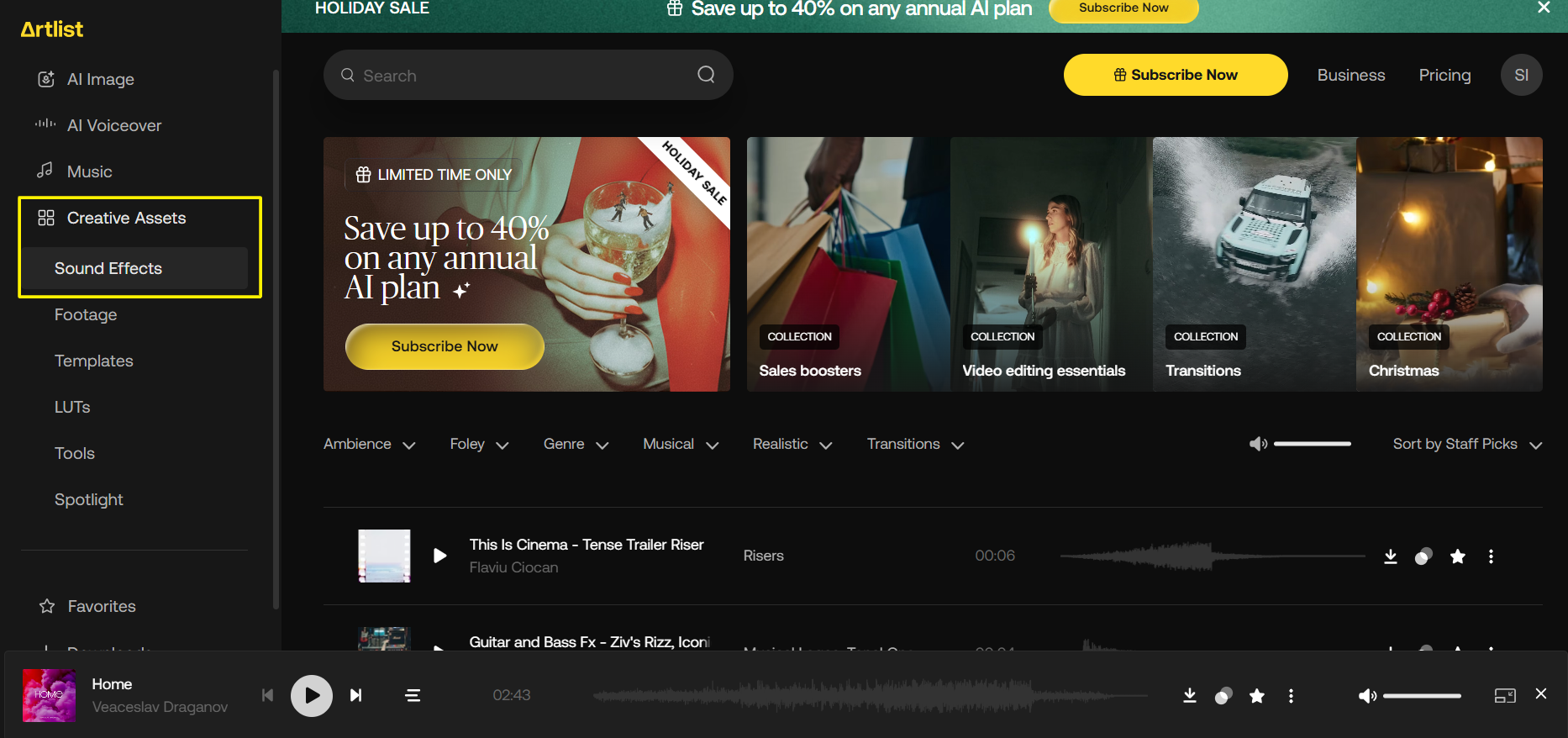
In Artlist, there are different creative assets, and sound effects are one of them.
As I started to navigate Artlist’s sound effects library, I came across a wide collection.
It is impressively comprehensive, covering everything from subtle ambient noises to dramatic, high-impact effects.
One of the most impressive factors in SFX was the number of options, such as ambience, foley, genre, musical, realistic, and transitions. I was able to find exactly what I needed in less than one minute.

Also, I could quickly locate exactly what I needed thanks to the clear categorization and intuitive search filters.
Previewing multiple sounds before downloading is seamless, which saves a lot of time when layering effects for a project.
The factor that stood out the most to me was the quality. It was clear, crisp, well-balanced, and ready for immediate use.
A few effects occasionally have a slightly synthetic tone, especially electronic or sci-fi sounds, but in most cases, they integrate naturally into videos without requiring additional editing.
For me, this sound effects library eliminates the need to record sounds manually, making it an efficient, reliable tool for both professional and personal projects.
Wrapping Up My Experience: The Final Take on Artlist
After spending considerable time exploring Artlist, I can say it’s a powerful platform for creators, but it comes with both strengths and limitations.
The music and sound effects libraries are standout features, i.e., high-quality, well-organized, and easy to integrate into any project.
However, the credit usage is insanely quick, and you would be left with nothing. On a Reddit thread, users faced similar problems, even in the paid plans. Some users also complain that they have very slow customer service, so think wisely before you put your money into that.
If I talk about royalty-free content, then I never have to worry about licensing, which is a huge relief for client work or social content.
AI-powered tools like video generation, image creation, and voiceovers show promise, especially for concept development or quick drafts, but they’re not yet robust enough to replace professional tools for polished outputs.
The interface is clean, intuitive, and easy to navigate, which makes the workflow smooth, even when switching between music, SFX, and AI features.
In conclusion, Artlist is excellent for creators looking for music, sound effects, and quick AI-assisted media, but if you’re after more advanced AI generation for video or images, there are better alternatives to explore.
How HIX AI is a Superior Alternative to Artlist for Your Creative Tasks
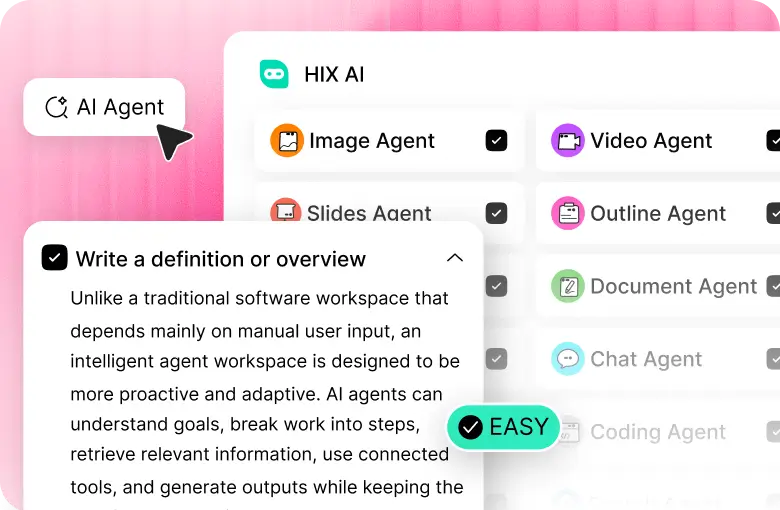
If you’re someone who has multiple tasks in your to-do list and works on multiple AI platforms, you’ll immediately notice how much smoother your workflow becomes with HIX AI.
The AI models used at the backend in HIX AI are fast and get the command quickly, which will aid in saving your time and getting more done with less.
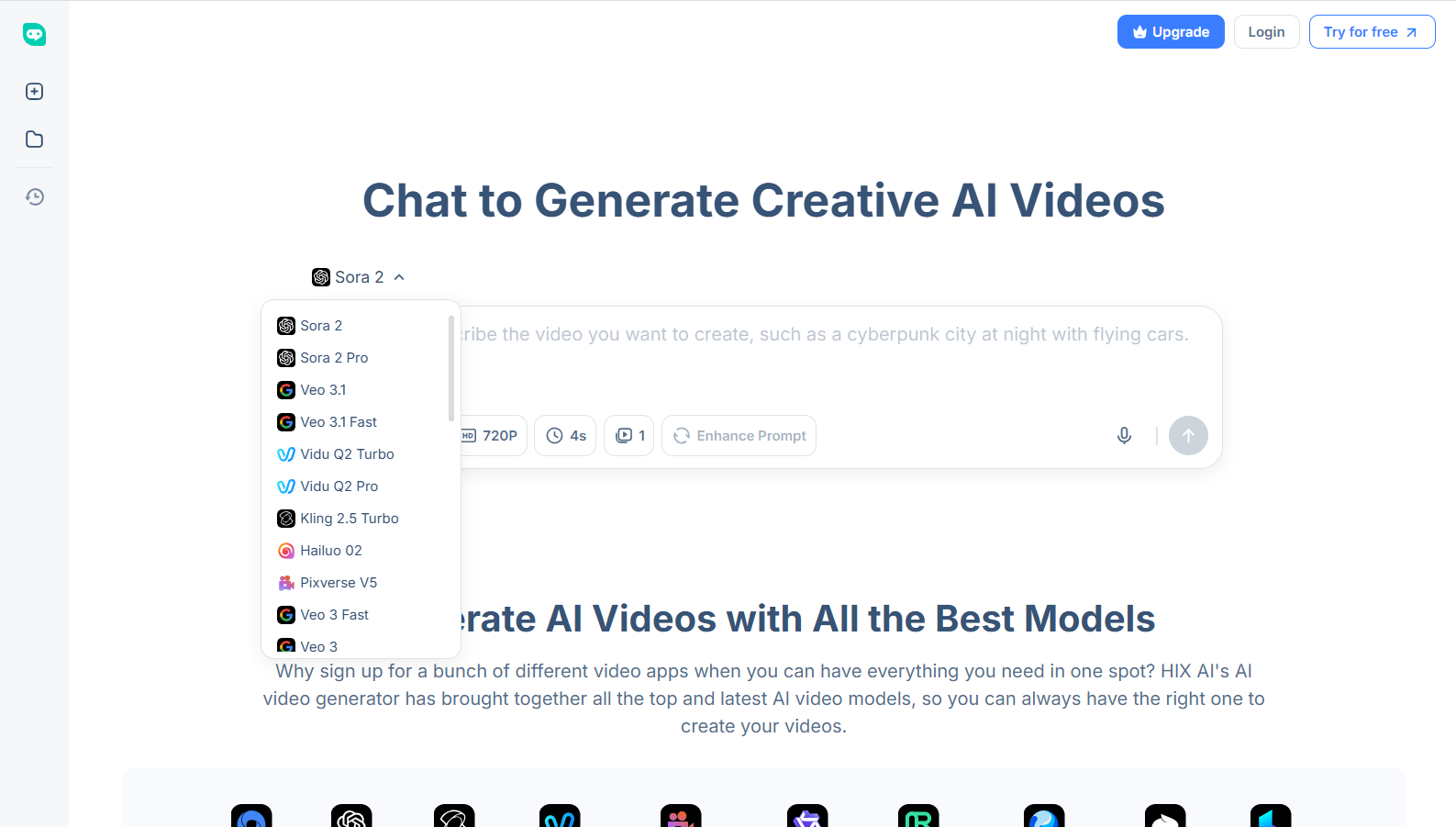
The HIX AI video agent offers a wide collection of video models compared to Artlist. Some of the top-chart AI models include Sora 2, Kling AI, Pika AI, Luma AI, Seedance, and Runway.

These models help in delivering smoother, more consistent results as compared to Artlist, especially when working with detailed prompts or require multiple shots in the same style.
Besides, you can also create professional-quality videos easily from text or images by chatting with HIX AI through natural language. The video to video AI allows you to restyle existing video clips into over 30 unique styles, from cinematic to animated types.
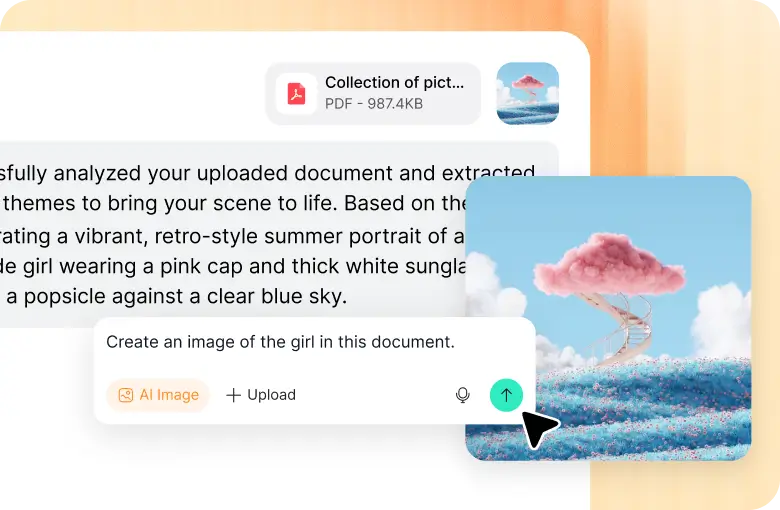
The AI image agent of HIX AI is equally impressive. Whether you want to create detailed characters, backgrounds, or creative concepts, HIX AI will assist you with both client work and personal projects.

Also, you cannot miss trying a range of AI image models, such as Google Nano Banana Pro, Midjourney (one of my favourites), Recraft, Seedream 4.0, Qwen image, and much more.
The best part? All of these models are integrated under one platform, so you won’t need to switch tabs or juggle multiple apps.
Conclusion
Artlist is a solid platform, especially for music and sound effects, and its AI tools are fun for quick experiments.
However, for more advanced AI-generated content, particularly videos and images, HIX AI offers high-quality results as compared to Artlist.
Even if you want to brainstorm ideas and fine-tune them into professional visuals, HIX AI is the best.
And for this very reason, it has become an essential part of my workflow, and I highly recommend giving it a try if you want both quality and efficiency in one place.