As an avid social media user, I noticed that many online creators are still struggling to find an AI media platform optimized for producing viral-worthy content.
Ironically enough, I recently came across Higgsfield AI, and right away, I was hopeful that this may just be the AI generation platform that is truly built for real creators.
And what do I mean by this? It seems capable of generating realistic and visually captivating images/videos, can accommodate creators on the move, and looks quick to produce results.
But what truly captivated me was its full creative suite. Higgsfield AI doesn't just combine multiple AI generative models, but also puts director-level control in the hands of its users.
From providing industry-level visual effects libraries to countless cinematic motion presets, Higgsfield AI makes professional content creation possible, even with no prior expertise.
But before I delve into this AI platform any deeper, let me give you some quick insight into what I liked about it and what aspects I found restrictive.
| Pros | Cons |
| Supports image & video generation | Maximum video duration goes up to 12-sec |
| Built-in visual effects library | Advanced features require higher-tier plans |
| Advanced camera control | Limited customization options available |
| Delivers highly realistic & stylized outputs | Few media editing tools available |
| Publicly available community creations | Outputs sometimes lack visual consistency |
| Multiple AI model integrations | |
| Mobile app available |
Now, let me explain what Higgsfield AI is doing differently from the rest of its competitors.
Why Should You Consider Using Higgsfield AI?
Built by Snapchat’s AI department with creators, marketers, and influencers in mind, Higgsfield AI is an advanced AI platform with a unique focus on producing highly-stylized content.
With over 11 million users and having recently announced a $50 million Series A financing, I believe the primary driver of the AI platform’s success is its ‘Click to Video’ presets.
I can use these to apply advanced camera movements and visual effects to any image(s), making it possible to create incredibly dynamic visual scenes without complex prompts.
Unlike other platforms that are typically limited to basic camera controls like zoom in or pan, I can instantly create dolly shots, crash zooms, timelapses, aerial shots, 3D rotations, etc.
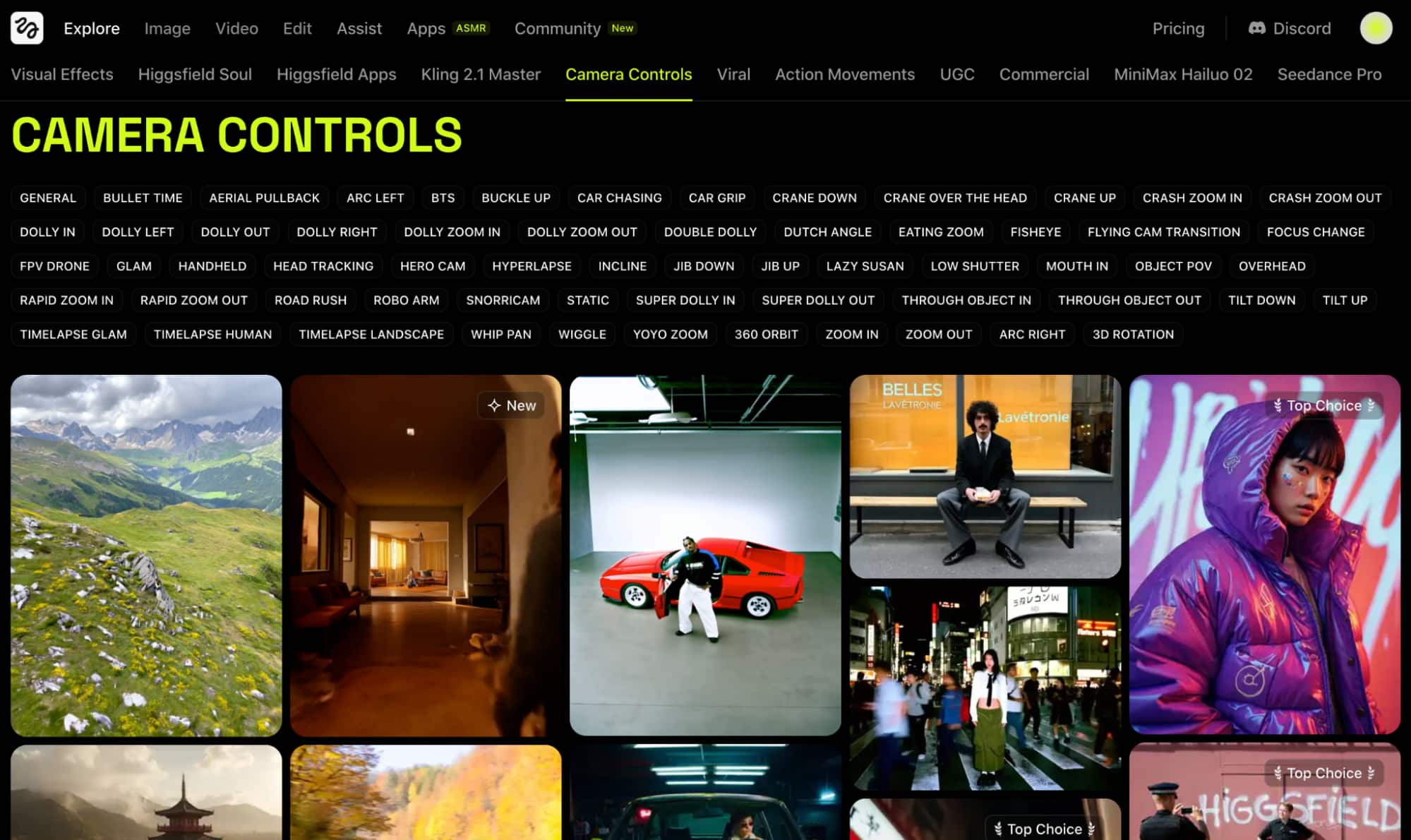
I was even more impressed with the VFX selection. Some of the unique options I could use included Werewolf, X-Ray, Face Punch, Levitation, Angel Wings, Building Explosion, etc.
Because of this, I find it well-suited for creators, influencers, and brands seeking a hassle-free way to produce stylized social media videos in just a matter of minutes.
Another important aspect that I’m confident has helped propel Higgsfield AI forward is its powerful ‘Soul’ image model, which excels at rendering photorealistic characters.
With it, I can benefit from a precise level of detail that ensures even skin tones, textures, lighting, shadows, and backgrounds are indistinguishable from real portrait shots.
Furthermore, Higgsfield AI boasts an impressive level of fashion expertise. I noticed this because most of the published creations on the community page are model-based imagery.
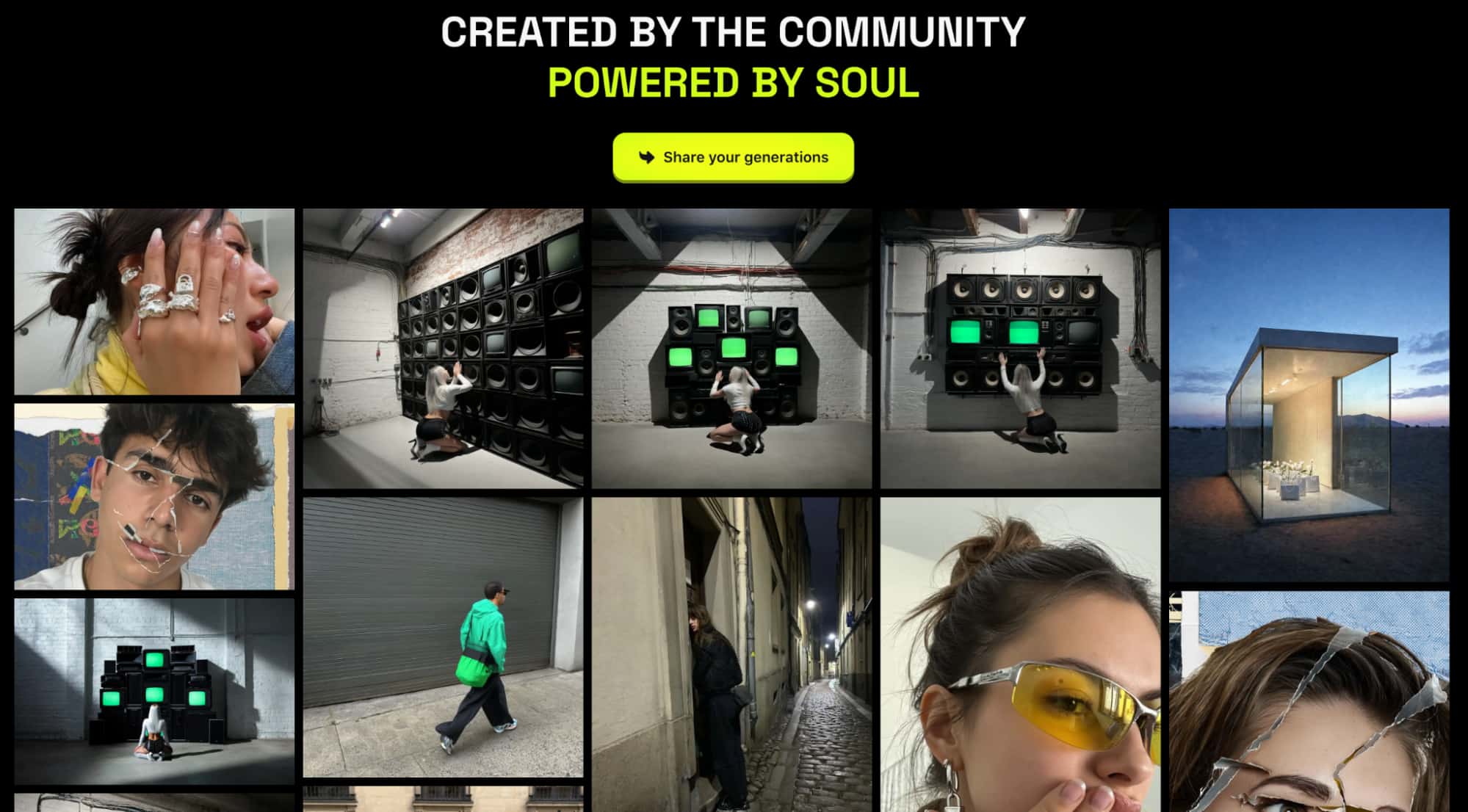
From Y2K to haute couture, it seems capable of processing all kinds of style references in prompts to render relatively accurate fabric compositions.
But what convinced me that Higgsfield AI is for online creators is its mobile app. I like that it doesn’t just scale down the website, but rather optimizes it to provide a seamless on-the-go UI.
Having said all that, the real question is how this platform performs. Eager to see for myself, I carried out a few tests on its image and video generators, so let’s see how that turned out!
What Happened When I Tested Higgsfield AI?
A lot happened! So, let’s start with the image generator, Higgsfield Soul. Given its supposed prowess with ultra-realistic imagery, I was looking forward to putting this to the test.
For the first sample, this was the prompt I used and the output it produced below:
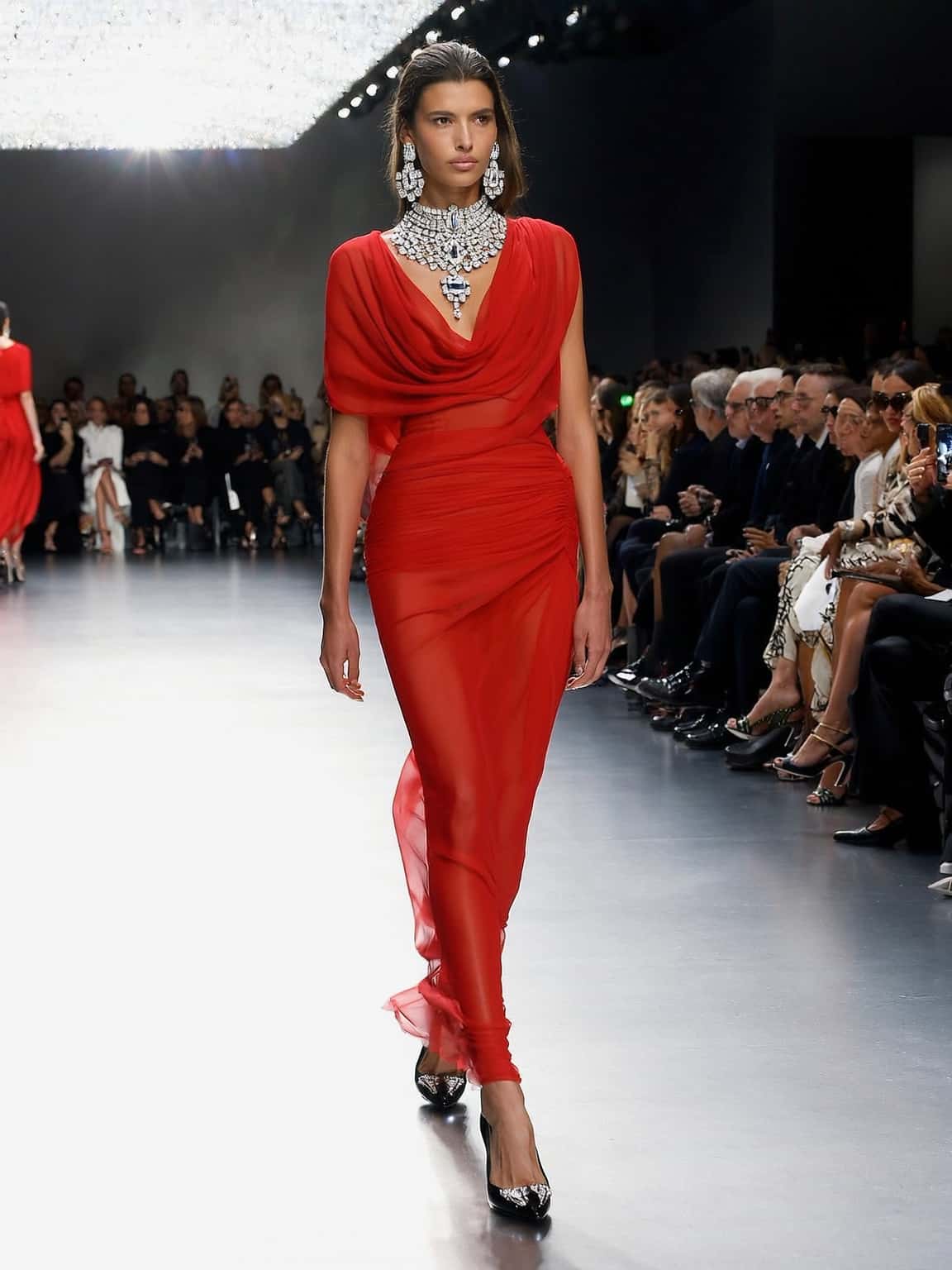
[A beautiful, slender female fashion model walking confidently down a Milan Fashion Week runway. She wears a stunning, form-fitting red haute couture dress, paired with elegant black heels and dazzling diamond jewelry. The runway is sleek and modern, with stylish, well-dressed audience members visible in the background, watching intently.]
 |
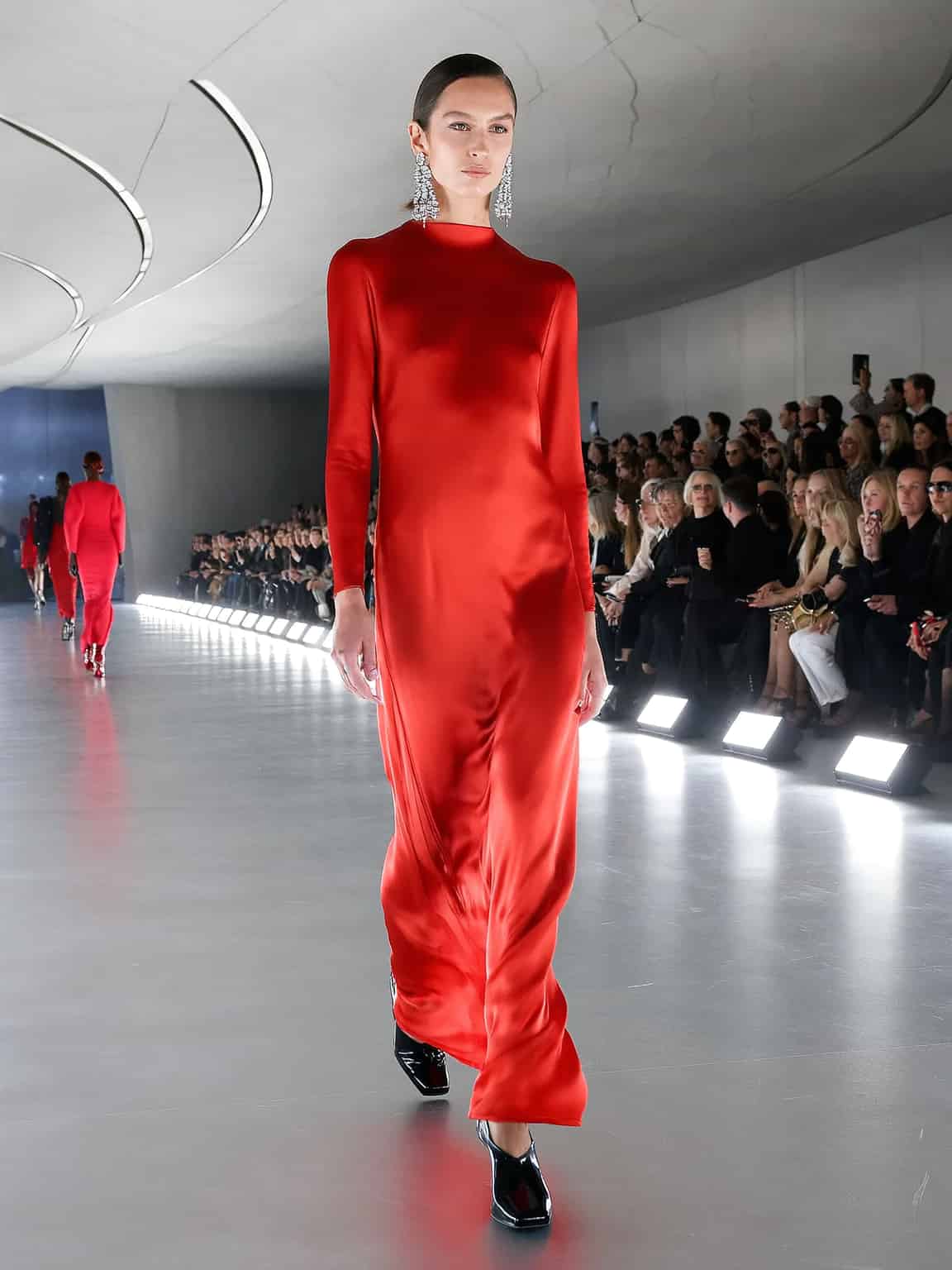 |
From my first glance, I was impressed. The subject renders look so incredibly realistic; if I hadn’t generated them, I would’ve thought they were actual photos of real people from a fashion show.
The level of detail is truly immaculate; from the skin texture and hair to the veins on her feet, they both lack the typical glossy/plastic-like look associated with most AI-generated characters.
Even the way the dress fabrics in the scenes flow to fit each of their body shapes and movements looks natural and believable.
I also like how the refraction of neon lights on the runways is still captured. However, the one thing that compromises the images’ credibility is the background characters.
If you look closely, you will notice that some of the audience's faces are distorted. This is very evident in the first one, where some parts are so garbled; it’s hard to tell who’s sitting there.
So, it’s clear that Higgsfield Soul still has a few kinks to work out with visual fidelity. But, compared to most other alternatives, it produced a strong 8/10 result.
For my second and final attempt with Higgsfield Soul, I wanted to see how it performs in a more detail-heavy scene. You can check out the prompt I input and the images it generated below:
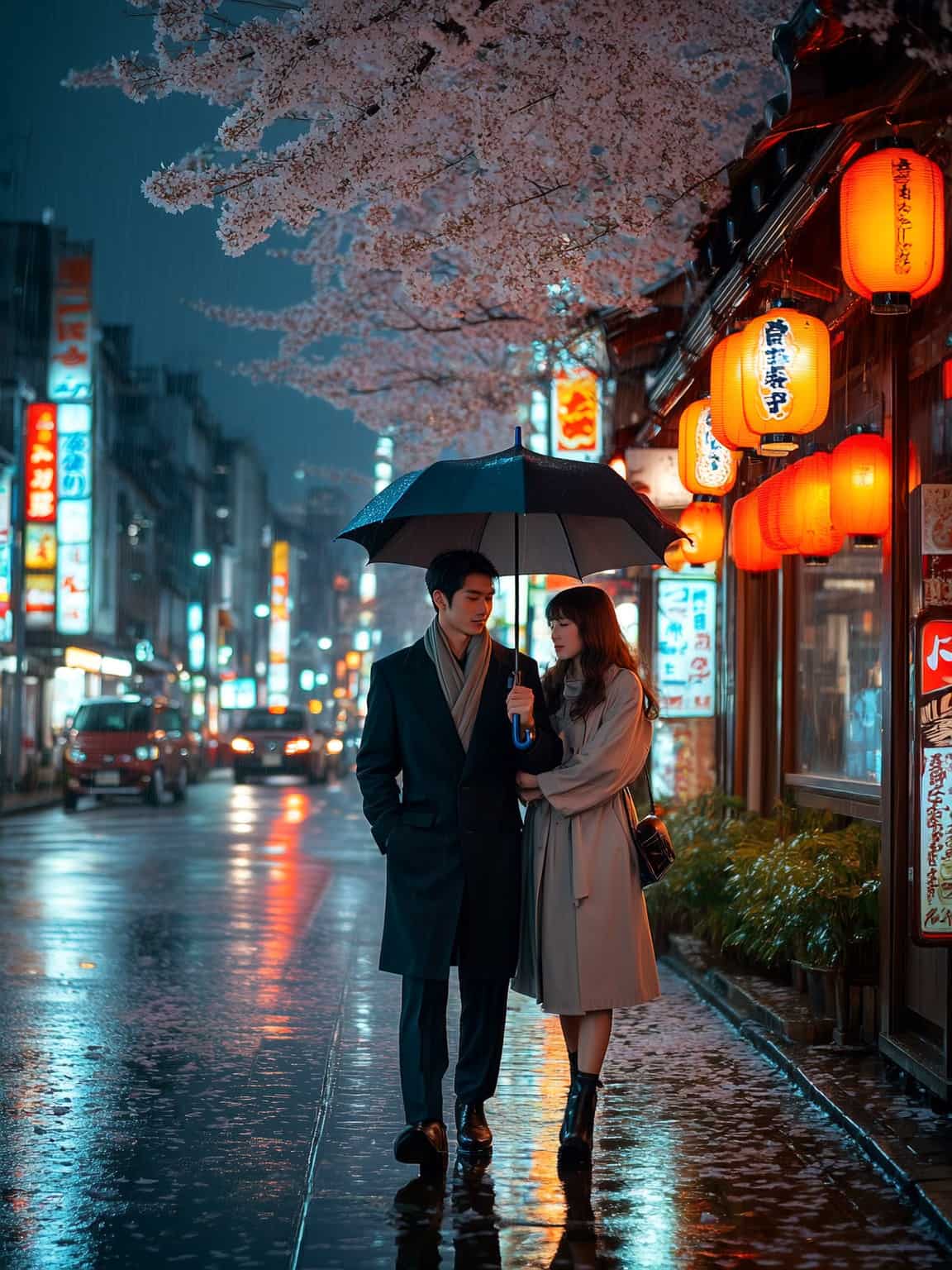
[A romantic couple walks closely under a sleek black umbrella on a rainy Tokyo street, glowing with neon lights. The wet pavement reflects colorful kanji signs and lanterns from cozy izakayas. She wears a light trench coat and ankle boots, gently holding his arm; he’s in a dark coat and scarf. Cherry blossom petals dot the sidewalk, and soft rain can be seen pouring. Distant car lights and warm lanterns create a dreamy, cinematic mood]
 |
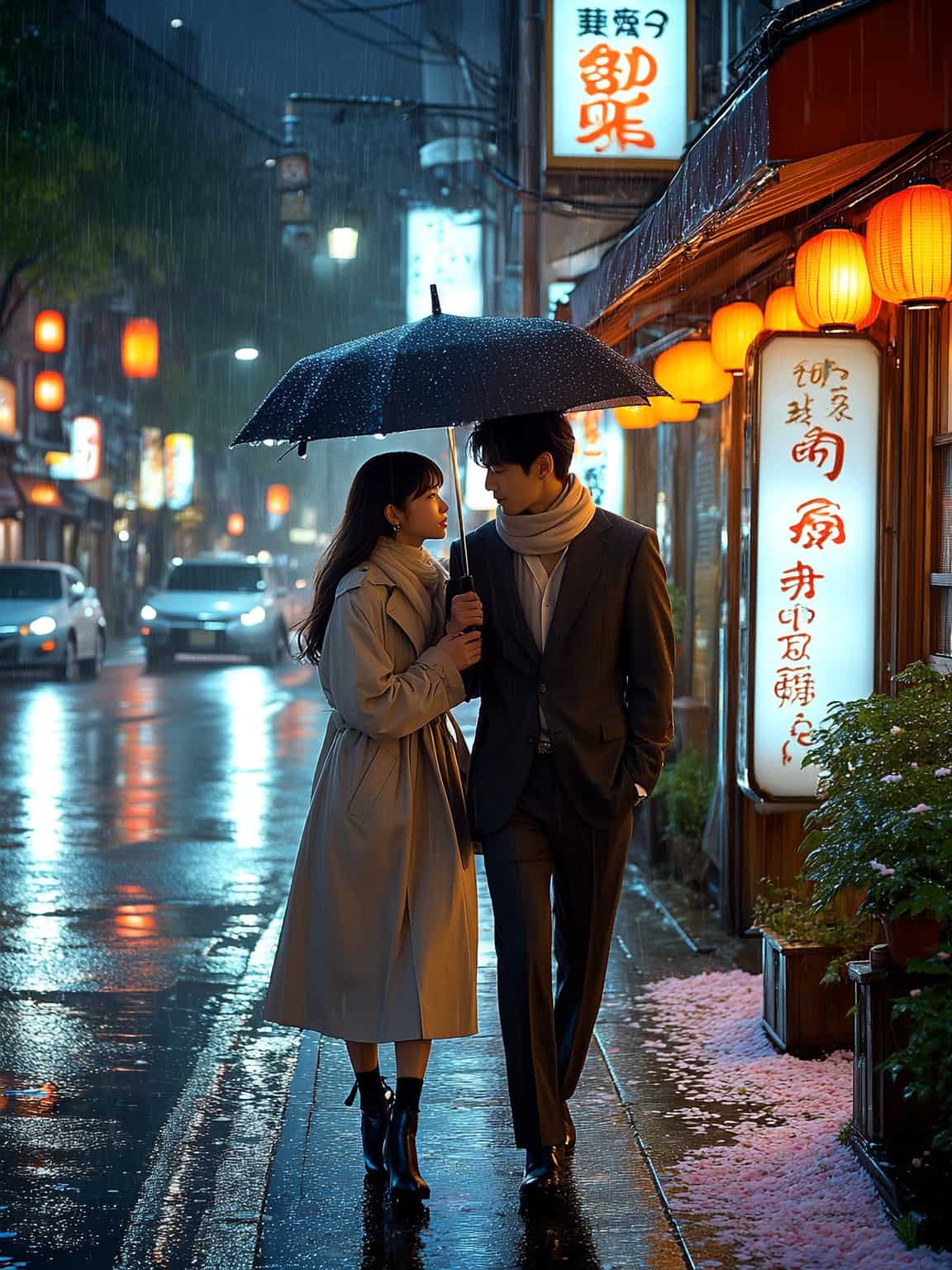 |
This time around, it was like the script flipped. I felt more impressed by the scene composition than I was with the actual character renders.
I found the cinematic lighting, the glows from the neon lanterns, the reflections on the wet pavement, and even the architecture to be exceptionally well executed.
But there are some visibly awkward issues with the woman’s hand positioning and articulation, particularly in the first image.
I also noticed that some of the kanji signage is made of unreadable strokes. All in all, these would be realistic images to the untrained eye, but they still present several inconsistencies.
If I had to give this test a rating, I would say it was a fair 7.5/10 at best.
Having seen what the AI image generator can do, I was excited to move on to the video generator. Will this one perform better or worse?
For the first test, here are the prompt instructions I used and the final video render:
[A stylish young Asian woman with long black hair walks out of a modern luxury mansion into the sunlight, wearing a brown leather shirt, beige cargo pants, black Adidas sneakers, gold hoop earrings, and sunglasses. A black designer bag at her side, she crosses a stone driveway toward a parked black Ferrari, keys in hand. Palm trees and a fountain shimmer behind her as low-angle, slow-motion shots capture her confident stride and the sunlight glinting off the car’s surface.]
For starters, I consider Higgsfield AI’s capacity for prompt adherence to be quite commendable. It followed my instructions down to every key detail, leaving nothing out of the scene.
But that’s where my praises end. The visual fidelity is below average, with the scene failing to deliver the same level of realism I enjoyed from the platform’s image generator.
Besides that, the character motion displayed is passable, but only just. It isn’t bad, but I wouldn't consider it to be natural or dynamic.
I also noticed that the temporal consistency of the scene would start okay, but it collapses the longer the video plays. For instance, how the Ferrari car badge just weirdly starts wobbling.
Compared to its performance with image creation, I found this video render to be somewhat disappointing. If I had to rate the visual sequence, the highest I’d give it is a 6/10 score.
In the second and final attempt, I wanted to see how it performs with animated visual sequences. You can see the prompt and the generated video below:
[An animated scene of a Japanese girl walking a dazzling runway in a sleek, ninja-inspired haute couture outfit—black, form-fitting, with sharp cuts, metallic accents, and flowing straps. Her hair is styled in a high ponytail. Intense, rhythmic lights pulse around her as the camera sweeps from low angles, pans past the audience, and spins around her in slow-motion as she strikes a final pose.]
Once again, Higgsfield AI understood what I wanted. The sequence matched my instructions; it even felt visually striking and stylistically intentional. But it fell short in so many ways.
In particular, I was perplexed by how she stepped onto the runway. Because it looks like she enters from the left, but when the camera pans to face her, there’s no path there anymore.
This exposes a clear error in cinematic direction. Also, the level of detail spent on the crowd is severely lacking, with the audience looking more like static placeholders than actual characters.
I was also a little let down by the motion quality, which wasn't the best. I could see the main subject presenting awkward and jerky strides at several points.
Overall, it was not a terrible attempt, but it’s definitely not what I hoped for. So, the highest score I could fairly give for this video is a 5.5/10.
What Is My Final Take on Higgsfield AI?
Frankly, I have mixed opinions on Higgsfield AI. As a creative hub, I consider it to be ambitious and promising, but there are several cracks in its armor that need to be repaired.
I will admit that I have a very high opinion of Higgsfield Soul. The model’s capacity for rendering photorealistic imagery with exquisite detail is better than most of its competitors out there.
Instead of plastic-like AI characters, it delivered solid, lifelike renders that could fool most people. I also appreciated that the credit consumption rate per generation is fairly reasonable.
But the image model also has its limitations. For the most part, it still gets certain details like hands, limbs or typography in its images wrong. And this inconsistency can be problematic.
Moreover, while it excels at realism, I consider it ill-equipped for generating abstract or conceptual art, which can be restrictive for many artists and creatives.
As for Higgsfield AI’s video generator, I appreciate its numerous camera and VFX presets that make stylized video creation a truly hassle-free experience.
But aside from that, I see it more as an experimental tool. For the most part, it showed me that it could land the basics, especially with its exceptional prompt responsiveness.
However, Higgsfield AI doesn’t seem reliable enough to be production-ready. From faltering temporal consistency to poor cinematic realism, I doubt its ability to deliver polished videos.
I’m sure the platform will improve over time, especially given the huge seed funding behind it. But until then, I would suggest using an alternative, like HIX AI for professional-grade results.
What Makes HIX AI the Better Choice for Image/Video Creation?
I can’t deny that Higgsfield AI is a platform with a ton of creative flair. But, I can’t ignore how its results seem to keep missing the mark. Because of this, I find myself coming back to HIX AI.
I’ve been using this all-in-one media creation platform for quite some time. And its capacity to consistently produce stunning, high-fidelity images and videos always blows my mind.
Integrated with powerful, world-class AI models, it supports a diverse range of styles, making it easy to visualize and experiment with all kinds of unique concepts and ideas.
With its AI image generator, I can switch between AI image models like Nano Banana, GPT-4o, Imagen, Dall-E, Stable Diffusion, Recraft and Midjourney for detailed image creation.
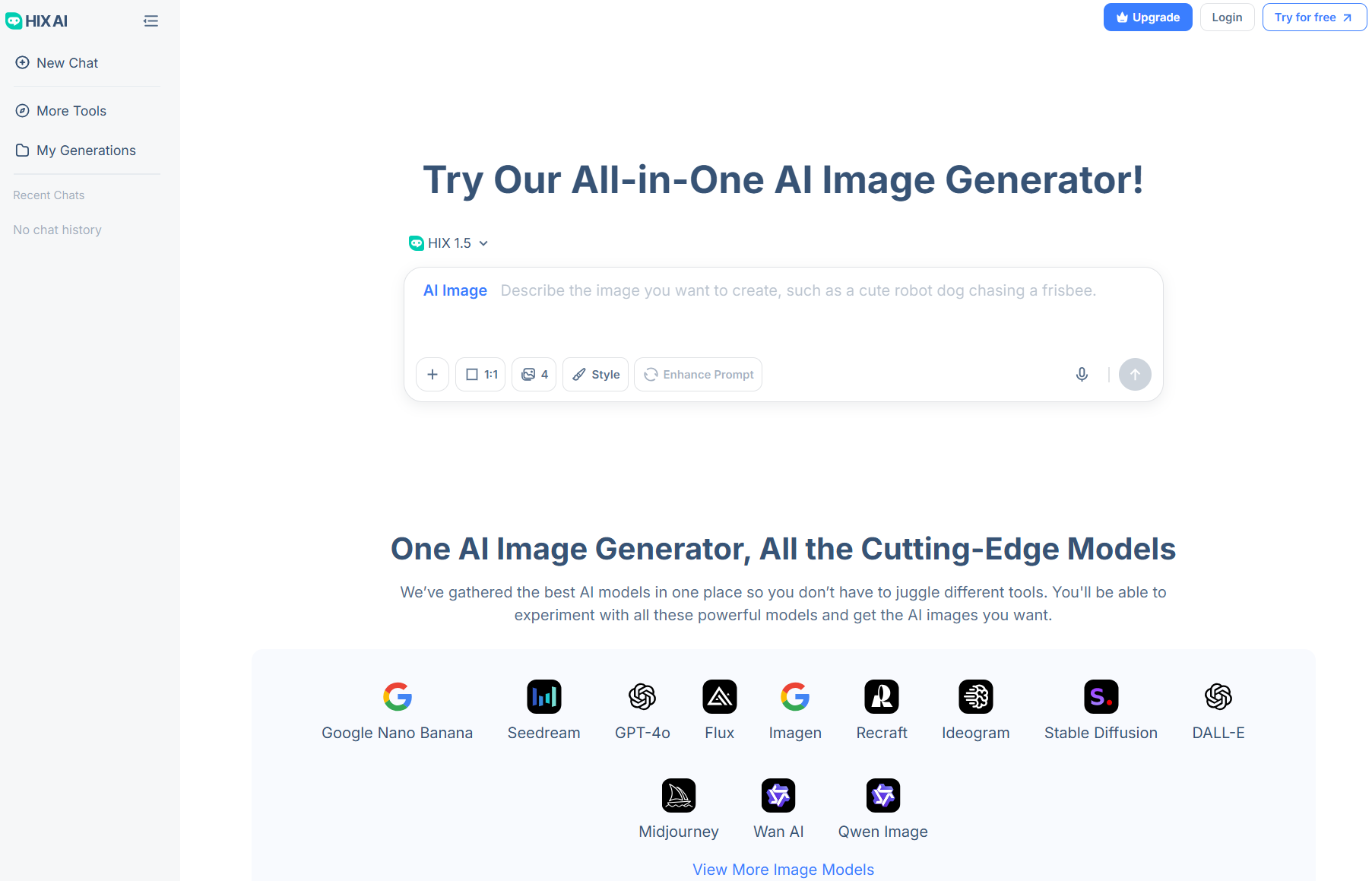
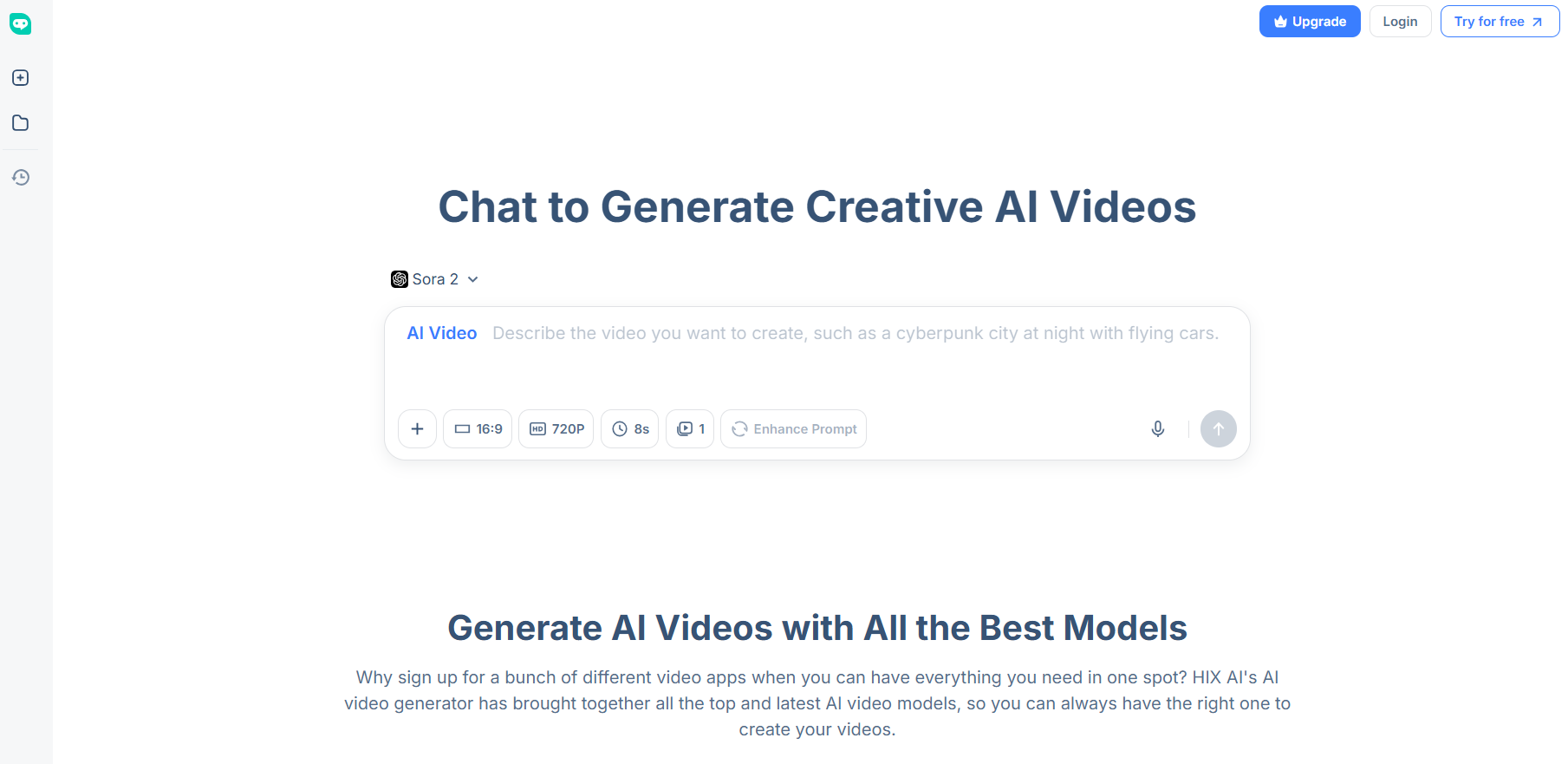
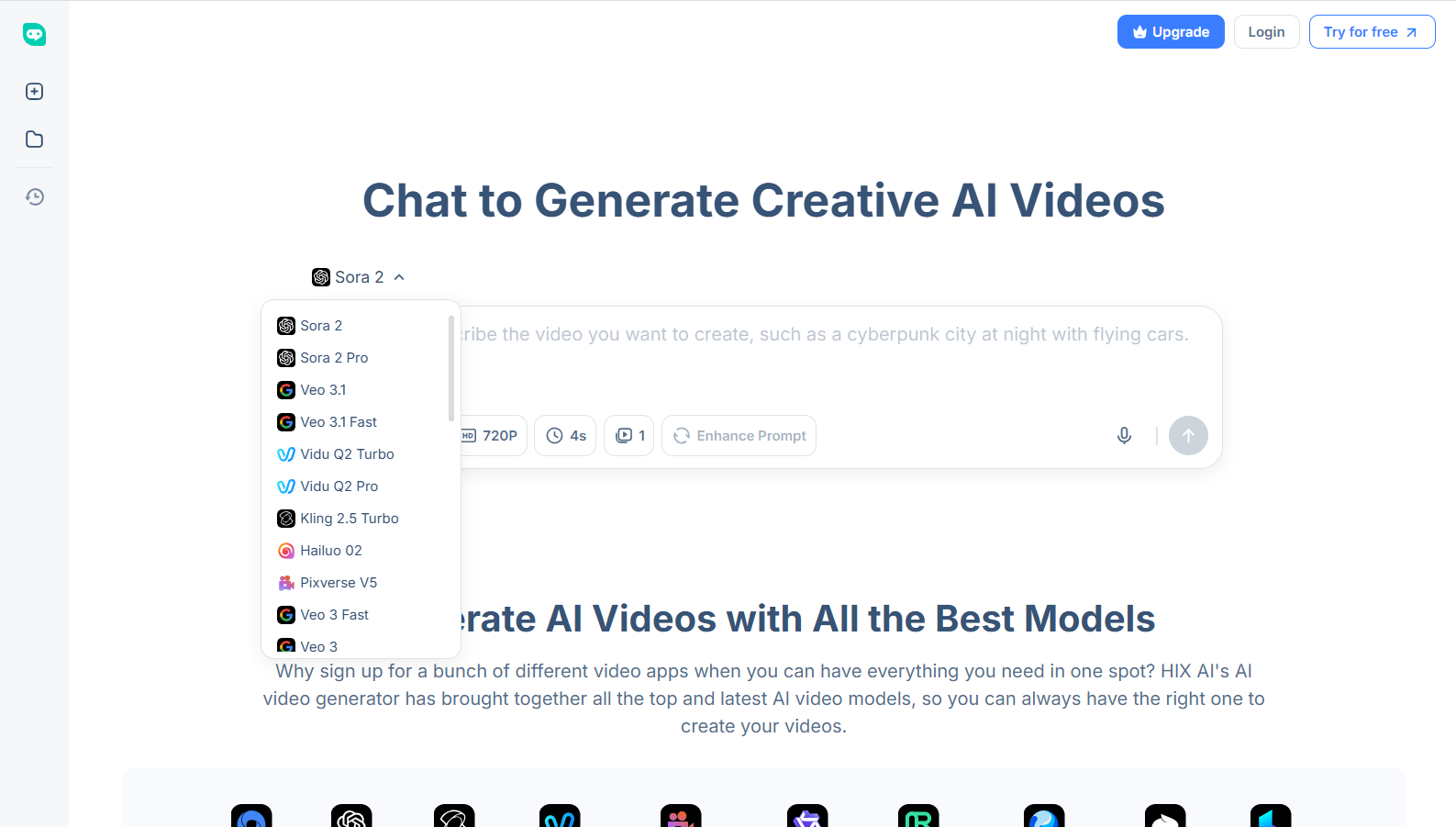
As for the HIX AI video generator, I can create high-resolution, cinematic-level scenes using AI video models like Sora 2, Google Veo 3, Wan AI, Kling AI, Runway, PixVerse AI, etc.

And if you want to reimagine any existing images and videos, then I would urge you to check out the dozens of AI photo effects and AI video effects that HIX AI offers.
Picture this: a Studio Ghibli AI Effect that turns your images into fantasy-themed creations! Or an AI Mermaid Effect that transforms subject images into enchanting mermaid videos!
This is just a fraction of what I discovered HIX AI can do. But you don’t have to take my word for it. Just head over to the website and try it out for free now!
Conclusion
I see Higgsfield AI as a creative suite that shows strokes of genius, particularly in image generation.
However, I doubt it would satisfy creators and filmmakers who demand the highest level of detail and performance.
It’s simply too unpredictable and inconsistent, but with a platform like HIX AI, you can be more confident that the final output will be top-tier.