One thing I’ve always found frustrating about AI image generators is that very few are imaginative or even versatile enough to produce truly unique art across a wide range of styles.
For the most part, they are rarely capable of visualizing out-of-the-box ideas, which limits creative experimentation. But I recently came across OpenArt AI, and it seemed promising.
Founded by ex-Google employees in 2022, it is an advanced media generation platform that enables me to convert descriptive texts into stunning art across dozens of visual styles.
But it’s not just that! Aside from the pre-existing styles offered, I can actually create artwork that fits my unique vision with no restrictions. Want to hear more about this? Cause I bet you do!
While I have much to share about OpenArt AI, including my own personal experience after testing it, let me give you a quick summary of what I liked and disliked about the platform.
| Pros | Cons |
| Diverse artistic styles to choose from | Inconsistent output quality at times |
| Multiple AI generation models | Limited customization options |
| Custom AI model training | Cluttered/Overwhelming user interface |
| Advanced creation and editing tools | High credit consumption rates |
| Ever-expanding community library | |
| Caters to team collaboration | |
| High-resolution outputs |
If you want more context on OpenArt AI, then keep reading. I’m about to spill all the details, and to start with, let me give you a quick rundown of what I find makes OpenArt AI so unique.
Why Do I Think You Should Consider OpenArt AI?
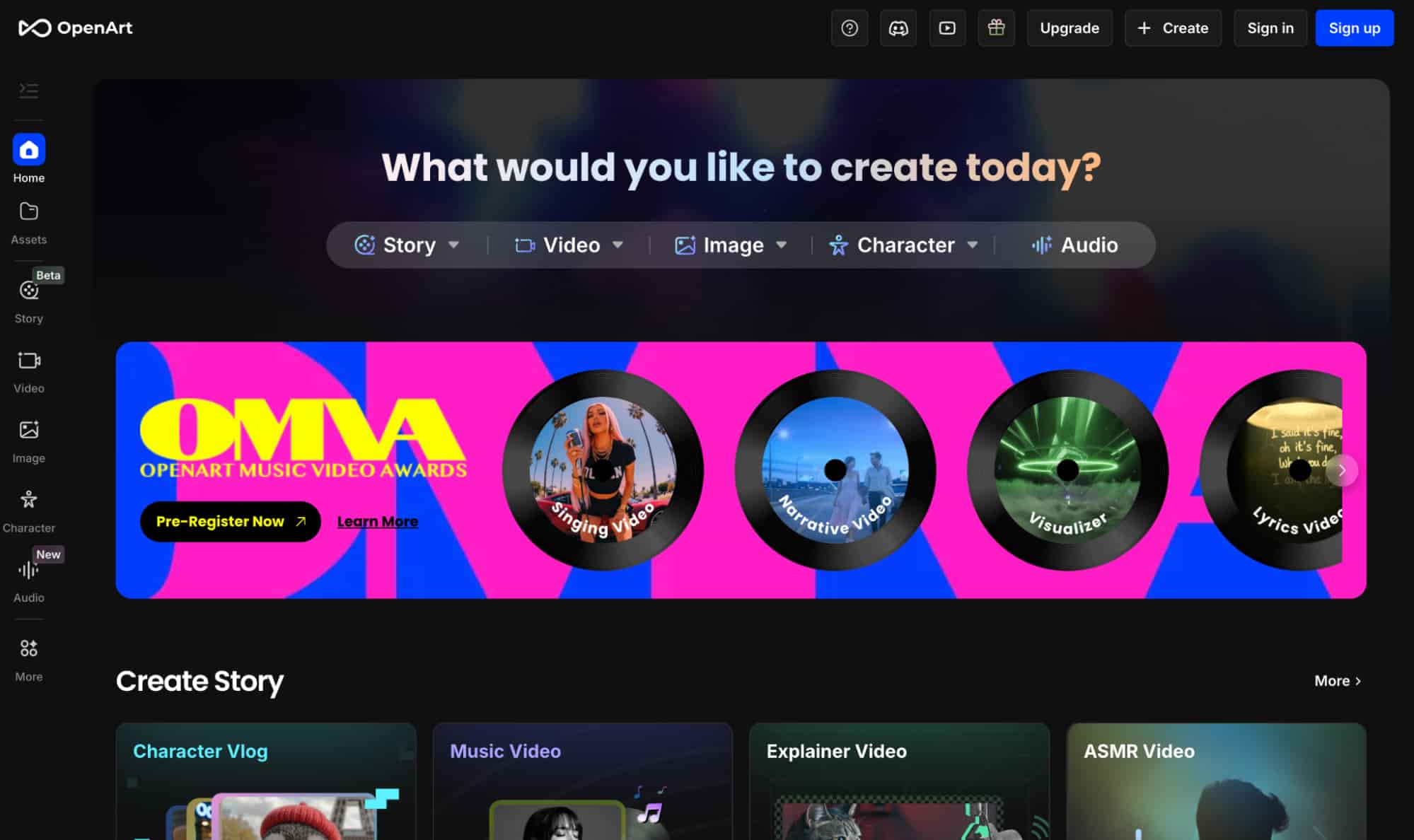
There’s a lot to appreciate about OpenArt AI that I think would appeal to a lot of artists and creative professionals, especially since it was developed with AI art enthusiasts in mind.
With this platform, I can generate images using several AI image models that include Seedream, Flux, Ideogram, and Qwen Image, among others.
OpenArt AI also offers one of the largest visual style selections I have seen yet! I can explore categories like comic, anime, fantasy, or even famous art styles like Rembrandt, Botticelli, etc.
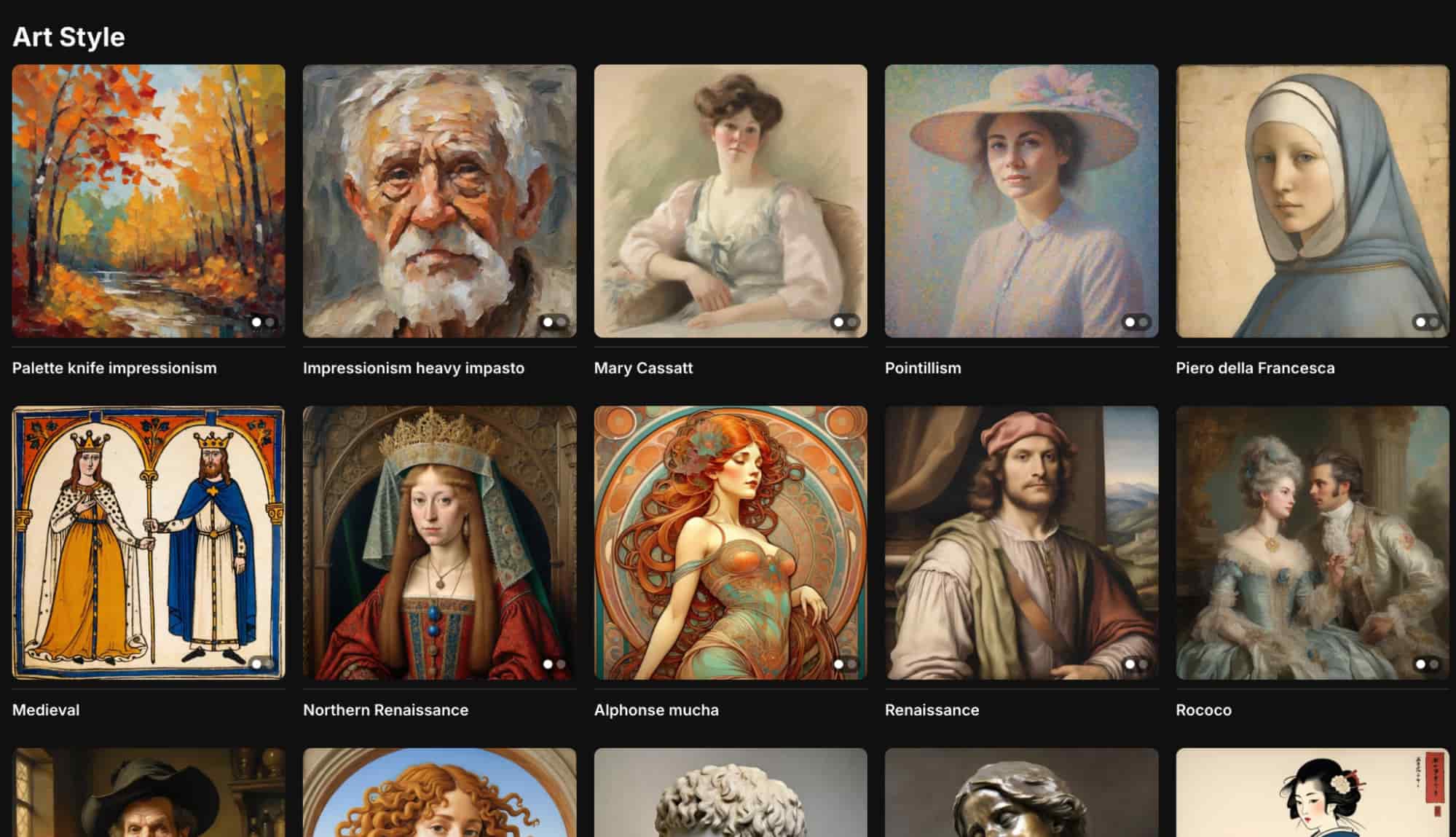
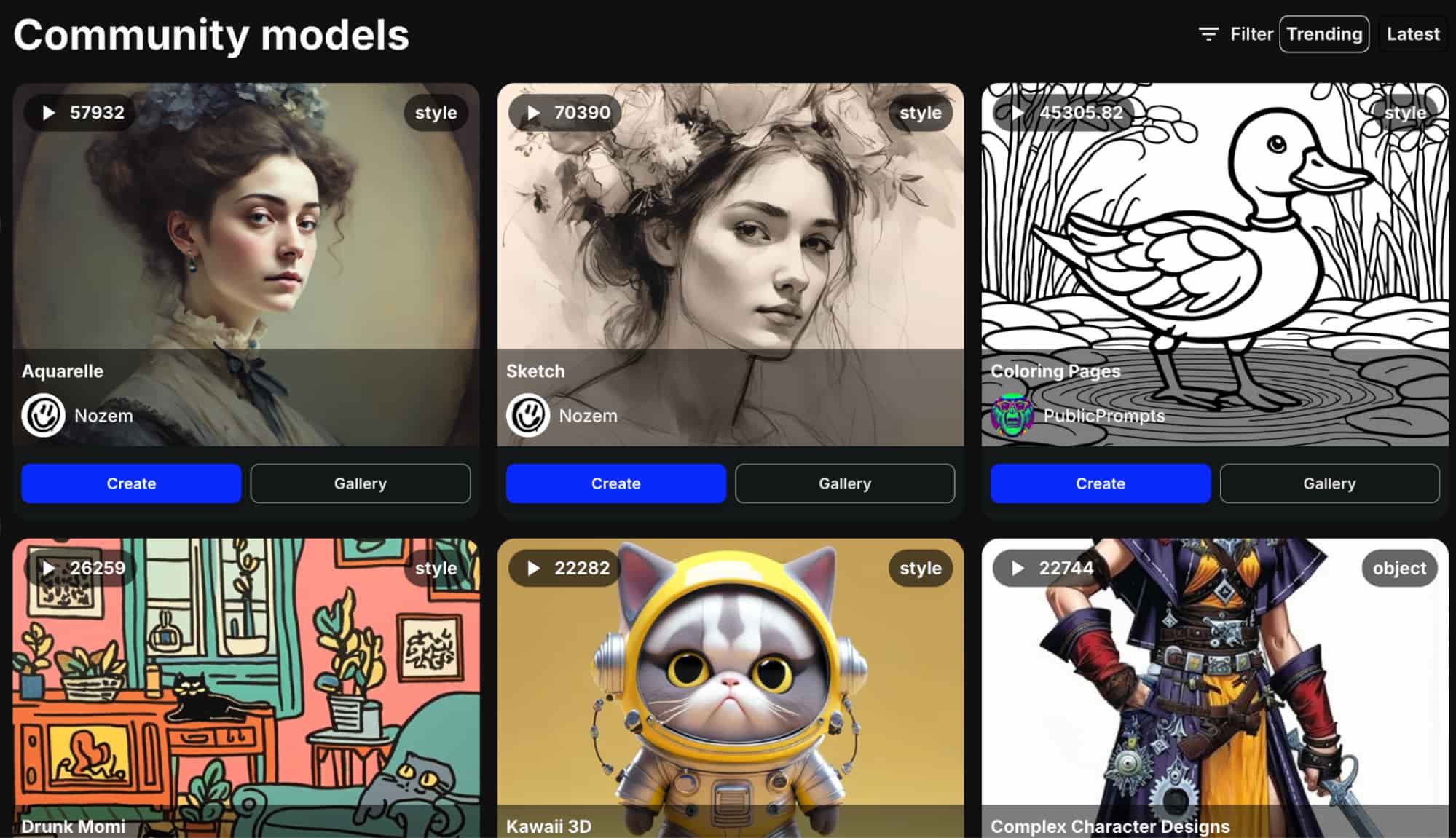
But what really stands out is how OpenArt AI lets users train their own custom models and share them with others in the community. Because of this, there are hundreds of options!
Most of them span different aspects like style, character, face, or object. So, I can freely browse through all kinds of unique designs and art concepts to use in my own projects.
And if I can’t find anything that fits my needs, I can always build my own custom characters and visuals with different poses or placements in any existing background.
There are also other handy features to explore, like ‘Sketch to Image’. With this, I can turn rough drawing sketches into detailed artwork, leaving it to fill in the blanks for a polished result.
Besides that, the platform offers several editing and enhancing tools that I can use to fix distortions, upscale images, edit backgrounds, erase existing elements, etc.
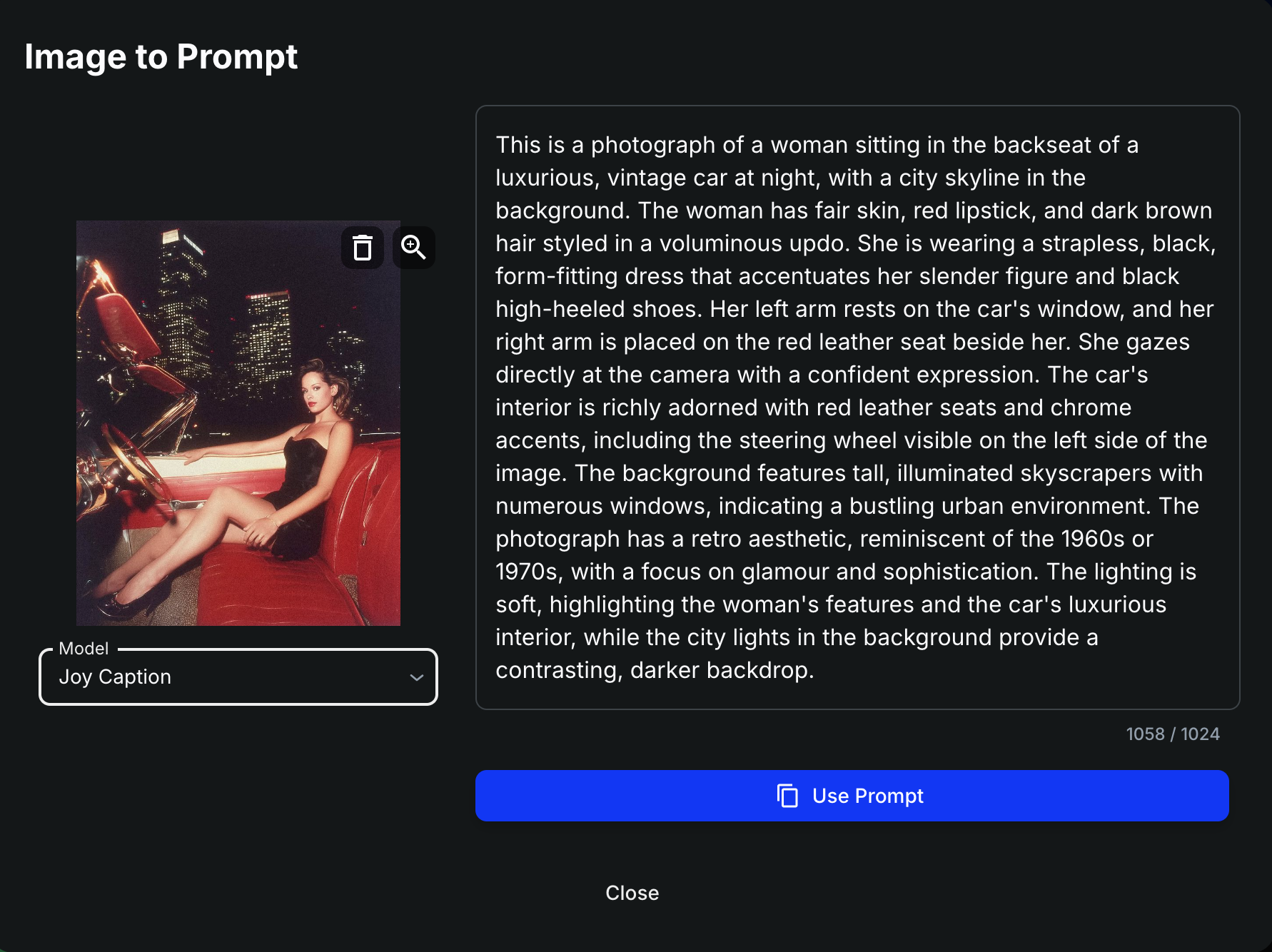
Another noteworthy aspect I like about OpenArt AI is that it supports native language prompts. It even has an ‘image-to-prompt’ feature that creates refined prompts using reference images.
Beyond image creation, OpenArt AI also supports AI video generation. With leading AI models like Kling 2.5, Veo3, Pixverse 5, and others, I was eager to see how these video models would perform.
Having said that, it’s time that I dive into the more interesting parts of this review! Is OpenArt AI worth it? Can it produce quality images? And what about its AI video generator? Let’s see!
How Was My Personal Experience with OpenArt AI?
Given how expansive its style presets are, I wanted to see what OpenArt AI is truly capable of. So, I conducted a few varied tests.
Image #1
For the first attempt, I decided to start with something simple. Check out the prompt I used and the output it produced below:
[Generate a photorealistic image of a skilled female surfer riding a tall, curling wave off the coast of Australia on a bright, sunny day, with a few scattered sunbathers and surfers waiting their turn in the background. Eucalyptus trees and rugged cliffs line the shore, and a few white clouds dot the vivid blue sky. Ultra-high detail, realistic lighting, natural shadows, motion blur on the wave spray for dynamic action feel.]
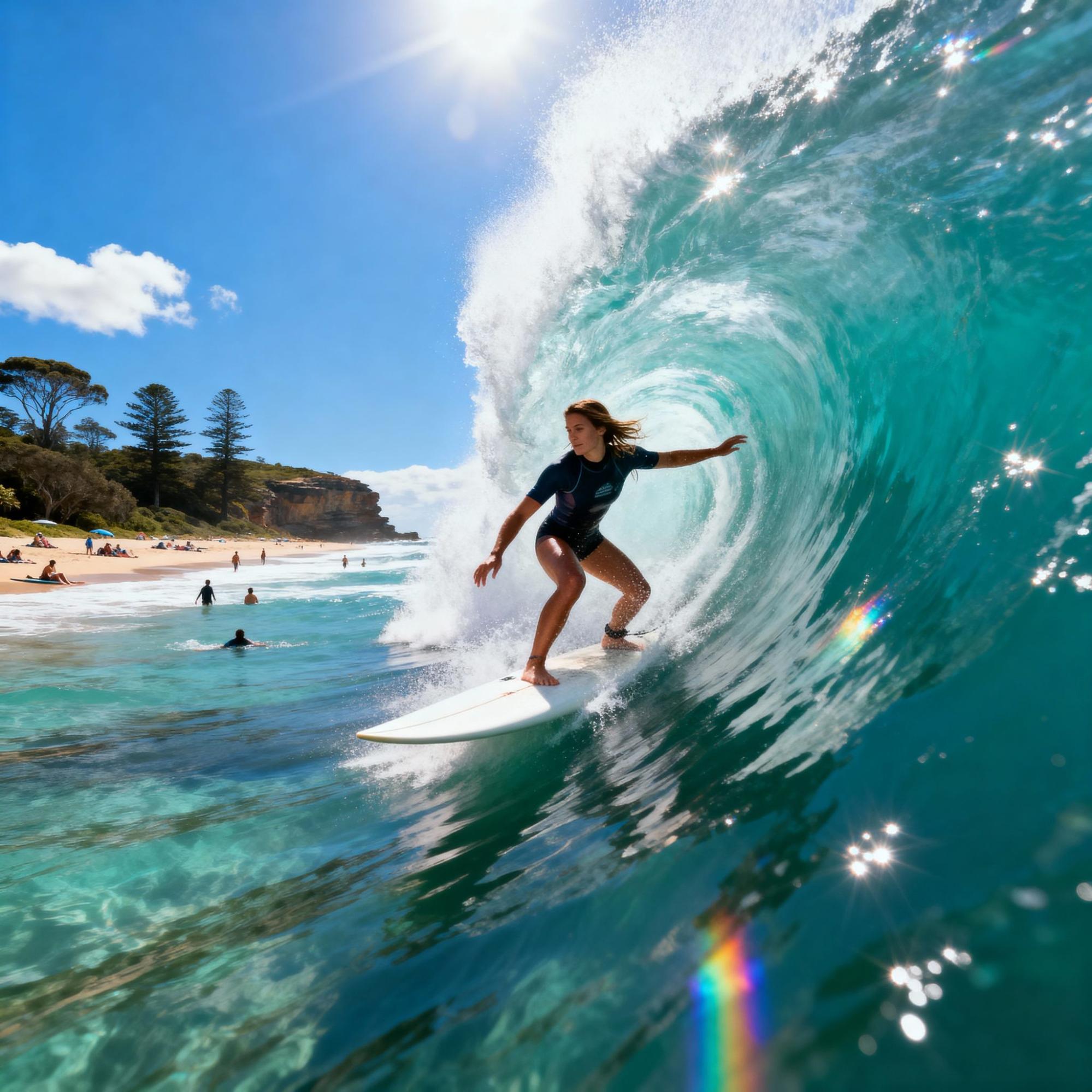
For this first attempt, I was quite satisfied. The tool followed my prompt instructions quite accurately, so no complaints whatsoever.
It included everything from the glistening waves, the clear summer sky, as well as the trees and cliffs in the distance. And even the surfer render looks relatively lifelike.
But the backdrop was the chink in the image’s armor. To be specific, the AI either chose not to render the background characters properly, or it simply couldn’t.
All it delivered were blurry shapes with no recognizable faces. Some parts even look like jumbled blobs, more than actual people. In this respect, it seems limited in scope.
Putting that aside, this was still a great effort. If I had to rate it, it would be a 7/10.
Image #2
For my second attempt, I decided to try something more creative. Here is the prompt I used and the final image it generated below:
[Generate an elven man and woman sitting peacefully together on soft grass, gazing out at a majestic, glistening castle in the distance under a glowing twilight sky. The elves have elegant, ethereal features—long pointed ears, luminous eyes, and flowing silver and emerald garments adorned with delicate leaf patterns. The castle towers rise from a forested hill, shimmering with enchanted light—crystal spires, floating bridges, and soft magical auras glowing from its windows. Cinematic lighting, soft fantasy glow, high realism with painterly touches]
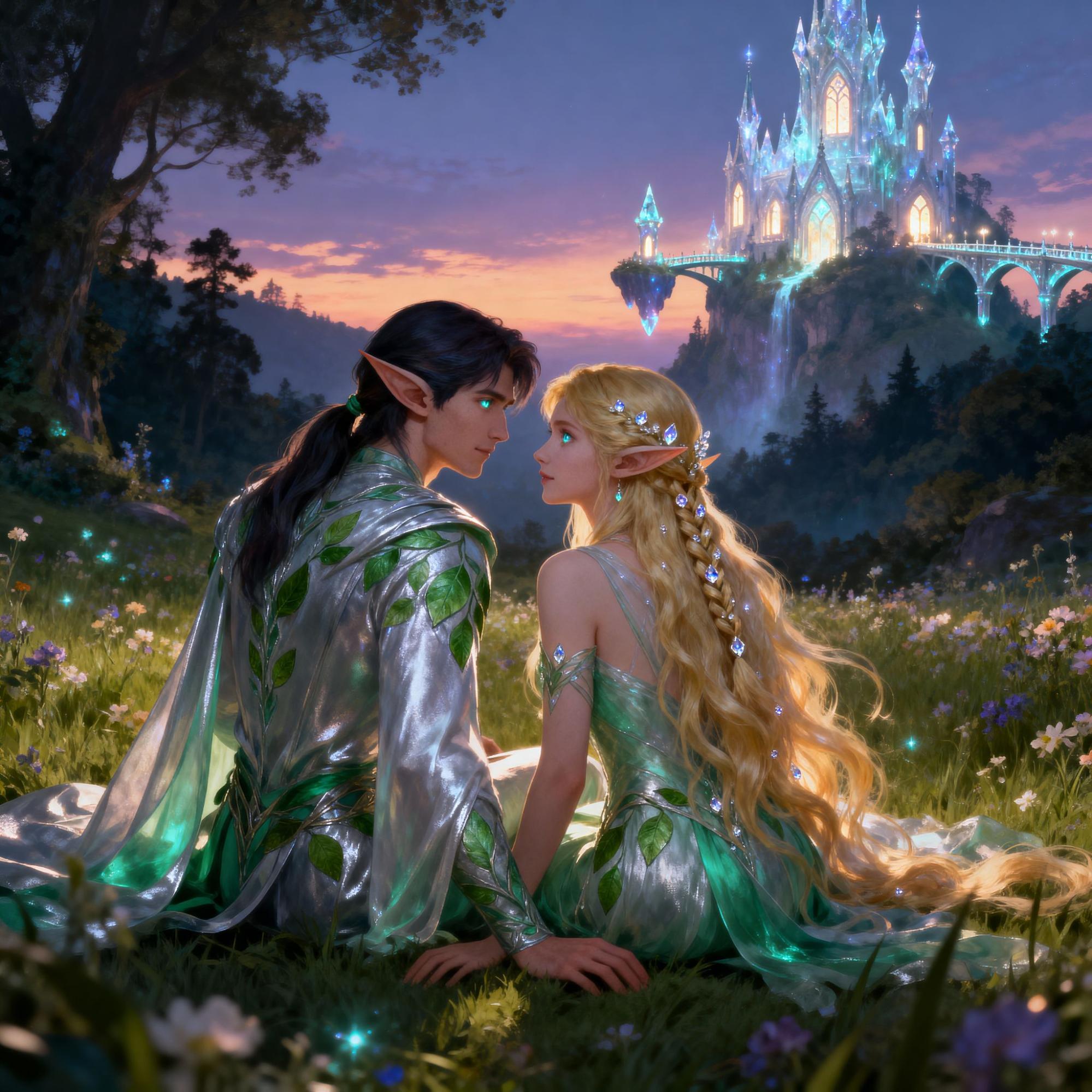
Once again, the prompt adherence was accurate, as the AI left almost no detail out, creating a scene that looks like an animated cinematic pulled from a fantasy novel.
All the intricate details, like their elven clothing and the flower-filled meadow, were rendered exceptionally well. Even the lighting and textures in the composition are great.
The only notable issue is that the characters look a little too artificially polished. The lack of realistic skin texture makes for a clear giveaway that it is AI-generated.
Also, while the castle attempt is commendable, I find the way it’s been integrated feels and looks odd. It’s as though the castle is a backdrop rather than an actual location in the distance.
Otherwise, I would give this result a strong 8.5/10. So, not bad at all.
Image #3
For the final test, I wanted to attempt something a bit more complex and cinematic. You can see the prompt I used and the image results below:
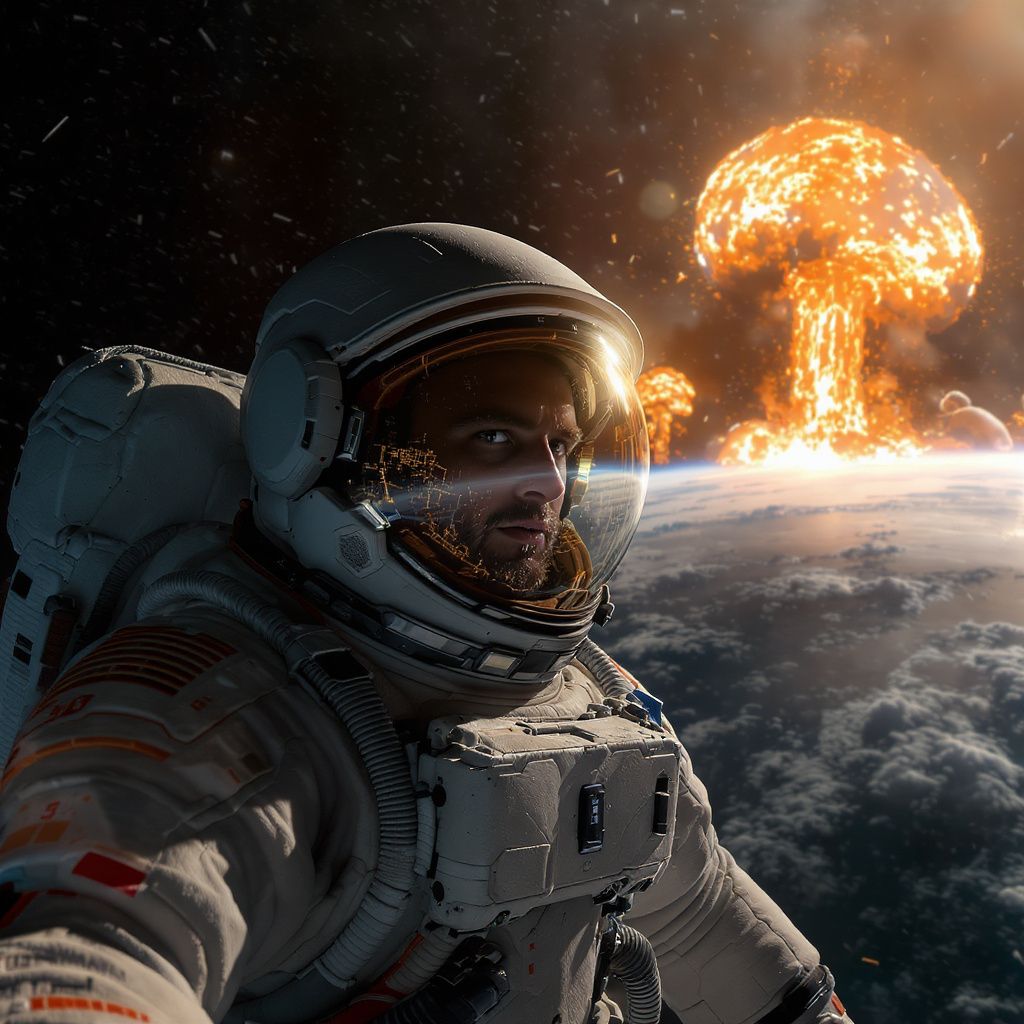
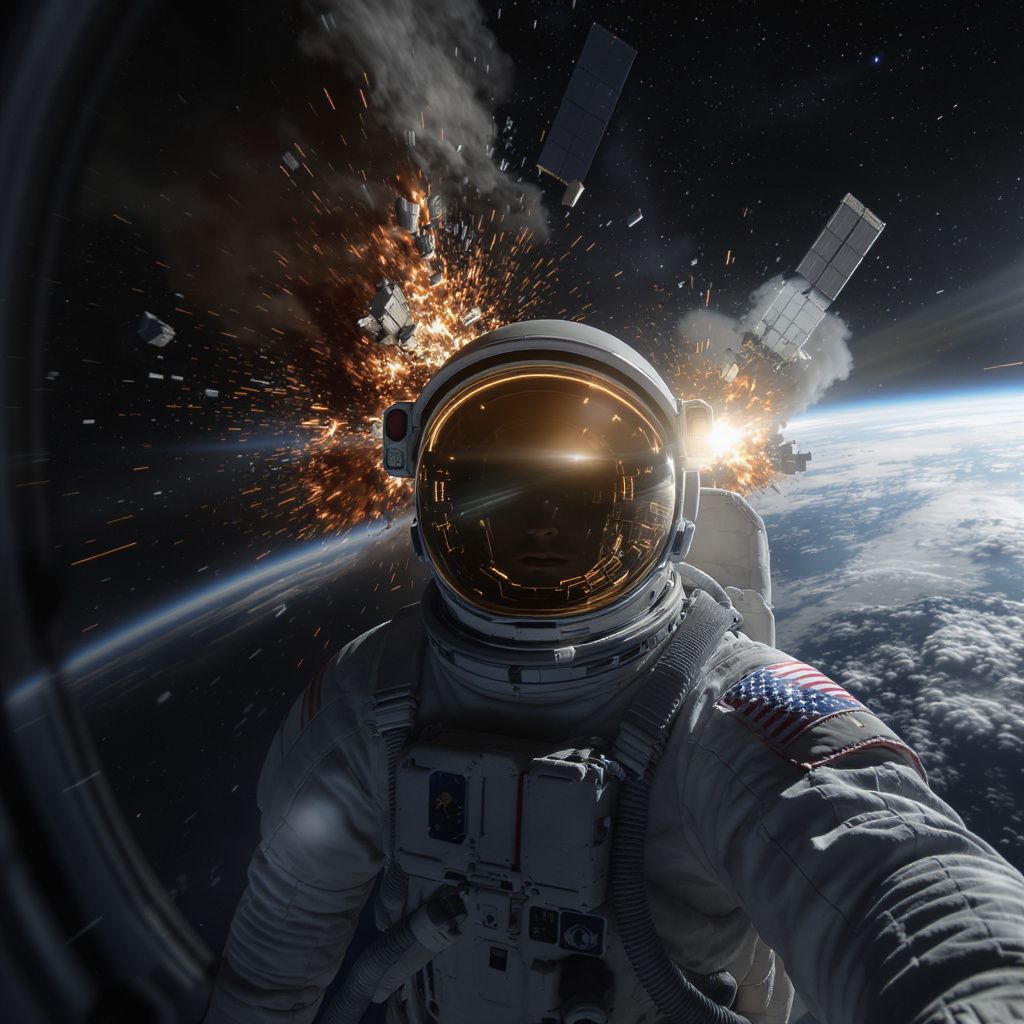
[Generate a photorealistic cinematic scene showing a lone astronaut floating in outer space. The astronaut is wearing a modern, detailed EVA spacesuit with realistic textures, lighting reflections, and a transparent helmet visor. The astronaut's face is clearly visible through the visor. In the background, two massive orbital space stations have crashed into each other in vivid detail. Far in the distance, the Earth is visible. Ultra high-resolution, cinematic framing, realistic physics, no stylization]
 |
 |
In this final test, the results were a complete mixed bag. As you can see in the first image, the astronaut was rendered relatively well with the clear visor showing his face in full detail.
Even his spacesuit looks realistic, and so does the Earth in the distance. I am puzzled as to why the image is taken as a selfie rather than a cinematic still, but that’s not really my biggest qualm.
What I was frustrated by was the explosion in the distance. It failed to render the space station collision and opted to lazily render a nuclear explosion, instead.
What’s more, the explosion looks like it was just pasted as a backdrop. For this reason, I had to try regenerating the image a second time to see if it could do better.
And with the second image, it did improve. This time, the scene captured the collision quite well. Even the extra detail with the glowing debris and blast lighting was excellent.
However, it failed to render a clear view of the astronaut’s face, dimming it down to a shadow. Overall, I found it difficult to give this test a higher score than 6/10.
Video #1
Now, while I was focused on OpenArt AI’s image generation capabilities, I also grew curious to see if its AI video generator can deliver quality outputs. So, I thought, let me try it out.
This was the prompt I used, and the video output it generated below:
[A high-speed, photorealistic wildlife video showing a cheetah sprinting after a deer across the grasslands of the Serengeti during late afternoon. The cheetah moves with incredible speed, while the deer zigzags to evade capture, eyes wide with panic. The camera follows the entire scene in dramatic, fluid motion as dust and grass fly up beneath their feet]
Frankly, the video it generated was not bad. Upon my first look, I liked how the visual sequence looks smooth and presents no obvious artefacts or frame rate fluctuations.
But the animals’ head and body movements look a bit stiff, as though they are simply fixed that way. This was a little disappointing, given how my prompt requested the deer to shift directions.
Since the scene is short, there isn’t much to say about it other than it could’ve been a little better, particularly in terms of the subject realism and motion physics.
All in all, I’d say it’s a 6.5/10 worthy video performance. So, not great, but not entirely terrible.
What Is My Final Verdict on OpenArt AI?
Frankly, I think OpenArt AI can be a great tool for creative ideation and experimentation. Compared to most other AI generators, it caters to artists and creatives in a malleable way.
I say this because of its numerous style options that give creators more bandwidth to stretch their ideas further. Not to mention the extensive editing tools that would work well for refinement.
Also, since it lets users train their own models, it can perfectly suit pre-determined projects that require a specific character or visual to remain constant.
However, I can’t testify to it being the most reliable platform. I have my misgivings about its capacity to generate consistent results, as you’ve seen in my tests.
Most times, it delivers solid results. But it can sometimes fail to follow prompts or render quality visuals. Given how high its credit consumption rate is, this makes reiteration expensive.
Plus, I’m not a fan of the interface. It offers a lot, but it does so in an overwhelming way, especially for first-timers. And this just makes the learning curve steeper than it needs to be.
Simply put, I would recommend OpenArt AI to anyone looking to stretch their imagination with AI. But for consistent, professional-grade results, I would consider an alternative like HIX AI.
Why Do I Prefer to Use HIX AI for Media Generation?
I came across HIX AI not too long ago, and at first glance, I appreciated how user-friendly its UI is. Compared to OpenArt AI, it felt less cluttered, which is always fantastic to see as a new user.
It is an advanced and incredibly well-optimized, all-in-one media creation platform that offers features like text to image, image to image AI, text to video, image to video, etc.
Most importantly, HIX AI image generator integrated with the latest, industry-leading AI image models like Nano Banana, GPT-4o, Imagen, Dall-E, Stable Diffusion, Recraft, and Midjourney.
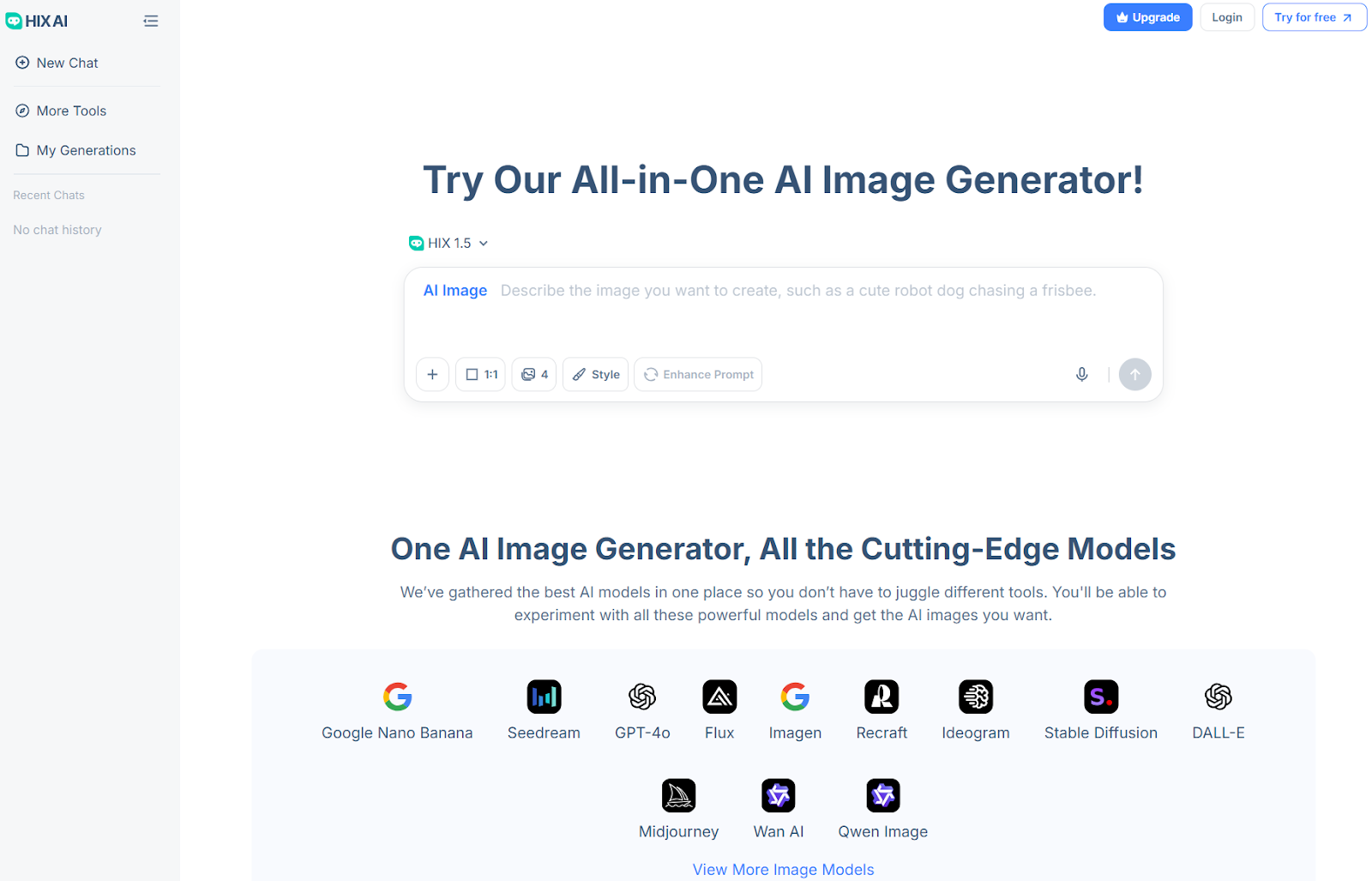
And if I need to generate AI videos, I can freely access Sora 2, Wan AI, Google Veo 3, Runway, Kling AI, PixVerse AI, and other top-tier AI video models to create cinematic-grade visuals.
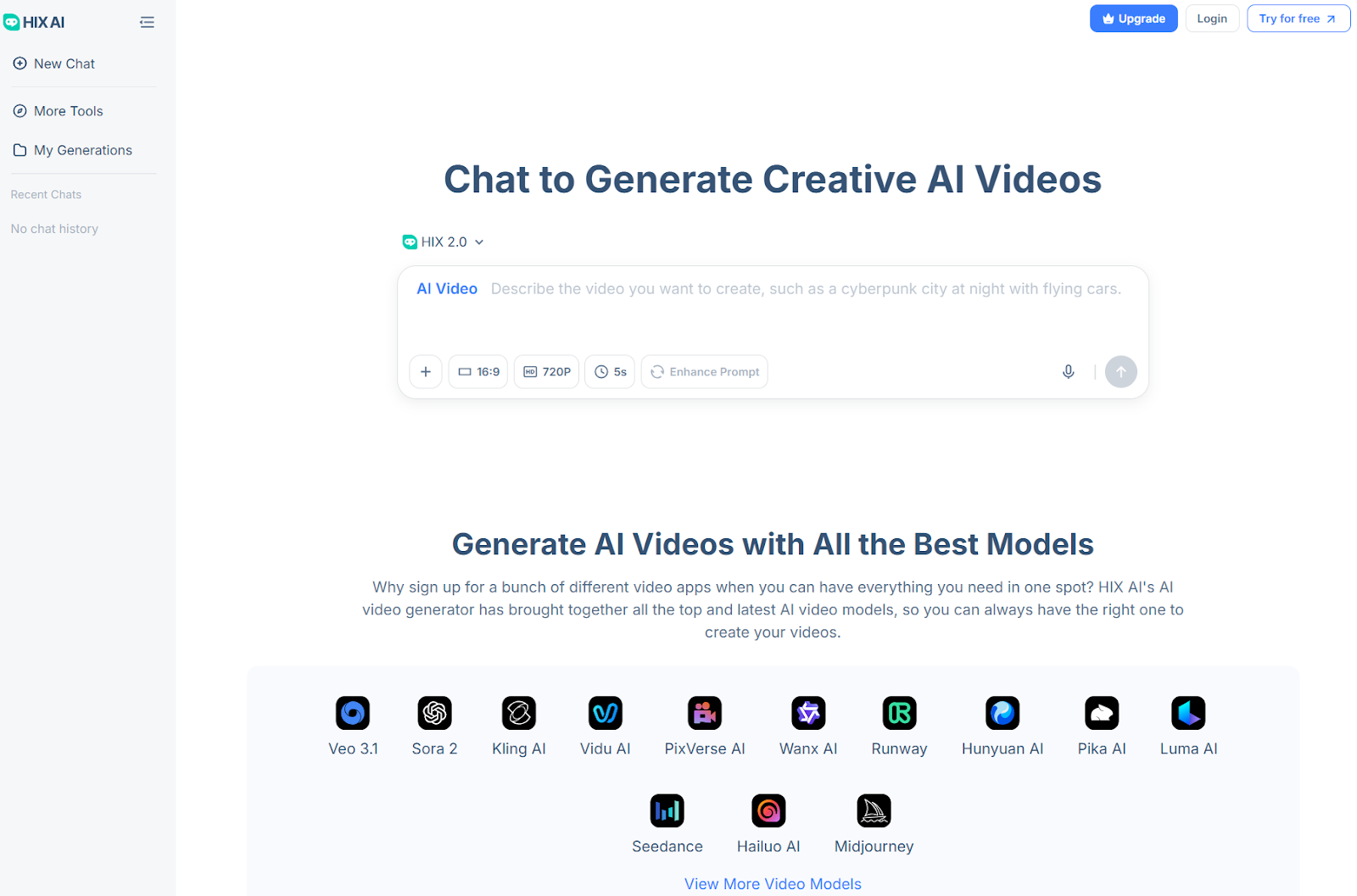
But that’s not even the fun part! With HIX AI, you can explore a wide range of AI photo effects. I particularly like using selfie with celebrities, Ghibli AI generator and AI action figure generator.
There are also a ton of AI video effects that I highly recommend. So, if you want something that is just as powerful as OpenArt AI but cheaper and with even greater output quality, this is it!
I suggest you start running to HIX AI now!
Conclusion
After spending so much time with OpenArt AI, I can say that it can be an artist’s AI best-friend. It shines for its astounding level of range that can help push creative projects forward.
But where I find that it falters is in delivering the final result. Instead, I would suggest leaning more towards HIX AI, especially since it has a free trial plan that you can take full advantage of!