So far, it's truly astounding how Google's Nano Banana helps everyday users do professional-level image edits with incredible precision just by using simple prompts.
There are plenty of fun and creative use cases with this model. You can make intricate changes like adjusting lighting or replacing objects, all while the subject remains completely intact!
To this end, I'm going to walk you through 11 creative prompts that you can instantly start using on Nano Banana, and craft the perfect imagery for personal or professional use.
#1. Render Realistic Action Figures
Ever wanted to render lifelike action figures? The idea of making a unique character design has always appealed to my inner child.
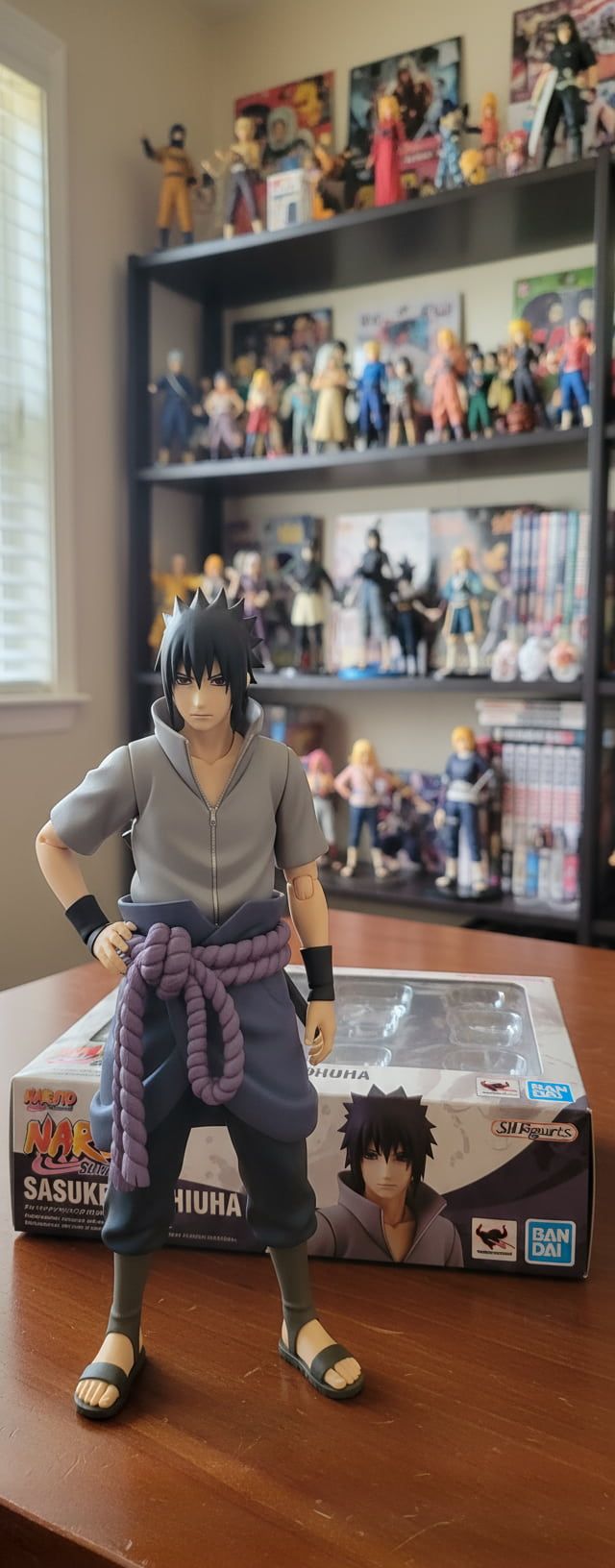
Using Nano Banana, I can transform any character image into a real-life action figure photo, even with zero design skills or expertise.
I tried the concept using this prompt, and this is what came out of it:
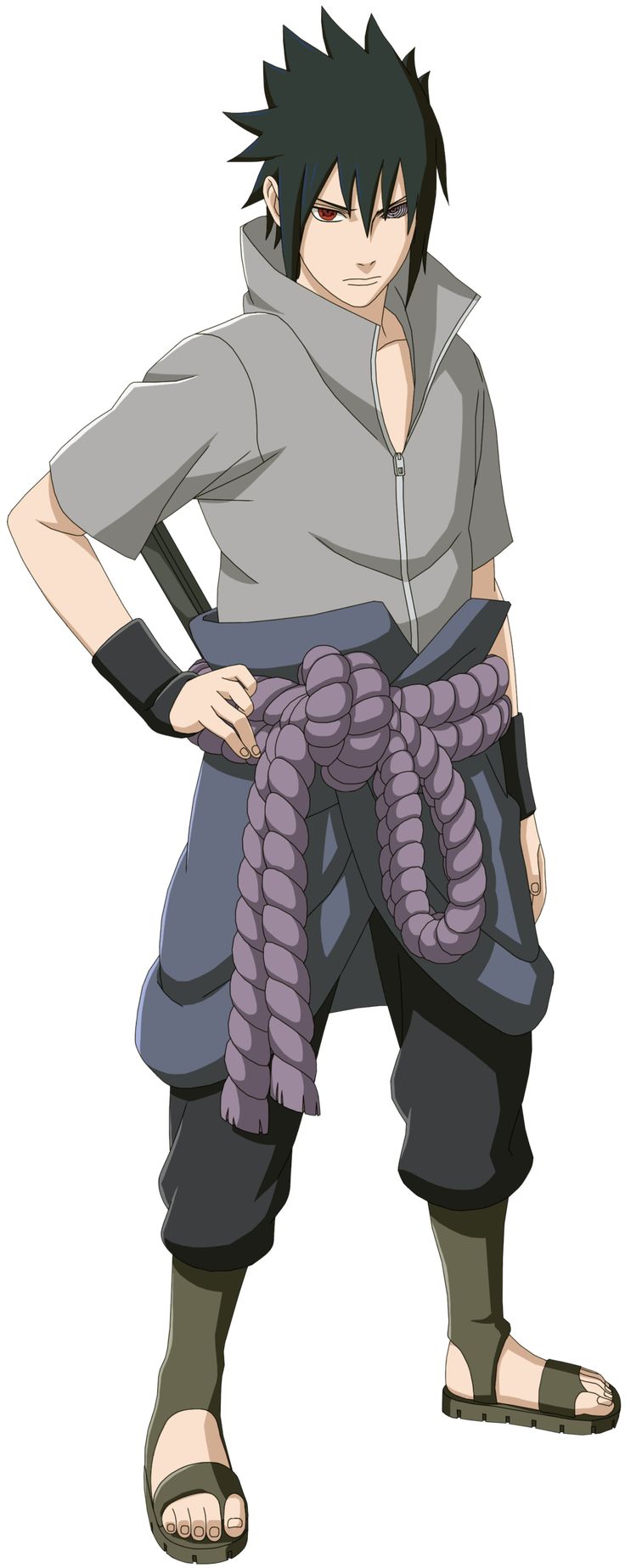
- Create a realistic style 1/8 scale action figure of the character in the image, in a real home environment. Place it on a table with the action figure's BANDAI-style packaging box lying next to it, opened. In the background, there are similar anime collector items placed on a large shelf.
#2. Change Image Backgrounds
I've always been frustrated by how most AI image tools tend to distort subjects when you attempt to change aspects like the background or location.
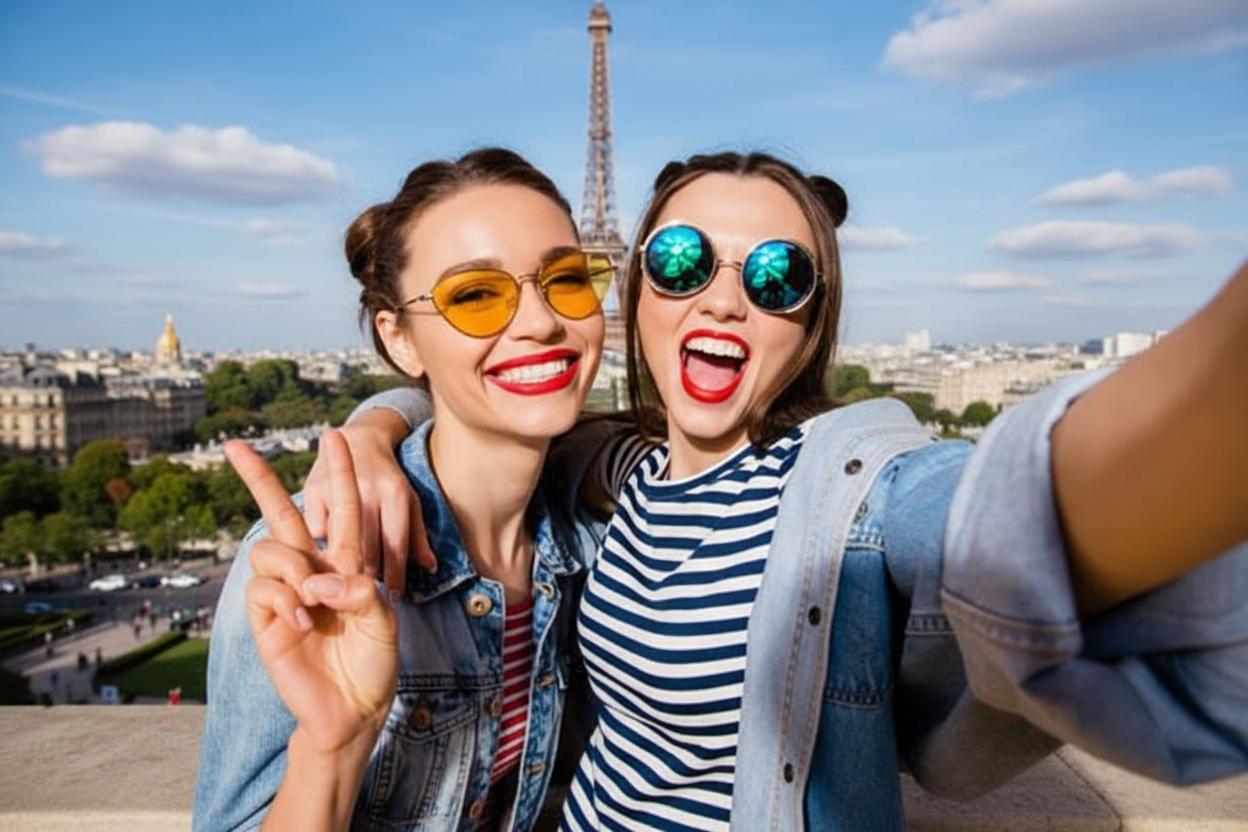
And even if they pull this off, many can't naturally blend the characters to the new setting by respecting lighting, lens look, etc. Luckily, Nano Banana delivers when others often fail.
This is a simple prompt I used that you can emulate:
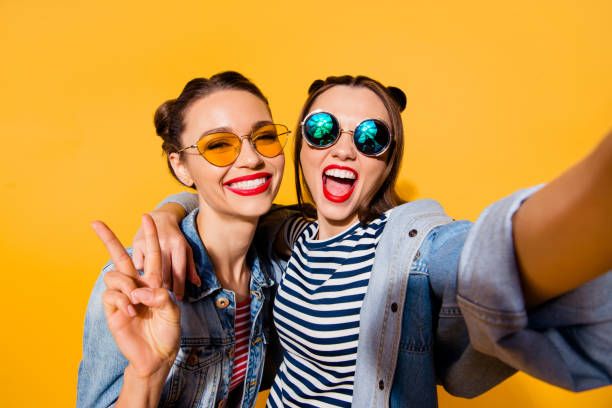
- Change the background to show these two girls in Paris during the day with the Eiffel Tower visible in the distance behind them.
#3. Blend Multiple Images Into One Scene
Another editing task that I've always wanted to pull off is combining several images to create a single, coherent scene that looks authentic and natural.
This used to be a challenge with disappointing results, but Nano Banana now simplifies this. With this, I can reimagine photos, product showcases, and so much more.
Check out the prompt I crafted to create the final image below:
- Images
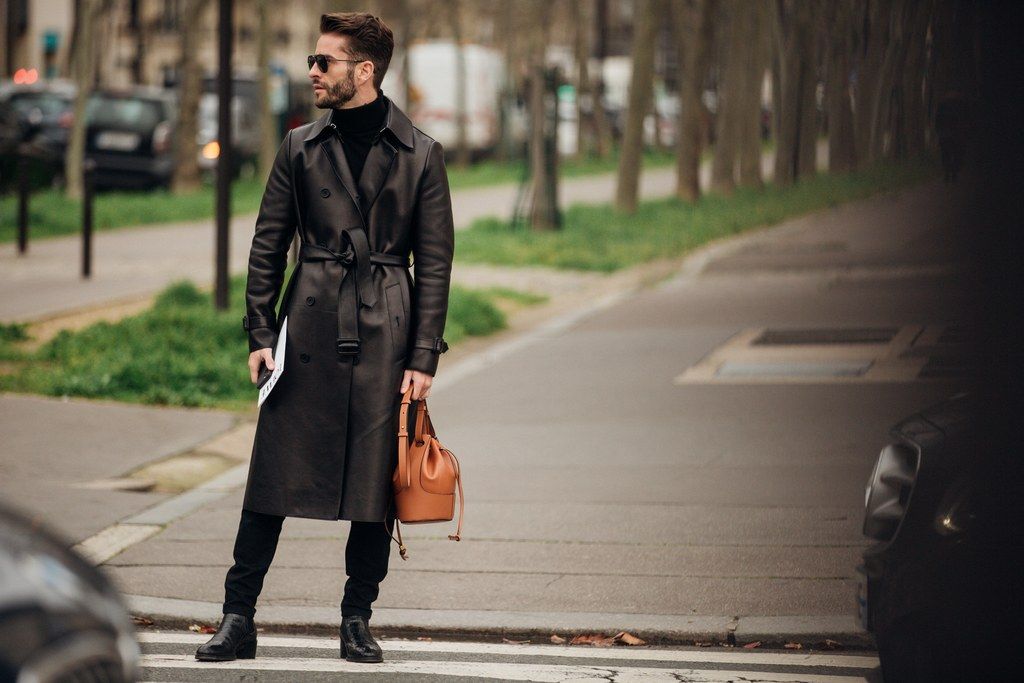
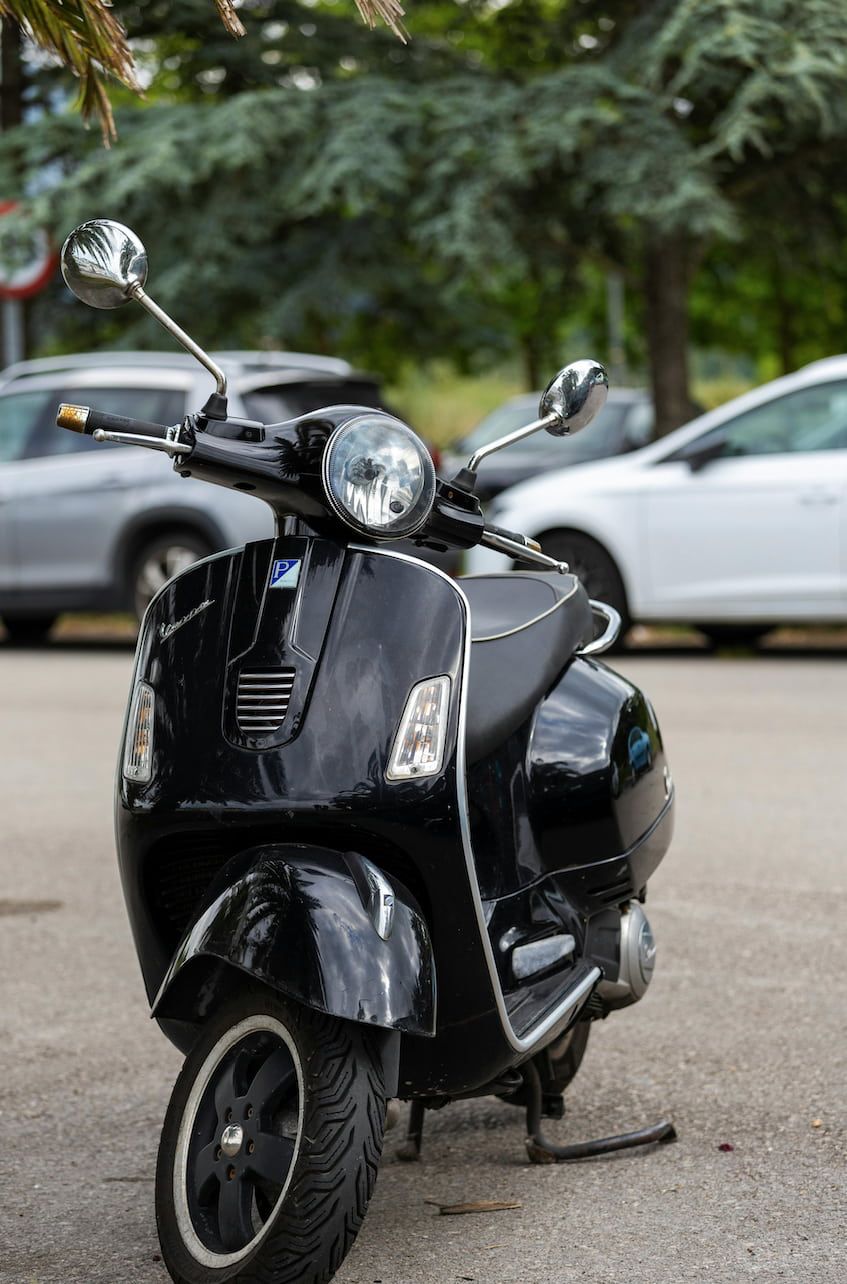
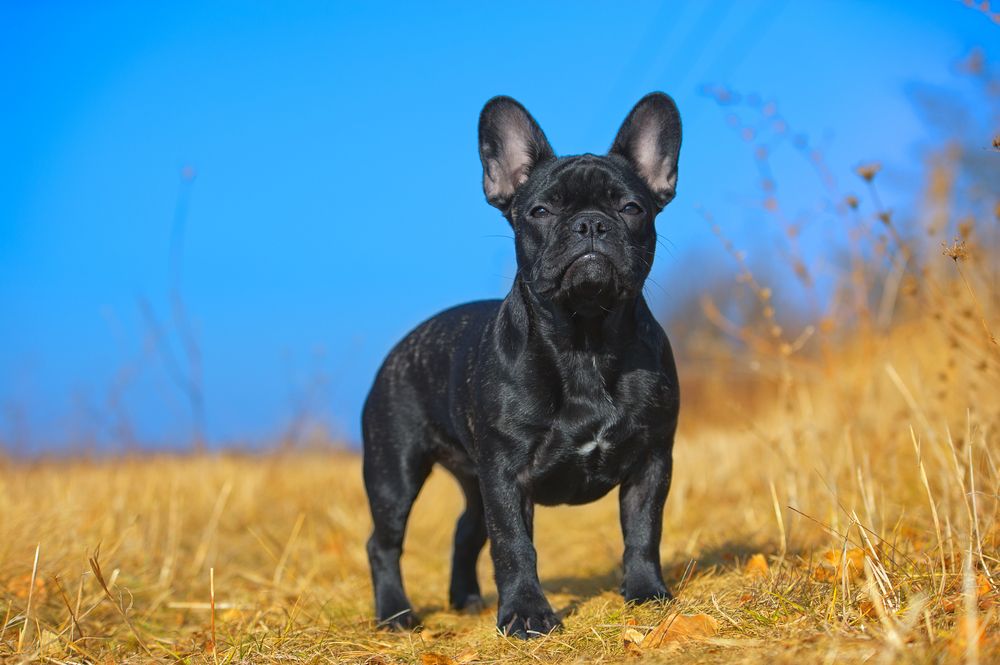
- Prompt
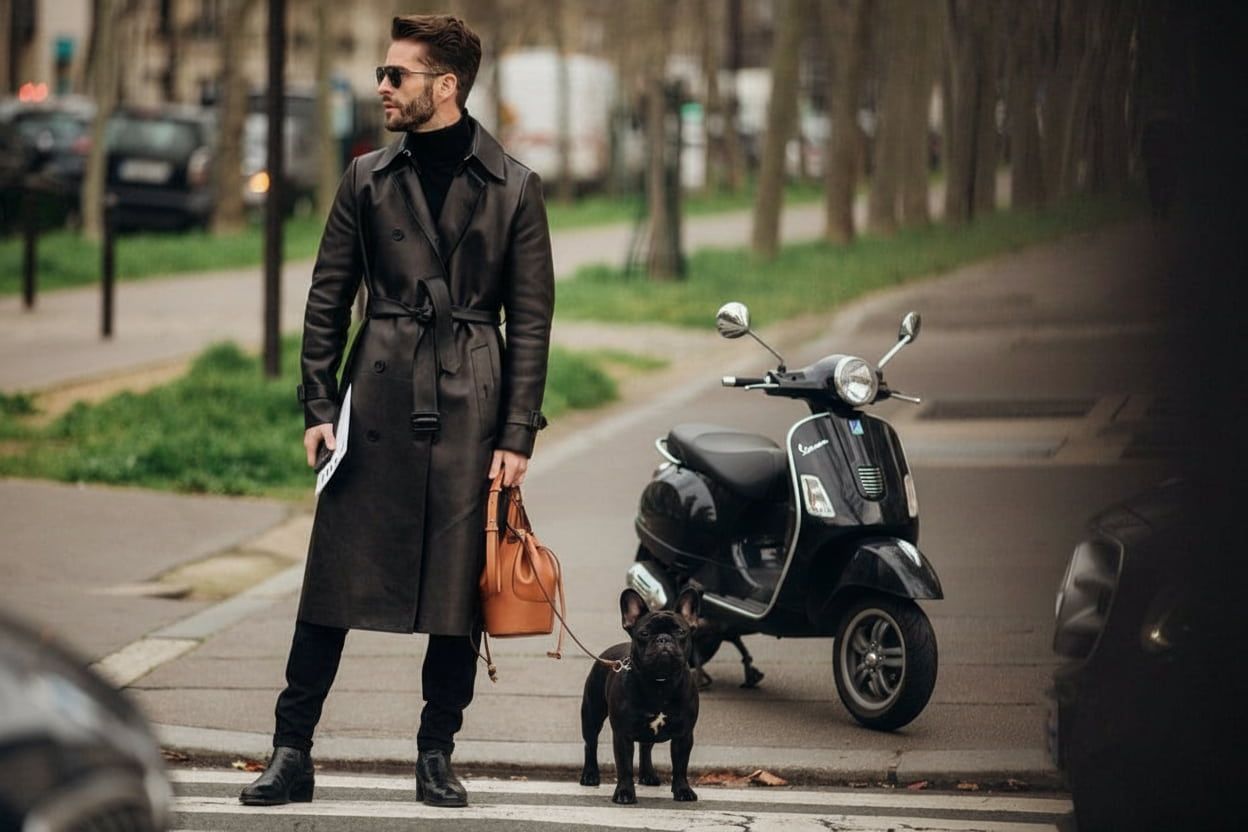
- Place the dog in image 3 next to the man and give the man a leash that extends to the dog. Also, seamlessly blend the scooter in image 2 within the background of image 1
- Output Image
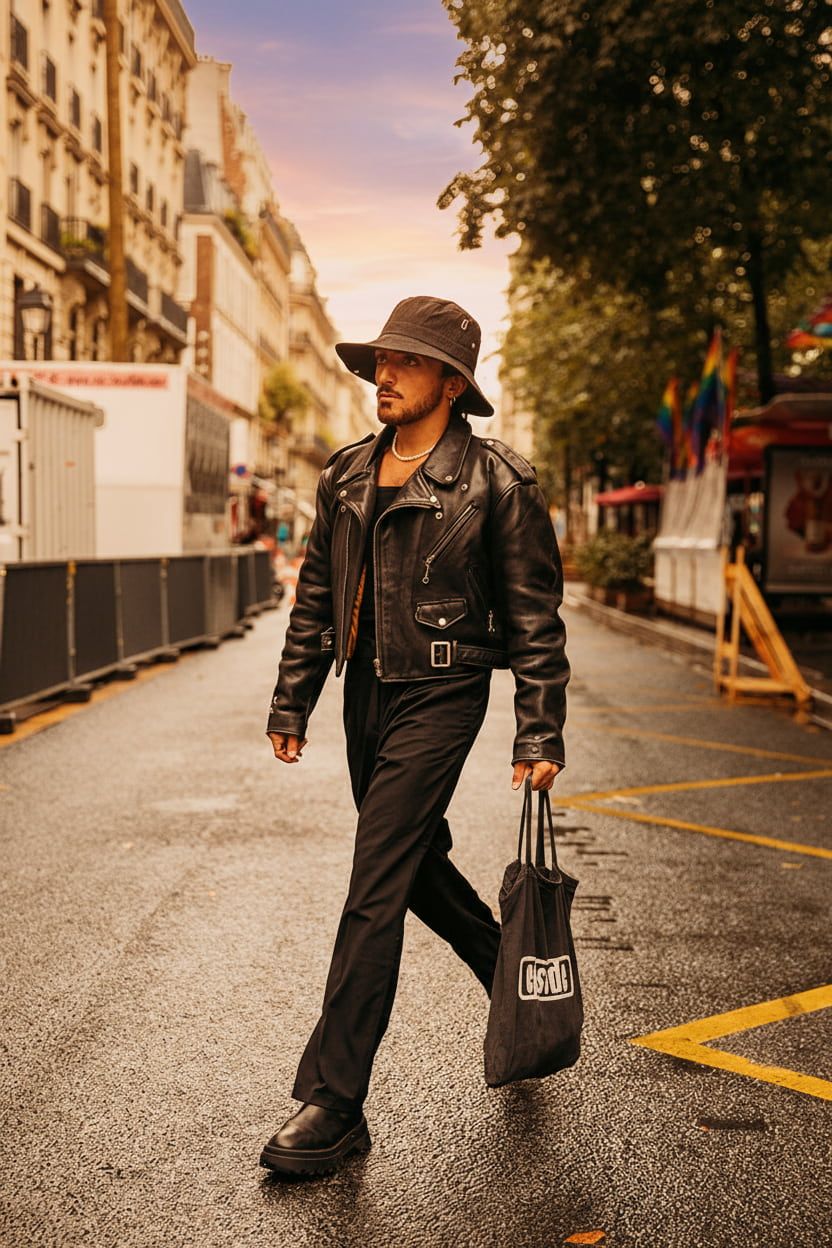
#4. Change the Weather/Lighting In an Image
Ever wanted to adjust the outdoor lighting or alter the forecast in an image? I have always thought this would be fantastic for improving aesthetics, but few AI editors could manage it.
With Nano Banana, I can alter seasons with a simple prompt. Whether it's snow, daytime, night-time, sunset, sunrise, etc, the AI model can shift the mood in a scene within seconds.
Look at the prompt I used to give the photo a seasonal twist:
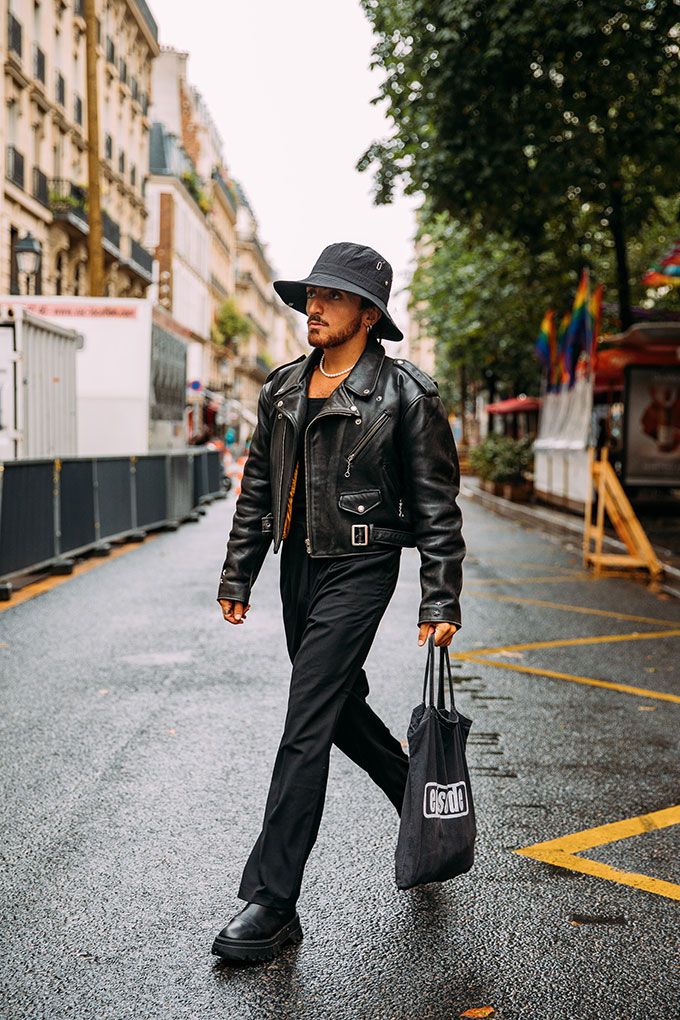
- Turn this cloudy weather into a hot summer day with clear skies and a sunset tone warming the scene.
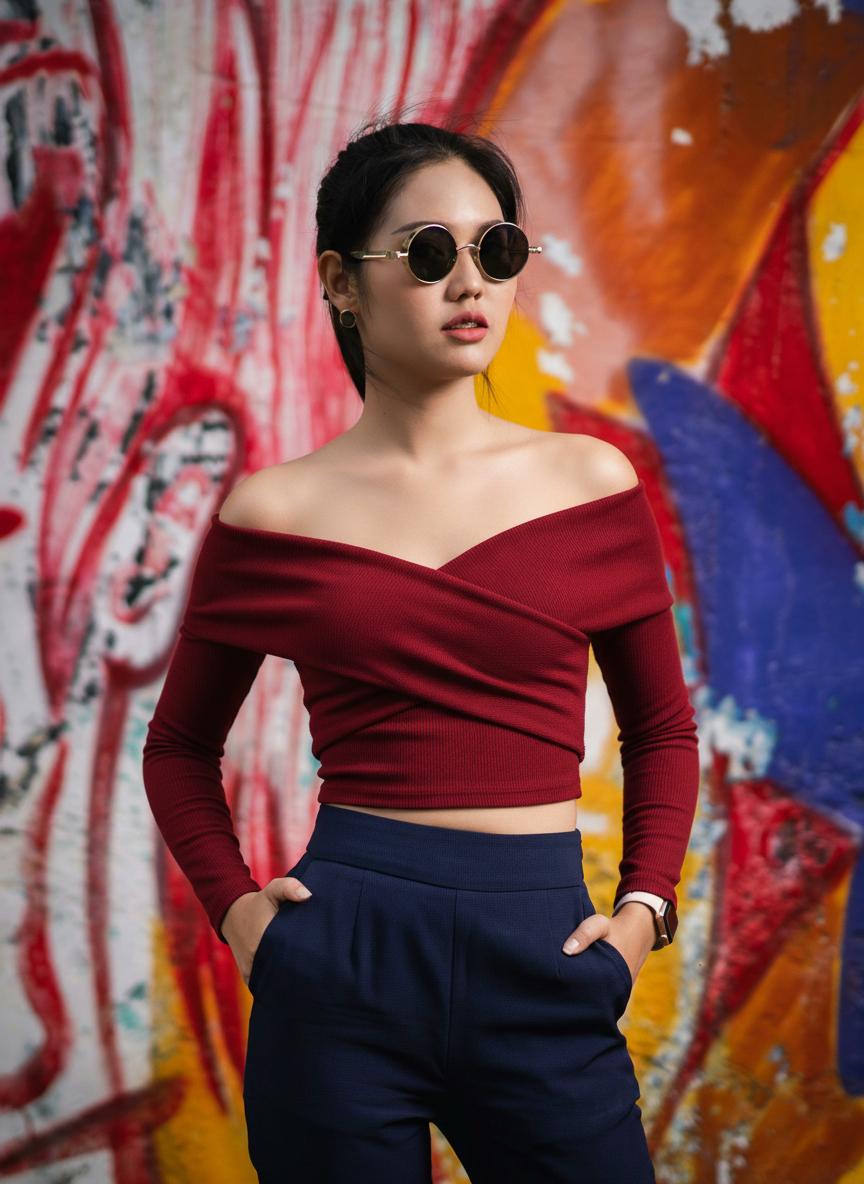
#5. Virtually Try-On/Switch Model Outfits
Running an e-commerce fashion brand requires constant model shoots that can be time-consuming and costly. But with Nano Banana, you can spare yourself all that hassle.
Using one model image, you can instantly switch out their jackets, shoes, pants, glasses, hats, and more, with texture and fit maintained. I consider that the true definition of an instant makeover!
View how my virtual try-on prompt panned out here:
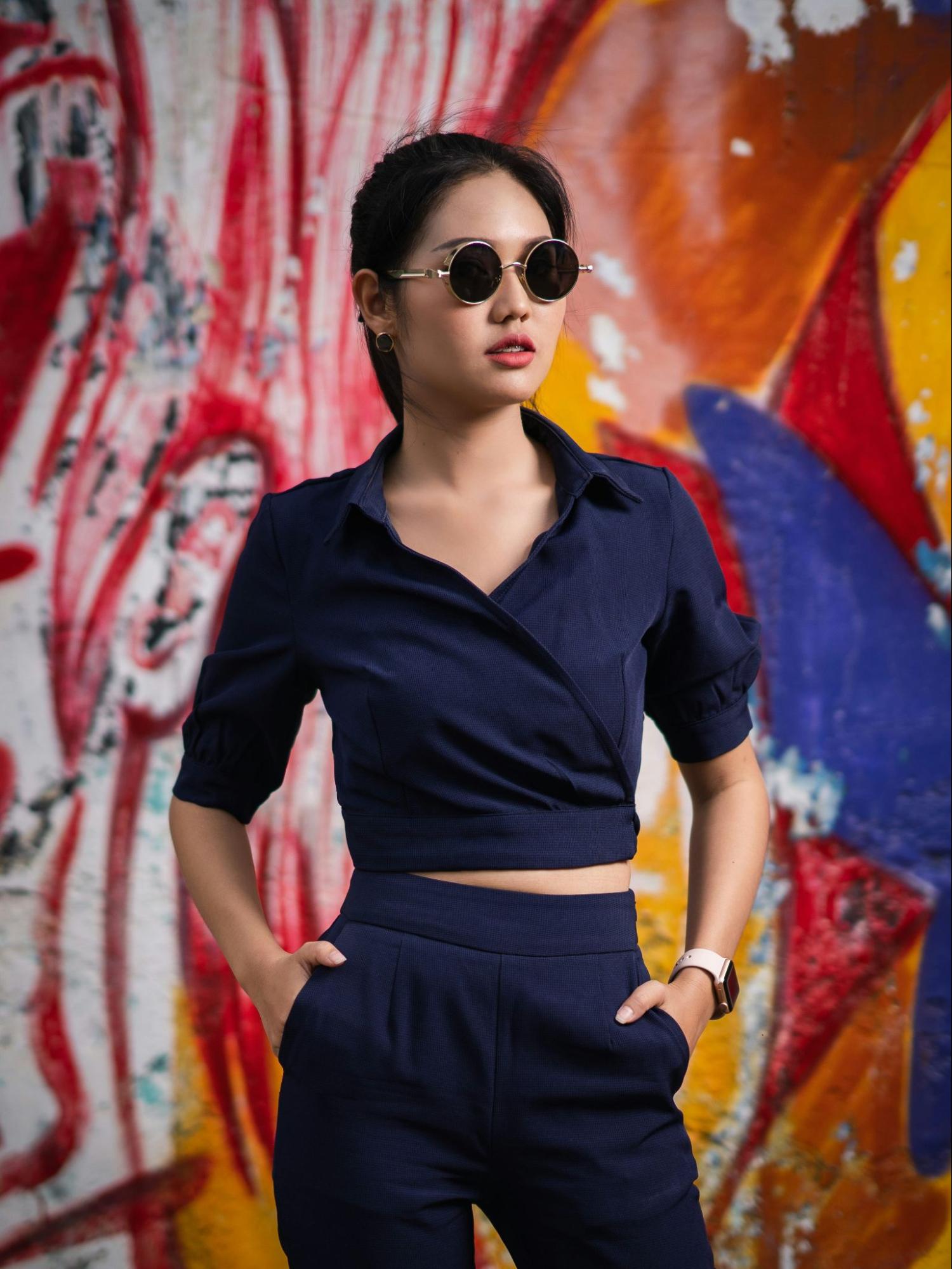
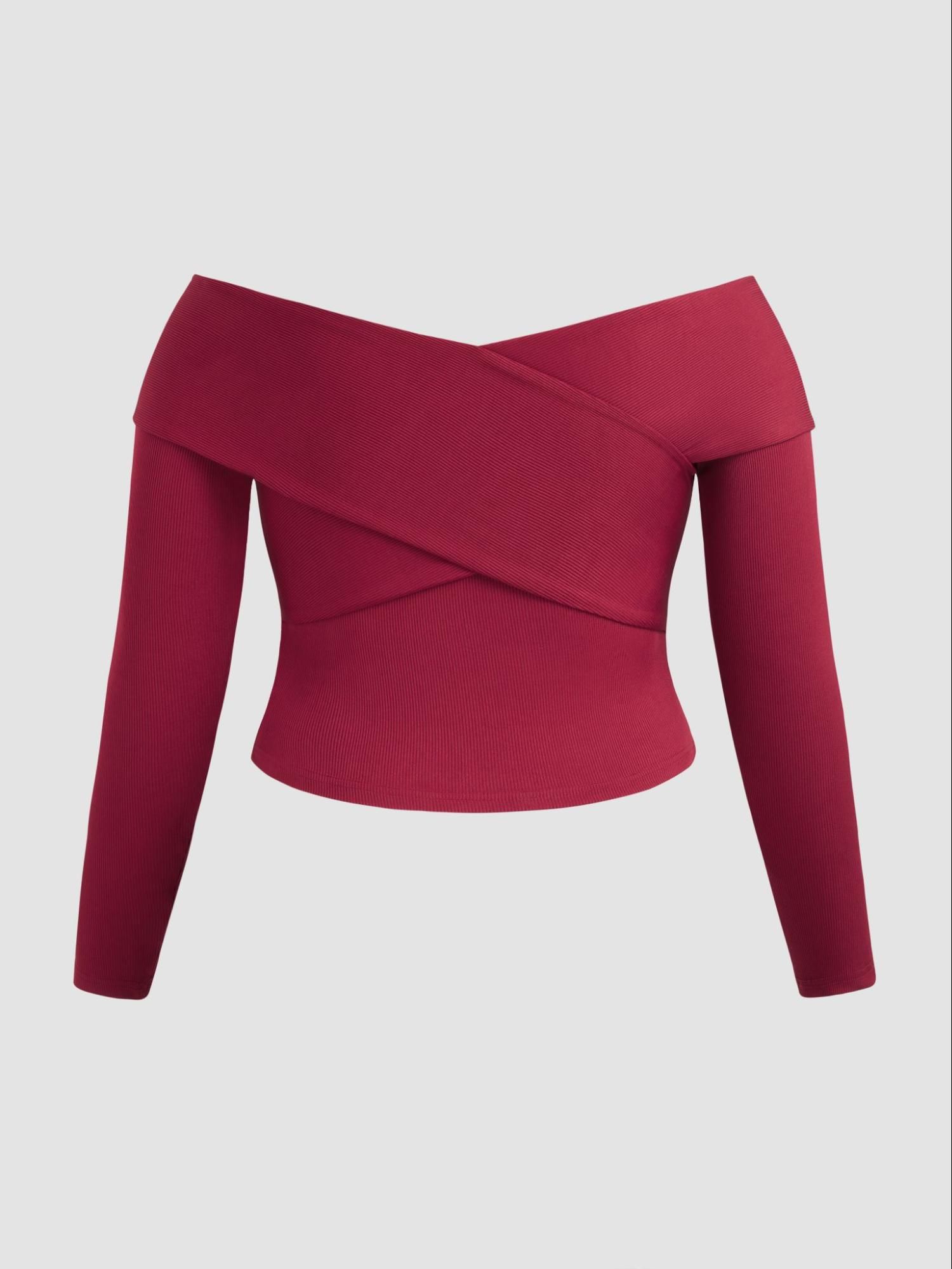
- Replace her navy top with the red one in image 2
#6. Cleanly Edit Typography In a Scene
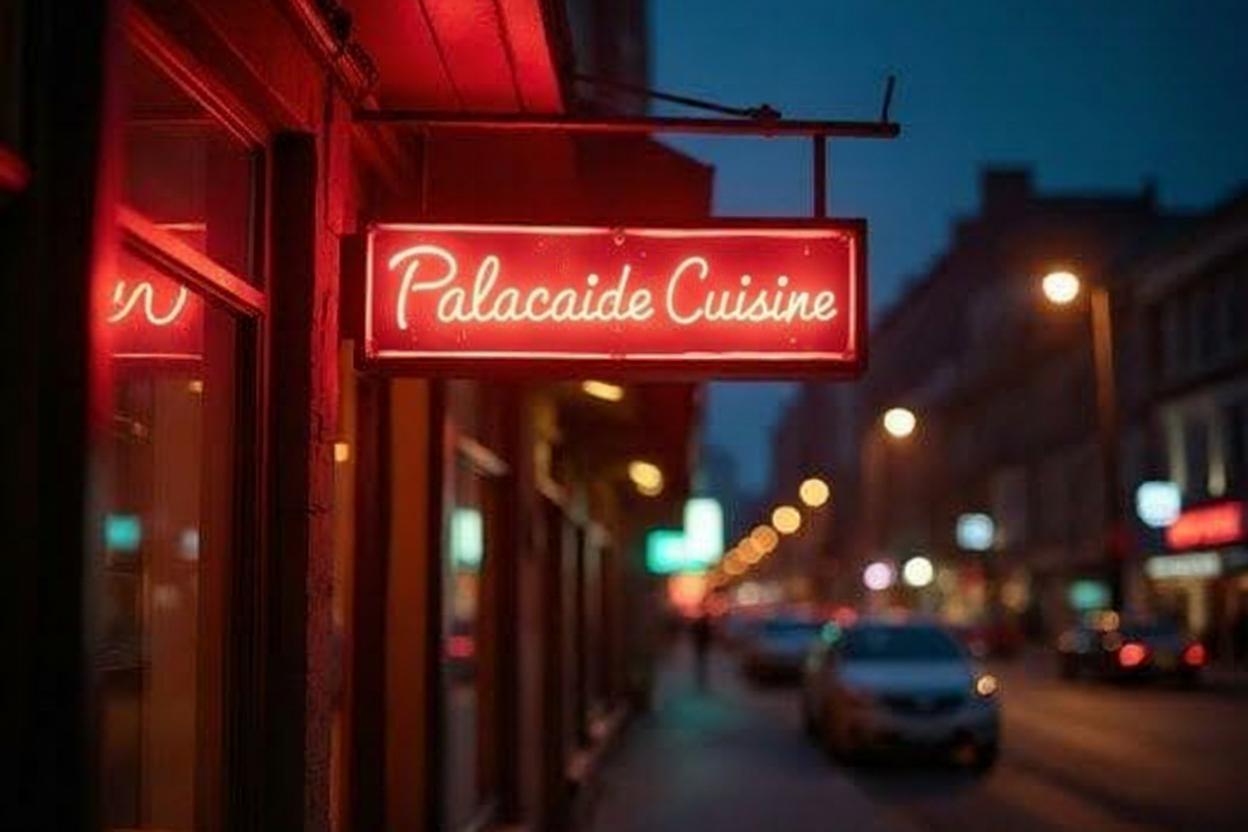
I often find that editing texts, signs or labels in an image can be tricky. In most cases, I frustratingly see a basic copy/paste attempt that falls terribly flat.
Nano Banana lets me cleanly swap out the text on signs, billboards, and surfaces in photos, making sure aspects like shadow and perspective match up with the scene.
See the prompt that helped me modify the typography in the first image:
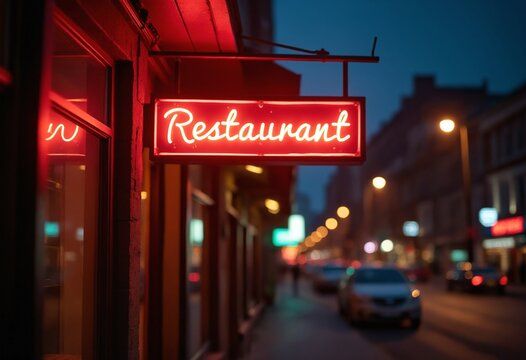
- Replace the sign's neon text "Restaurant" with "Palacaide Cuisine". Maintain the same font style.
#7. Restore/Colorize Old Images
I have a pile of vintage photos that could use a bit of color and restoration. In the past, when I tried to give them a facelift, the results were either unpredictable or failed to look natural.
This is an area I was impressed to see Nano Banana polish up while also preserving important scene aspects like grain, skin texture, etc.
Here's the prompt I used to breathe life back into the old image:
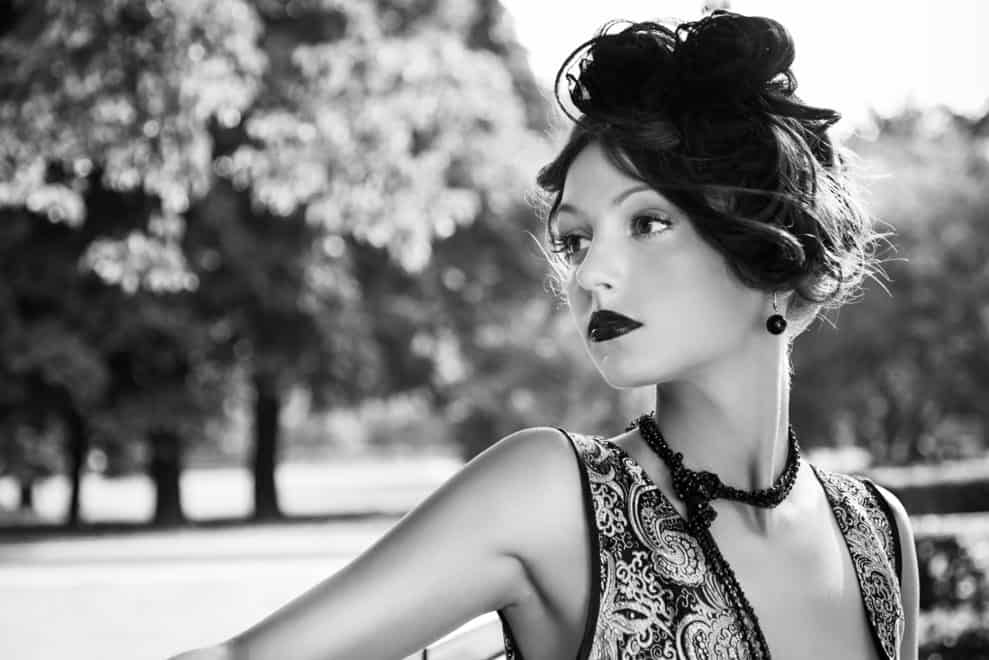
- Give this black and white image photorealistic color with natural outdoor lighting and realistic texture maintained.
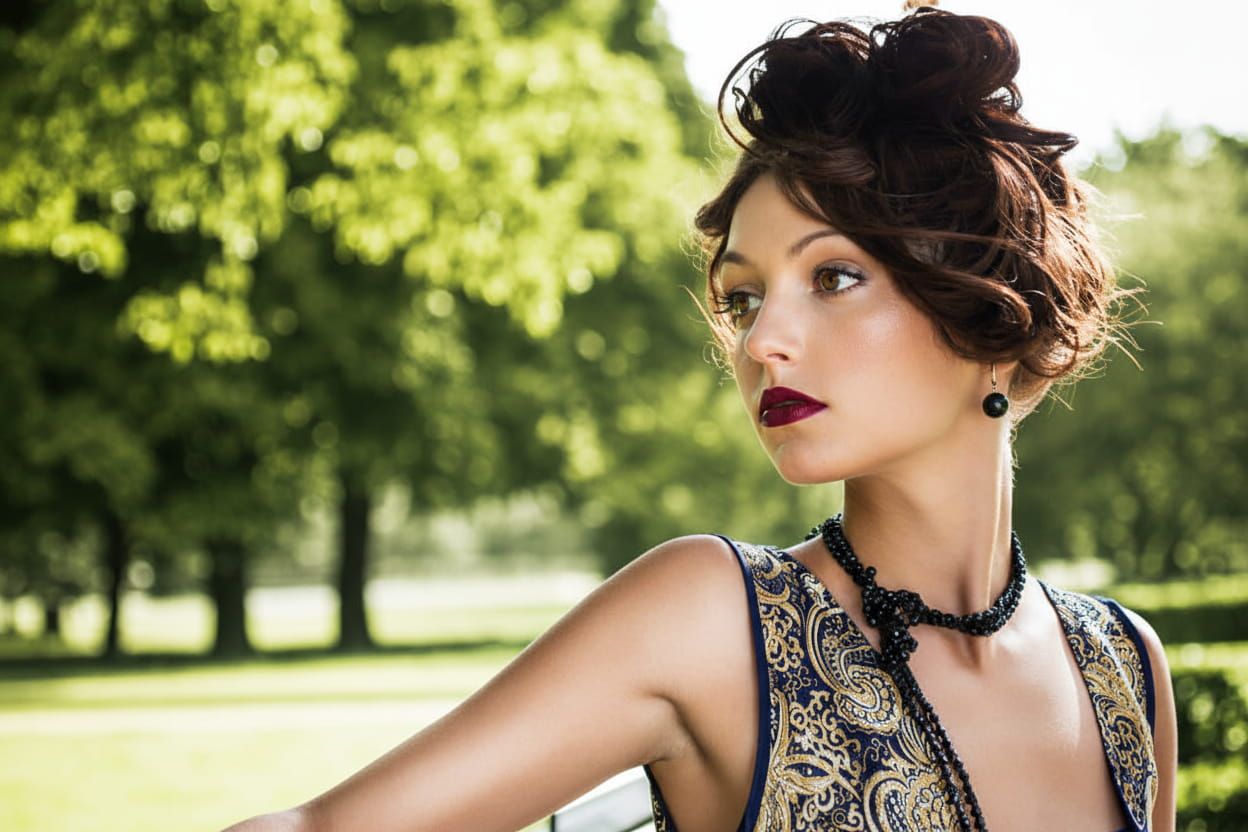
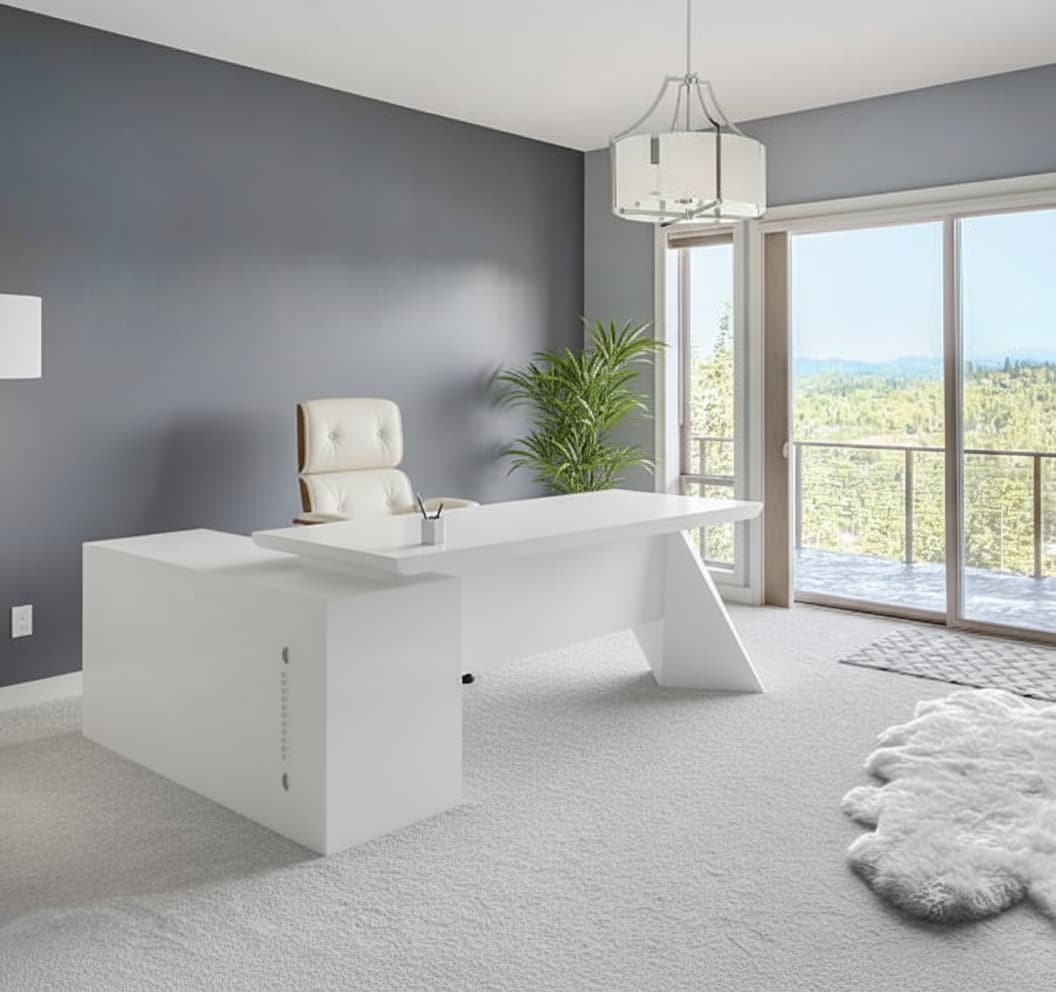
#8. Stage an Interior Design Set
Want to visualize products in a specific setting? Instead of scrambling to take photos in a less-than-adequate setup, you can stage an entire room display with Nano Banana.
You can upload pictures of various objects and place them in a photographed space. This lets you give people an idea of how certain things would look in a home, for example.
Case in point, check out the prompt I used to achieve this:
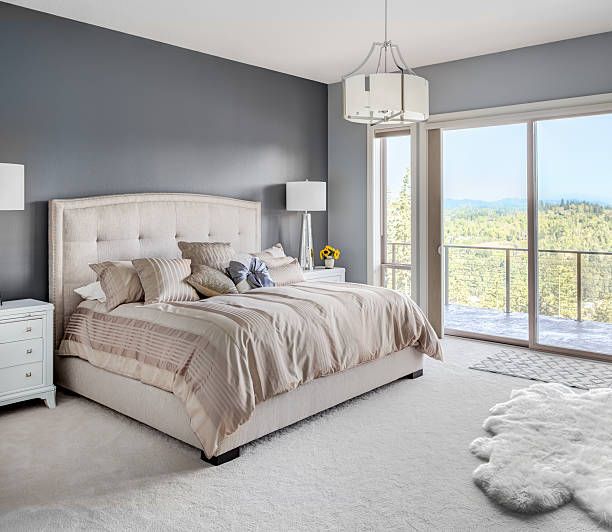
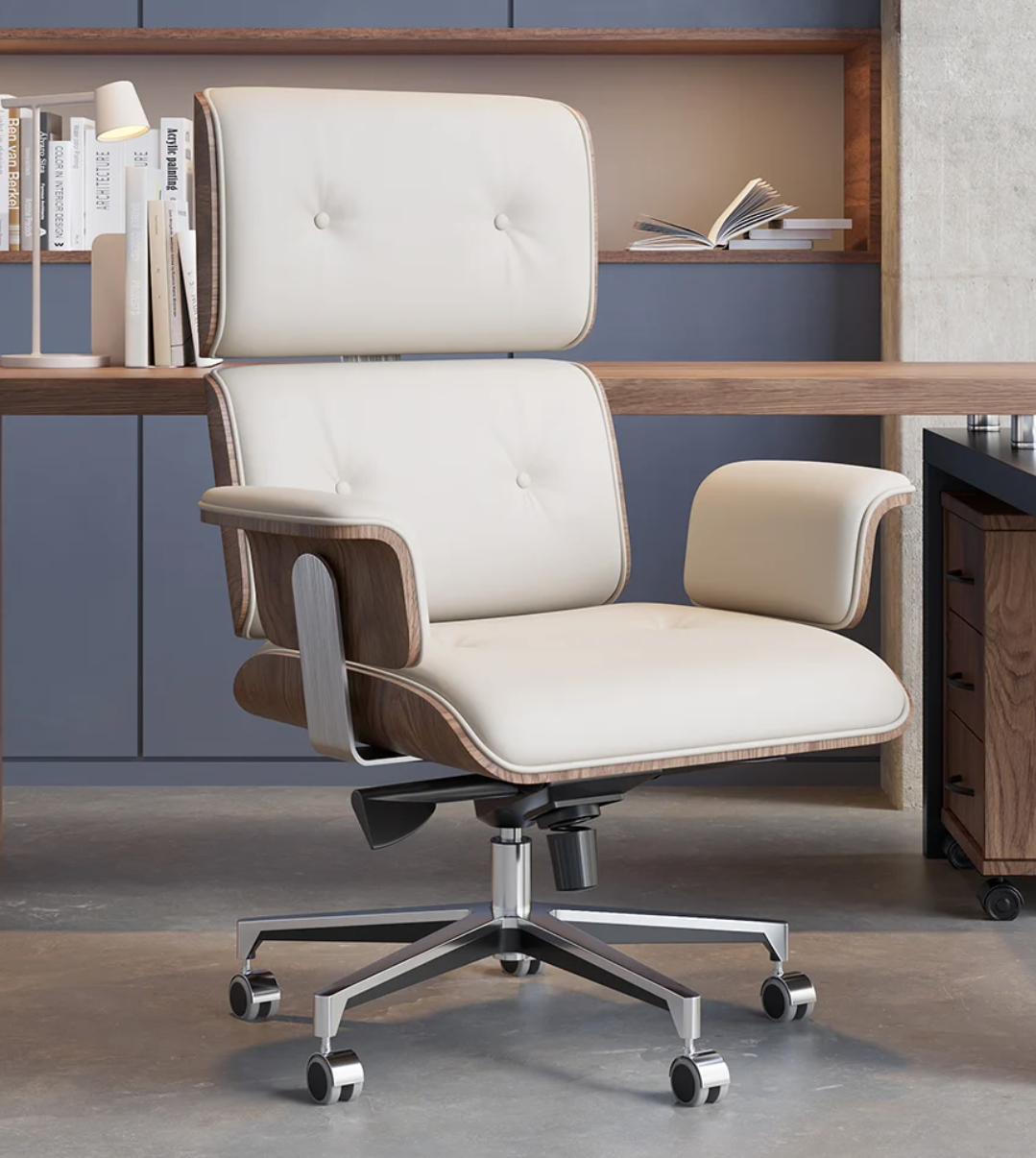
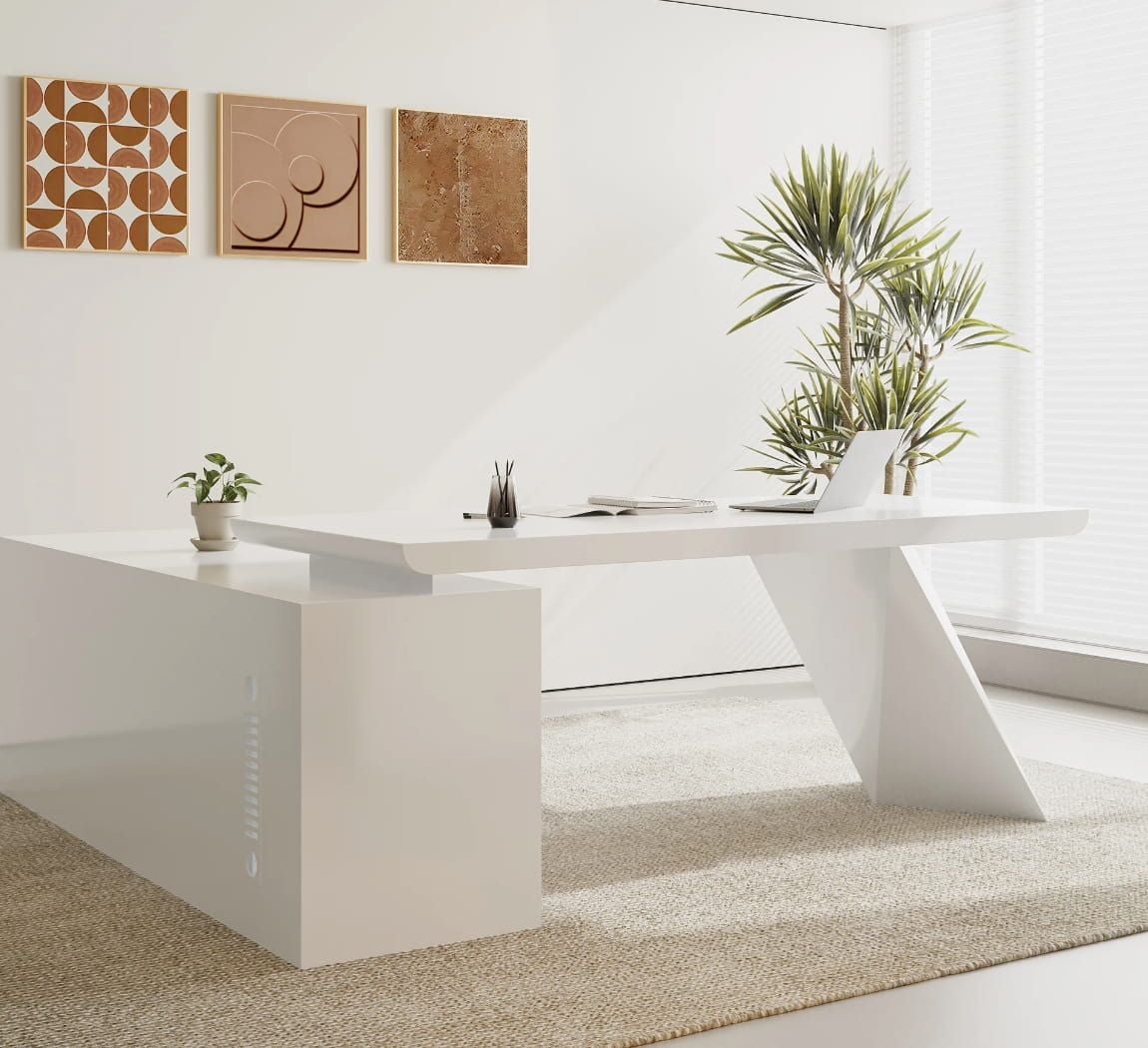
- Renovate the room in image 1 by replacing the bed with the office desk in image 3, and also add the office chair in image 2 by placing it behind the desk
#9. Augment Subjects/Objects Within Images
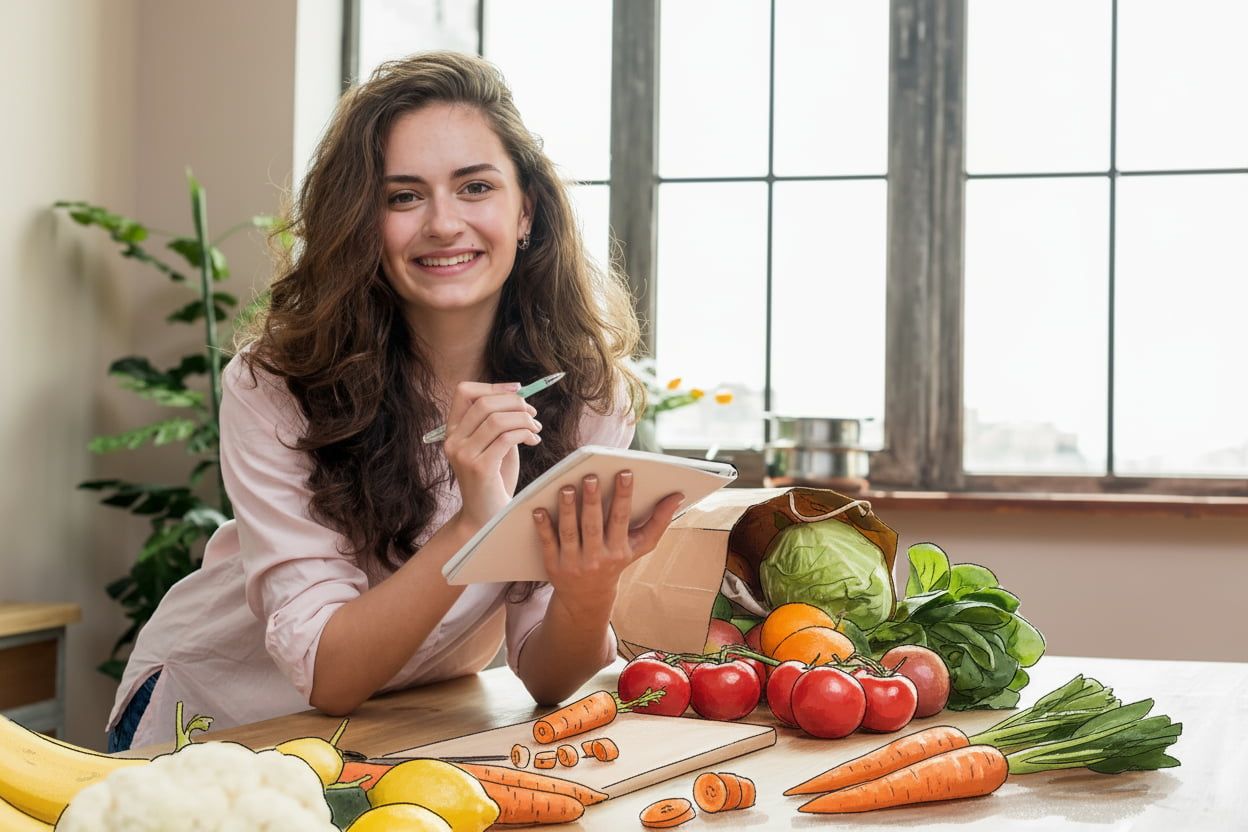
I always thought the idea of mixing multiple art styles in one image to be a tricky proposition. Can you imagine an anime version of your pet while they stand next to the real you?
In theory, that sounds cool, but how to pull it off without it looking like a cut/paste attempt? Using Nano Banana, you can make alterations to specific elements without affecting the whole image.
Here's the prompt I used to put this unique concept in action:
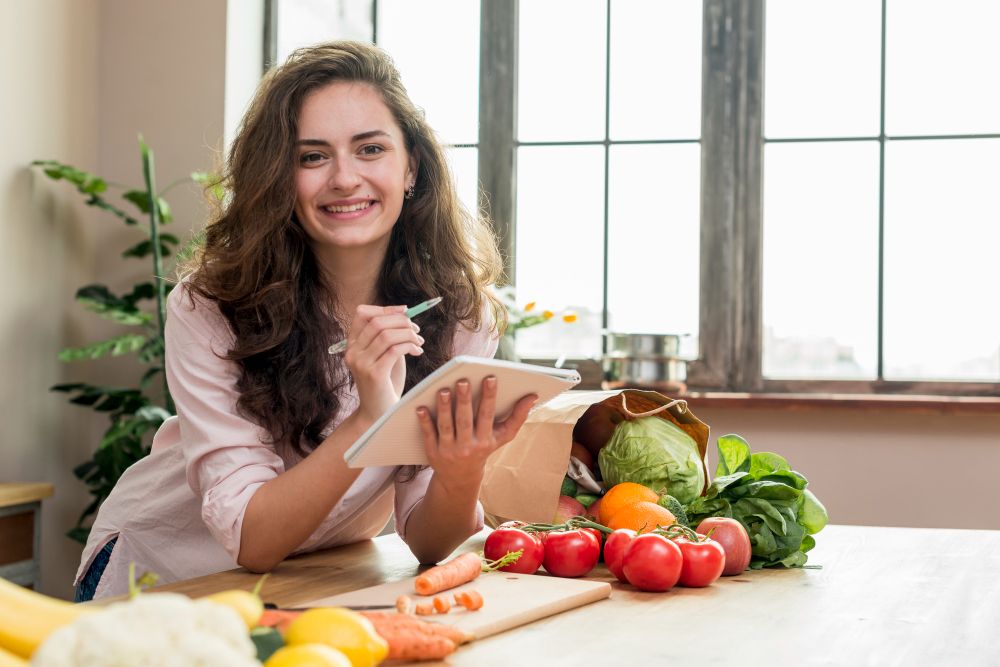
- Transform the fruits and vegetables on the table in the style of hand-drawn art illustrations.
#10. Merge Different Image Styles
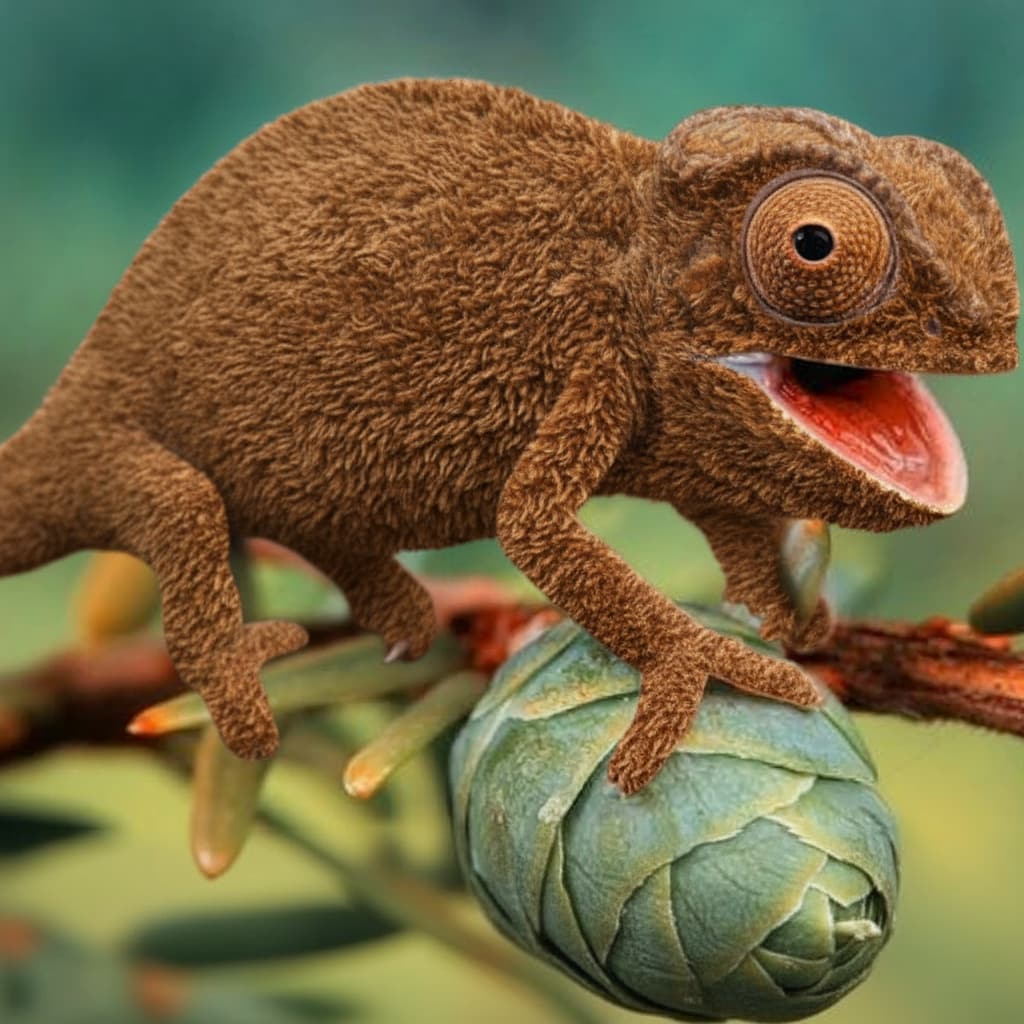
Creating fantastical artwork is possible with Nano Banana. If you want to transform a subject/object into something never seen before, you can easily merge it with another subject/object.
In short, it gives me the freedom to experiment with all sorts of unique textures, shapes, and styles, making entirely original designs that would blow people's minds.
You can see the prompt I used to come up with this piece:
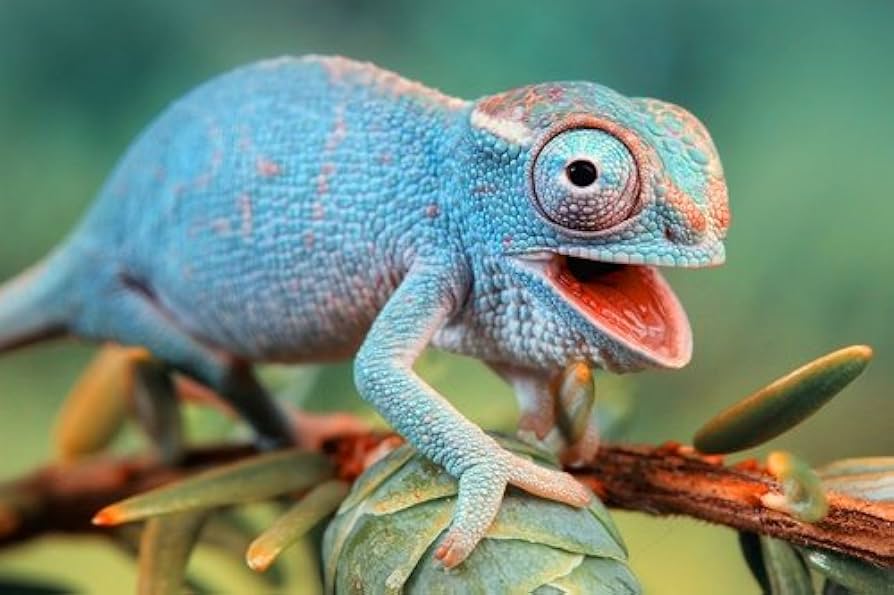
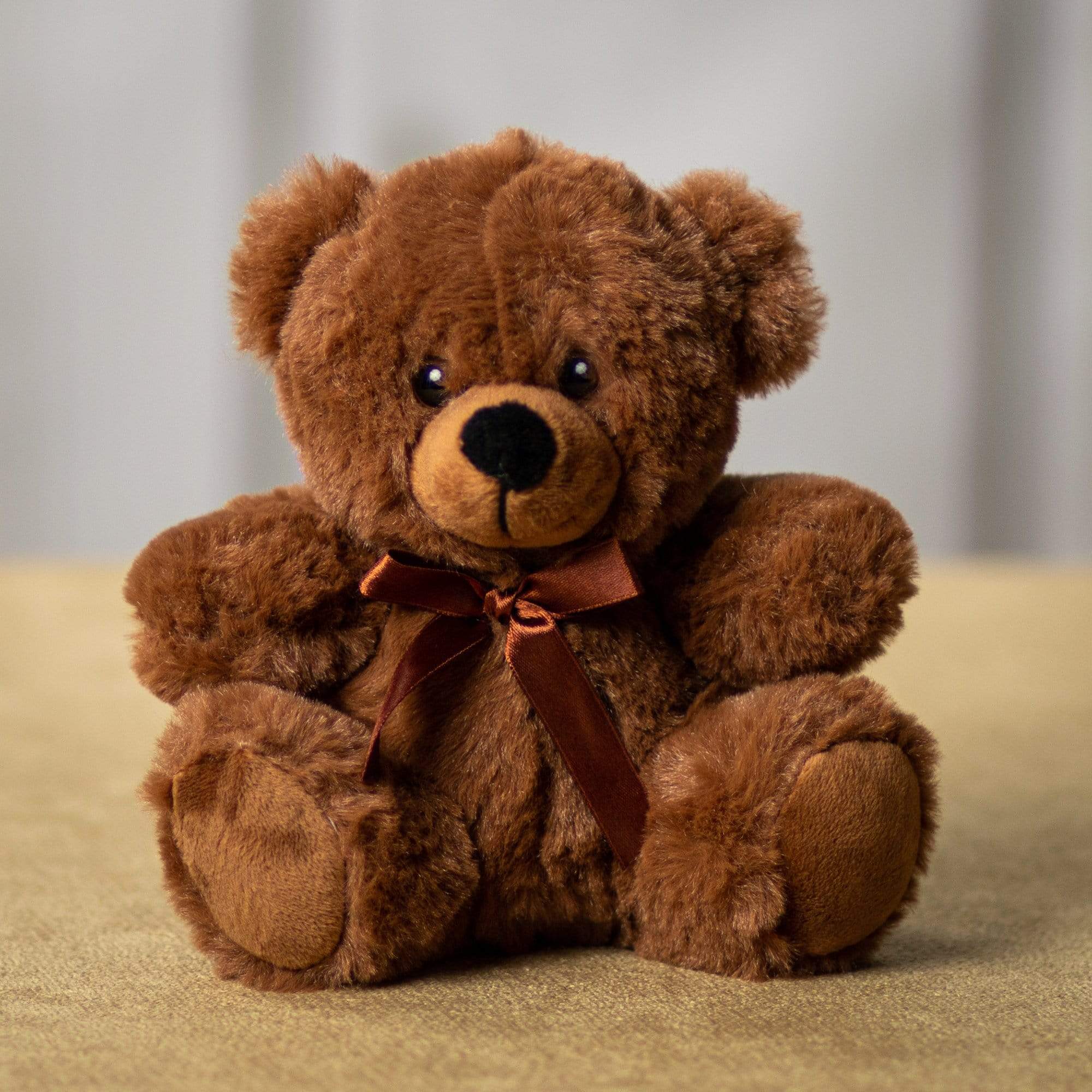
- Reimagine the chameleon by taking inspiration from the fabric and texture of the teddy bear in image 2
#11. Transform Any Subject's Looks
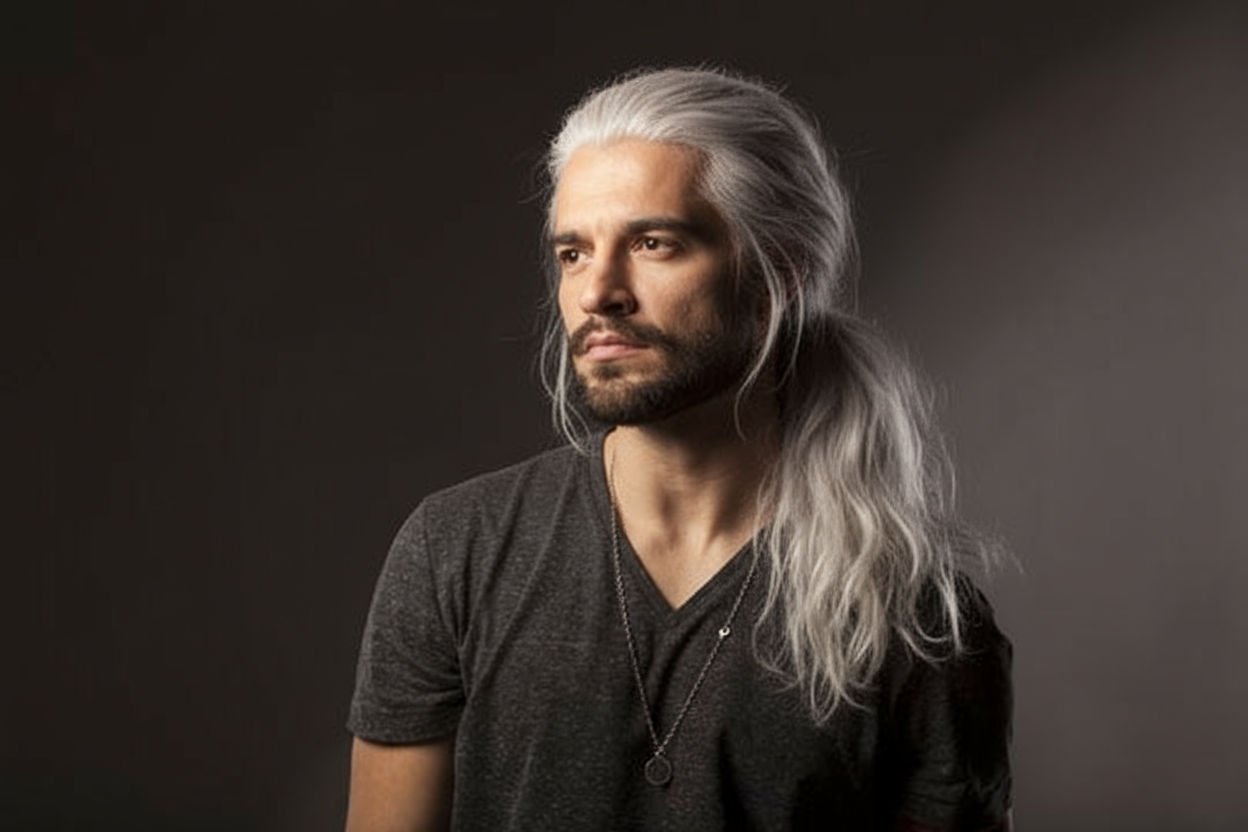
Using Nano Banana, you can transform various aspects like hair, piercings, skin color, or even eye color on any subject to see how they would look without committing to real-life changes.
Whether you're thinking of trying out a new look for yourself or creating different aesthetic renditions of the same model, you can preview different ideas in seconds rather than hours or days.
Check out the prompt style that I used for this:
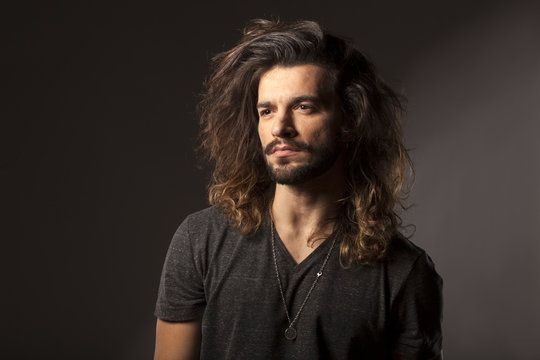
- Reimagine this model's hair to look white and grayish. It should also be tied up in a long pony tail like Geralt of Rivia's hair.
How Can I Start Using Nano Banana? Head Over To HIX AI
If you want to use Nano Banana on a stable platform and without paying exorbitant subscription costs to edit your images, then I suggest accessing it via HIX AI.
HIX AI offers access to the Nano Banana model on its text to image and image to image generator. It's easy to use Nano Banana on HIX AI with quick generation results. And the best part is, this model is currently unlimited to use for all paid users!
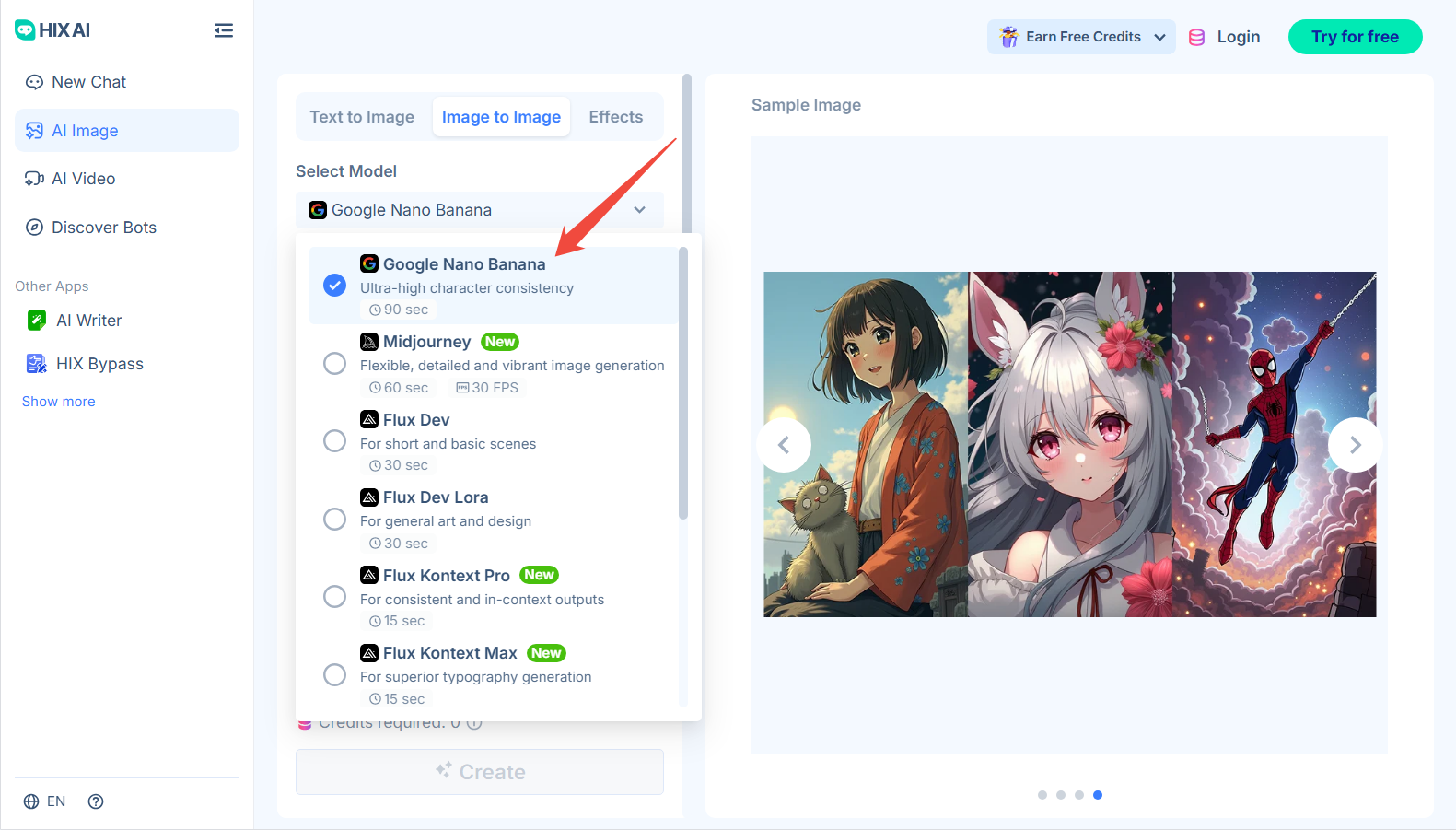
On top of that, these generators come with powerful AI image models like Nano Banana, as well as industry leaders like Stable Diffusion, GPT-4o, Recraft, Imagen and Flux.
Having all these different models in one place means total creative freedom. You can instantly switch and experiment between them until you get the best image outputs.
Conclusion
I must say it is impressive that Nano Banana can handle all different various use cases without breaking a sweat. And hopefully, the prompt examples above can unleash your creativity with this model.
Feel free to test out Nano Banana on HIX AI's image to image generator, and you will see just how valuable it can be to your creative workflow.