
PixVerse AI Video Generator
PixVerse, developed by AISphere, is an advanced AI video generator that transforms text prompts and images into high-quality videos. Offering a range of creative styles and dynamic effects, it delivers professional-grade results that are accessible via the web and Discord. Try PixVerse AI free on HIX AI today!
Key Features of PixVerse AI
- AI Video Generator: Turns text and image prompts into stunning videos.
- Various Templates: Offers a variety of trending and unique effects for instant video enhancement.
- Fusion Video Blending: Merges up to two reference subjects or backgrounds with prompts for cohesive storytelling.
- Style Transformation: Reimagines existing videos in new aesthetics, such as animation or realistic visuals.
AI Video Generator
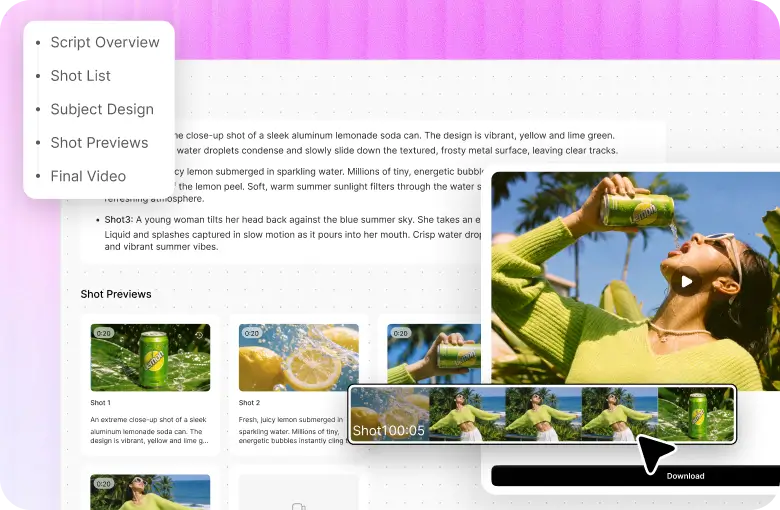
PixVerse enables users to generate polished videos from text descriptions or images, supporting diverse styles like cinematic or animated. Accessible on its website or Discord, it includes an upscaler for enhanced clarity, bringing your creative visions to life with ease.
Text-to-video:
| Prompt | Video |
| The camera peers through a torn-out hole in a bright red surface. A cute rabbit with large ears and a twitching nose peeks out. The camera moves in a bit closer, capturing the soft fur on its paw as it reaches out, creating a sense of anticipation and playfulness. |
Image-to-video:
| Input image | Prompt | Output video |
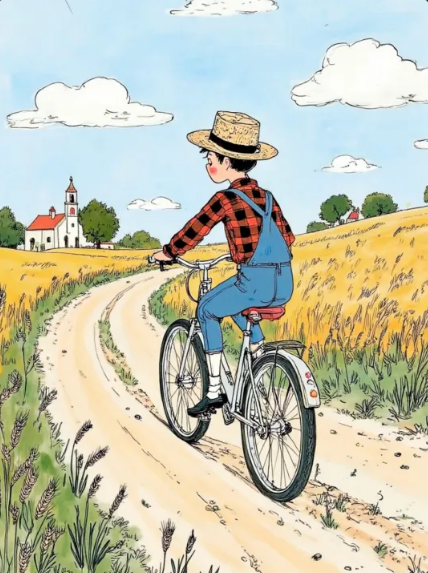 |
The farmer rode his bicycle along the path and went away. |
Various Templates
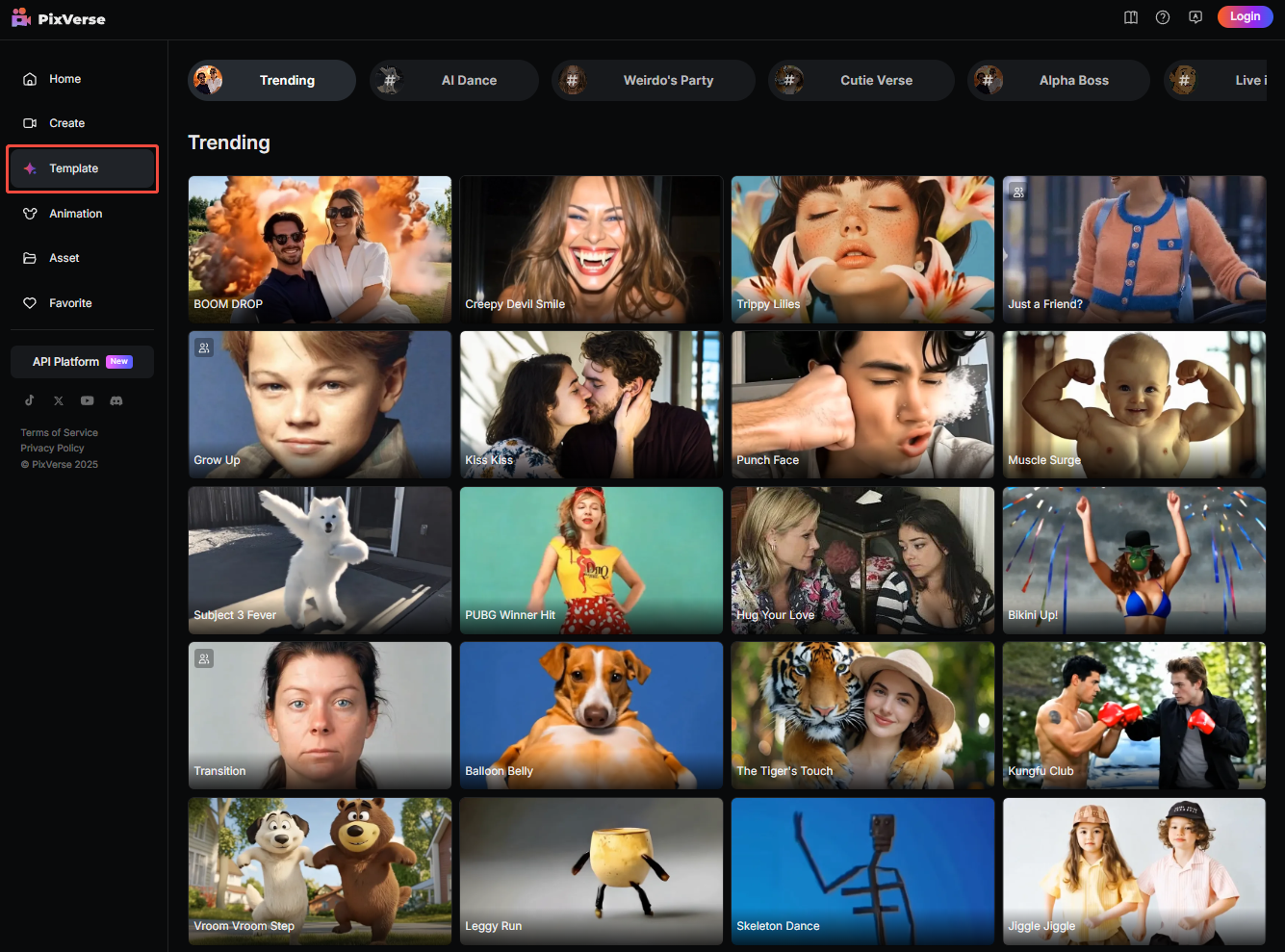
Explore PixVerse’s collection of templates, from enchanting Studio Ghibli-inspired animations to personalized character clips. These ready-to-use effects empower users to produce engaging videos for entertainment, marketing, or artistic expression without complex editing.
Fusion Video Blending
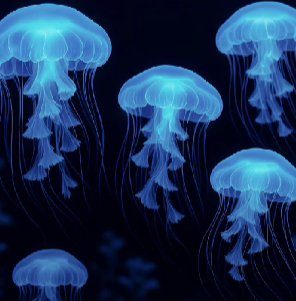
With Fusion, users can combine one or two reference images or backgrounds with text prompts to create seamless videos. The AI harmonizes inputs, automating transitions and details, making it ideal for turning abstract concepts into compelling visual narratives.
| Subject | Background | Output video |
 |
 |
Style Transformation
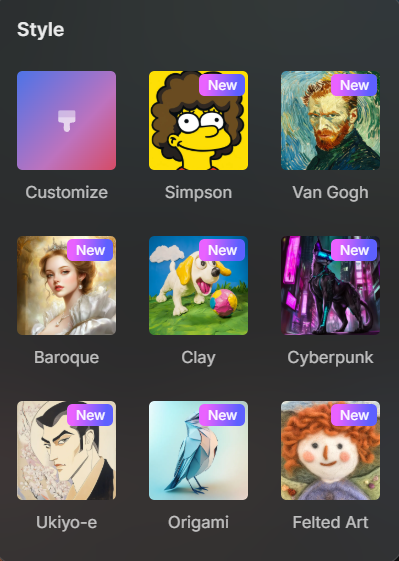
PixVerse’s Restyle feature lets you convert videos into distinct styles, such as Anime, Realistic, or Clay animation. This flexibility allows creators to reframe content to match specific aesthetics, delivering high-quality results tailored to any project.
PixVerse AI vs Other Leading AI Video Models
| Feature | PixVerse AI | Vidu AI | Kling AI | Wan AI |
| Max Resolution | Up to 1080P + 4K upscaling | Up to 2K | Up to 1080P | Up to 1080P |
| Max Clip Length | Up to 10 seconds | Up to 16 seconds | 15 seconds | Up to 10 seconds |
| Key Strengths | Fast generation, social media-ready clips | Realism, physics/motion consistency | Cinematic realism, prompt understanding | Motion physics, camera control |
| Input Methods | Text-to-video, image-to-video, multi-shot | Text-to-video, image-to-video | Text-to-video, image-to-video, advanced prompts | Text/image-to-video, physics-focused |
| Accessibility | Web/mobile app, API | Web/mobile app, API | Web/mobile app, API | Web/mobile app, API |
| Limitations | Less physics realism | Shorter clips, stylization bias | Queue times during peaks | Less emphasis on length |
How to Use PixVerse AI on HIX AI
Select the PixVerse AI Model
Go to the image to video generator of HIX AI and choose the PixVerse AI model.
Upload Your Image
Upload your image, enter your text prompt, and customize other video choices.
Generate New Video
Click the button and wait a few minutes for the servers to create your video.
YouTube Videos About PixVerse AI
Reddit Posts About PixVerse AI
X Comments About PixVerse AI
Mysterious Discovery @PixVerse_ V4.5 pic.twitter.com/S4fiE34tpf
— Alexandra Aisling (@AllaAisling) May 15, 2025
raw selfie in a loop [ @PixVerse_ v 4.5 is the best transition engine by far ] pic.twitter.com/ClTCWG31ld
— Molya (@KevMolya) May 22, 2025
Goodnight Friends.
— ART (@Art_For_Joy) May 28, 2025
Sweet dreams 😴
Good Thursday Morning to our friends abroad 🌞🩷
Image to video @PixVerse_ 4.5#goodnight #SweetDreams pic.twitter.com/2YGMdU1917
嬉しいことに…#PixVerse のCPPにも参加させていただくことになりました!!!
— らふ🧸| Rafu@ポンコツ画伯 (@RafuMofu8) May 29, 2025
うれしぃ〜〜!!!
ということで!記念にテンプレを使って生成。
らふくまっ!羽ばたけぇぇぇ!!!#XANAバズ部 #AIMovie pic.twitter.com/sfDdy9iyVC
Floral Glow of Serenity🌷
— Jay Kay (@JayKay65220066) May 26, 2025
Made with @PixVerse_ 4.5 Text to video#AIart pic.twitter.com/dPftKJc8oK
Adobe Firefly Image4 #AdobeFirefly
— h64g (@h64g_) May 17, 2025
PixVerse v4.5 #PixVerse pic.twitter.com/7IqLkROAje
#PixVerse V4.5 pic.twitter.com/KCH6AXHxmT
— 888号🐷AI art (@TrueEnding_) May 17, 2025
ばんばんわーです。
— AIイラストエルフたん (@elftansaikou283) May 23, 2025
うーん、BGMに延長、なんも思いつかないやぁ。
これで完成でいいやぁ(*´Д`*)
てーい(/・ω・)/#PixVerse #AI動画 pic.twitter.com/qXFf7a8kAP
Made with @ChatGPTapp and animated with @PixVerse_ - [#prompt]
— Illusion Krafter (@illusionkrafter) May 25, 2025
Prompt ⬇️ pic.twitter.com/jENPLElWfc
inspecting neural networks 👀 @PixVerse_ pic.twitter.com/mjMtmMGbXL
— Weird AI Art (@weirdai_art) May 28, 2025
#pixverse
— Nobu_cyan (@ai_Tyler_no_bu) May 29, 2025
練習 pic.twitter.com/L25ZBWE64b
FAQs
What is PixVerse AI?
What is PixVerse AI?
PixVerse AI, developed by AISphere, is a web-based tool that creates videos from text and image prompts. It supports styles like Realistic, Anime, and Clay, with an upscaler for enhanced quality, accessible via website or Discord.
Is PixVerse AI free to use?
Is PixVerse AI free to use?
Yes, PixVerse AI offers a free plan for creating videos without cost. A subscription model, planned for 2025, will introduce premium features like watermark removal and enhanced processing speeds.
How does PixVerse AI process prompts?
How does PixVerse AI process prompts?
Users input text or image prompts via PixVerse’s web platform or Discord, selecting styles and settings like aspect ratio. The AI processes these inputs to generate high-quality videos, supporting multiple clips simultaneously.
Can I customize video styles in PixVerse AI?
Can I customize video styles in PixVerse AI?
Yes, PixVerse supports styles like Anime, Realistic, and Clay animation. Users can specify styles in prompts or use templates to create videos tailored to their creative or professional needs.
What platforms support PixVerse AI?
What platforms support PixVerse AI?
PixVerse is available on its website and Discord server, offering flexible access for video creation. Integration with HIX AI provides a seamless experience alongside other AI models.
Why choose HIX AI for PixVerse?
Why choose HIX AI for PixVerse?
HIX AI, an all-in-one platform, integrates PixVerse with other AI tools for versatile video creation. Its affordability, lack of regional restrictions, and consistent output make it a top choice for creators.
Which PixVerse models are available on the HIX AI platform?
Which PixVerse models are available on the HIX AI platform?
HIX AI provides access to PixVerse V2, V2.5, V3, V3.5, and V4.5—all designed to empower creators with versatile AI tools for video generation. Explore the full range of models here, and select the version that best aligns with your creative vision.

Try PixVerse AI Video Generator on HIX AI Free!
HIX AI is an all-in-one platform delivering cost-effective, intuitive tools for producing high-quality videos effortlessly. With global accessibility, perfect for creating seamless video.